Check the acquisition promise
Read the store headline, screenshots and description. What problem is the app promising to solve?
Study the storefront ↗
Shenzhen Joyhonest Technology Co., Ltd · iOS
Explore the ad evidence, study the storefront, and build your next acquisition hypothesis.
01 / Creative research
Read the store headline, screenshots and description. What problem is the app promising to solve?
Study the storefront ↗Explore apps with direct store-link matches. Compare their hooks and formats without assuming the same approach works here.
Browse observed advertisers ↗Store rankings and revenue estimates describe market context. They do not establish ad spend, conversions or ROAS.
Review the market context ↗02 / Storefront & product
Study the product story and store experience behind the acquisition funnel.



03 / Market context
Keep revenue, downloads and store rankings separate from advertising performance.
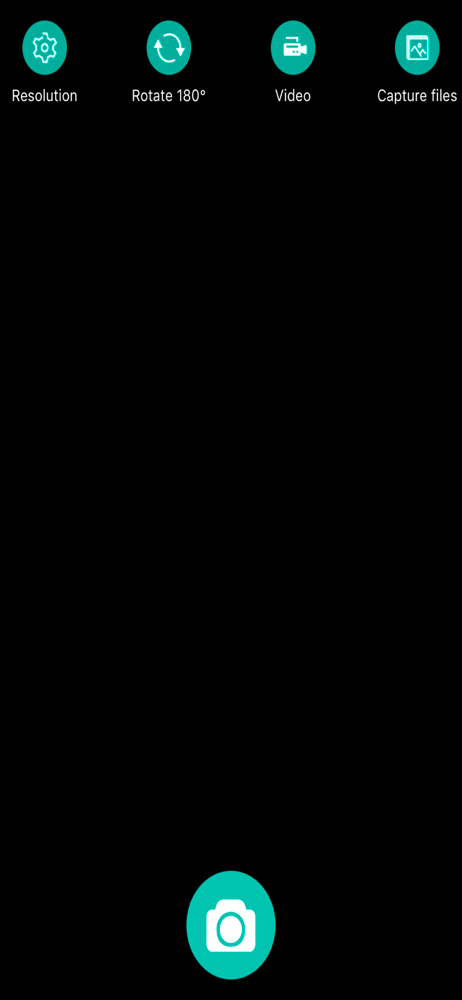
This app works great- but it’s a little hard to understand at first because of an error message that pops up saying you’re not connected to the internet. Ignore that- the microscope itself is basically sending out a signal as if it’s its own wi-fi network but it’s only so you can connect to it no matter where you are, which is really handy if you need to operate this thing out in the wilderness somewhere. So connect to the microscope’s WiFi signal, then open the app, ignore the error message and if all you see is red lines, take the cover cap off your microscope lens. 🤣 This app mainly just allows you to connect to your microscope and take pictures but you can also adjust resolution, rotate the image and then send the photos into your photos folder. Once it’s in there you can edit it like you would any other photo. This is a great app and easy to use once you get it working the first time.
Thus is a great little device that I’ve used for years and works well on my 2 old iPhones a 6 and a 6+. Also works well on my old iPad which gives best picture due to its size, but on iPhone 16 pro max the app runs and the WiFi connects to max-see but the app can’t see the WiFi connection and these folks have no did stable support. Sad for a formerly great little device and app. Caveat emptor! I’ll update this review and give back 5 stars once they fix the bug
Honestly, just a little blurb that pops up when you launch the app would do wonders. I think many of the negative reviews they just didn’t know how to make it work. Anyone reading through reviews who doesn’t know how to get this going - you need to turn on the microscope to get the blue light flashing, then go to settings, wi-if on your phone and join the network being emitted by the microscope. On mine the WiFi network was called max-see 5000. Once your phone is on the microscope’s WiFi, go back to the app and there’s your image! There is some lag but some of the images I captured were so super cool! It’s really a great gizmo and app.
This app can be used to control hardware to take photo and record video by via wifi protocol, at the same time, it can also switch resolution to sav...