Check the acquisition promise
Read the store headline, screenshots and description. What problem is the app promising to solve?
Study the storefront ↗
Dynamic App Design LLC · iOS
Explore the ad evidence, study the storefront, and build your next acquisition hypothesis.
01 / Creative research
Read the store headline, screenshots and description. What problem is the app promising to solve?
Study the storefront ↗Explore apps with direct store-link matches. Compare their hooks and formats without assuming the same approach works here.
Browse observed advertisers ↗Store rankings and revenue estimates describe market context. They do not establish ad spend, conversions or ROAS.
Review the market context ↗02 / Storefront & product
Study the product story and store experience behind the acquisition funnel.


03 / Market context
Keep revenue, downloads and store rankings separate from advertising performance.
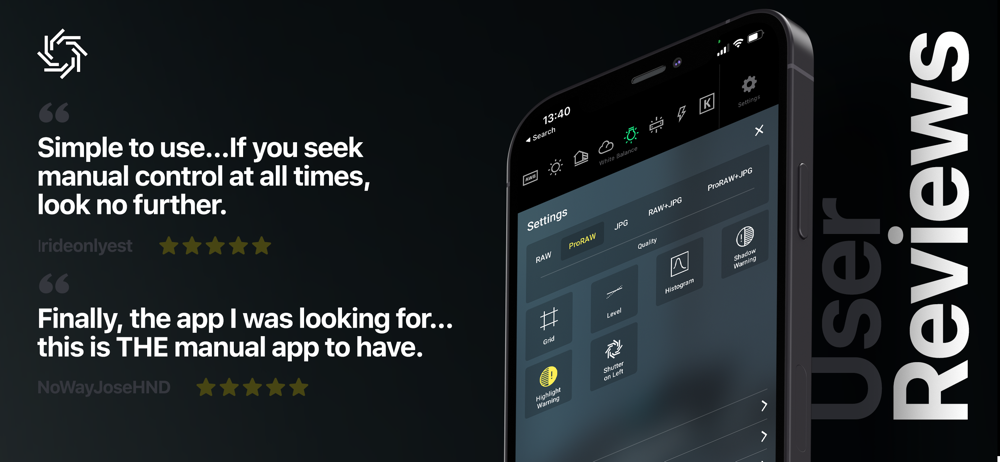
This app gives me the ability to take control of my exposure (photos only) without cluttering things up with gimmicks and automation. The only thing that I would like to see added is the ability to set a manual white balance. As it is, you can choose from presets. But that’s a minor thing. I love the way it takes away the Manila zoom option and instead allows lens selection. I hate zooming between lenses which only crops and adds processing to the image. I always stick with the “prime” lenses. This app makes that easy. And no “live” phot option. Nothing’s worse than taking a bunch of photos with the stock app only to realize your finger had accidentally turned on live photos. This app has only what I want and need to be able to take good photos and gives me easy control over those settings. Well done.
I love photography. So without question I own a profession Camera. However, I don’t always have it with me… but I always have my iPhone with me. So it’s understandable that I’d love to be able to squeeze every bit of extra detail I can get out of my iPhone photos. The RAW+ App really does the trick. To make an honest comparison I took multiple photos using the iPhone built-in App, the RAW+ App and two others. RAW+ always had a slight advantage over the rest. It’s an amazing App that retain extra detail in Highlights, Mid-tones, Shadows and gives you control over those Black Points. For example, the color “dark red” has always been a challenge and RAW+ helps by retaining so much metadata that you have more to work with when you import into your photo editor. RAW+ doesn’t include any gimmicks like the others that offer dozens of buttons and sliders to play around with. It’s a Pro App. You adjust your White Balance, ISO, Shutter Speed and TAKE THE SHOT! It will give you a hefty file size between 5 and 10MBs that you can import into your photo editor where the real magic begins.
Same as other at least 2 other reviewers, there are no images to be found. iPhone X, iOS 12.1 UPDATE: I tried RAW+ on an iPad Air 2 and the app (same version of app, iOS) saved images as it is supposed to. The issue of not saving images would seem to be device specific and something for the developers to solve. Update 2: still does not work on the iPhone latest iOS 12.1 and the latest RAW+, no saved photos. Works great on the iPad 2 Air and the iPad Pro gen 1, both with iOS 12.1 Update 3: all seems to be working, why I do not know; on my iPhone X there were no updates of the app or iOS 12.1 when it began functioning. Swear! I have since begun using an iPhone XS and it also seems to be working at day 1 (iOS 12.1) so I am a happy iPhone photographer! Rating changed to 4 and I think that would give it 5 if I had a little more time with it.
RAW+ is a minimalist camera for purists and professionals and puts total creative control back into your hands with a streamlined, manual-first interf...
| Name | Price | Type |
|---|---|---|
| Monthly Subscription | $4.99 | Monthly |
| Yearly Subscription | $9.99 | Yearly |
| RAW+ Premium Lifetime | $19.99 | One-time |