Check the acquisition promise
Read the store headline, screenshots and description. What problem is the app promising to solve?
Study the storefront ↗
MailTime · iOS
Explore the ad evidence, study the storefront, and build your next acquisition hypothesis.
01 / Creative research
Read the store headline, screenshots and description. What problem is the app promising to solve?
Study the storefront ↗Explore apps with direct store-link matches. Compare their hooks and formats without assuming the same approach works here.
Browse observed advertisers ↗Store rankings and revenue estimates describe market context. They do not establish ad spend, conversions or ROAS.
Review the market context ↗02 / Storefront & product
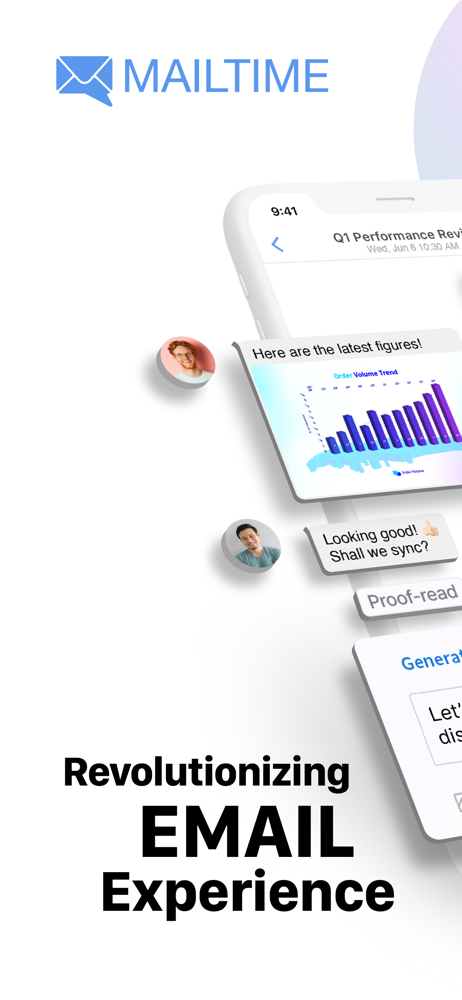
Study the product story and store experience behind the acquisition funnel.



03 / Market context
Keep revenue, downloads and store rankings separate from advertising performance.
After removing an email account from the app, I was continuing to receive iOS alerts from this app about new email arriving to that account. This could only mean that they keep your email account info after you’ve deleted it from the app, and keep spying on you by reading your emails. It’s abhorrent, a brazen violation of their declared privacy practices. Developers/app hosting companies like this should be forever banned from Apple App Store. Make sure to change password on your email account after deleting it from this app, or deleting this app with an email account(s) still attached to it. Calling attention of the App Store screeners to weed out such a bad actors. Update: and this is a developer from China, on top of everything. So this is a Chinese spying app. THANKS APPLE FOR WATCHING OUT FOR YOUR CUSTOMERS!
I set this up with my three most used email accounts, and was eager to move it into my primary email app spot. The deal breaker for me is that it took over a minute to “update” when opening the app each time. It just sat there frozen while I waited for it to sync with newer messages—messages that had already been received and shown as a notification. I would imagine that I’m like many users who need to be able to hop in and out of the app quickly in order to respond to important emails, but that appears to be functionally impossible with this version.
Deserving of 5 stars. I won’t fully use it until two things happen though. IMAP and Exchange aren’t supported yet....get those. Next, would make this app the BEST email app on iOS; images in signatures. If I load an image in to this one, it like “the rest” changes to “Null”. Developers; you’ve got something amazing here.....tweak those two things and you’ll have droves of customers paying for the premium version. Hell, raise its price when you do that too. I’d happily pay extra for image support in signatures.....seems nobody offers that in the land of Apple.
MailTime is the easiest email inbox management app on your phone. Send and receive emails in SMS style without needing all your contacts to download...
| Name | Price | Type |
|---|---|---|
| One MailTime account | $0.99 | One-time |
| AI Monthly Subscription | $0.99 | Monthly |
| 100 MailTime AI Credits | $0.99 | One-time |
| AI Yearly Subscription | $4.99 | Yearly |