
Check the acquisition promise
Read the store headline, screenshots and description. What problem is the app promising to solve?
Study the storefront ↗
iVerify · iOS
Explore the ad evidence, study the storefront, and build your next acquisition hypothesis.
01 / Creative research
Read the store headline, screenshots and description. What problem is the app promising to solve?
Study the storefront ↗Explore apps with direct store-link matches. Compare their hooks and formats without assuming the same approach works here.
Browse observed advertisers ↗Store rankings and revenue estimates describe market context. They do not establish ad spend, conversions or ROAS.
Review the market context ↗02 / Storefront & product
Study the product story and store experience behind the acquisition funnel.
The store evidence
US store price
$0.99
US rating
4.6 / 5
US rating count
2,408
Current version
71
2026-03-02 · Developer notes
Improved scanning stability for better performance
Store metadata collected 2026-11-03 UTC · US storefront · Source record. Free may include in-app purchases. Public data does not update revenue estimates.


03 / Market context
Keep revenue, downloads and store rankings separate from advertising performance.
Initially, like others, I had great difficulty activating the scan because following the directions would either take a screenshot or lead to the lock screen. This has been greatly improved, however. For the last couple of months, the app has become more sensitive to the button pushes (which only need to be held for a fraction of a second to initiate the scan) and will now begin the scan, even if the buttons are depressed too long and a screenshot results. However, concurrent with this improvement, the app has now begun hanging on the “Scan Processing” step, after completing the scan and uploading it to iVerify and will not show the results unless I push “Stop”, after several minutes. (This is for a new phone, with very little data on it.) Otherwise, the scan processing will never complete. Only after stopping it, are the scan results displayed.
If you’re having trouble with pressing all three buttons at once, it’s because you’re pressing them too long. I was doing the same thing, you’re not supposed to hold them long enough to get the emergency and shut down screen. Just literally half a second press all three. But, I struggled to get the data set to show up so that I could upload it, and I guess the upload failed yesterday. Now I can’t find the instructions on how find the data set to upload it so I guess I just can’t use this thing anymore? I think I have a misunderstanding about what it’s supposed to do, I thought it was literally going to scan for viruses but based on the screenshots and other reviews it looks like it just tells us how our phone is vulnerable, and I actually use the Bluetooth so I can’t shut it off thanks. Can I have my $1 back this thing doesn’t work.
Most excellent app with superb content ! Not being very tech savvy, I would easily become confused. With the jargon and the functionality of same. This app gave me the guidance to reasonably protect my devices. And as I’d follow their guide lines along with their explanation of the process as to why I was being directed to change things. I began to understand and relate. All while feeling at ease my devices were reasonably protected. Now am researching the cause and effect of of all user end security info to try and remain secure in the quagmire of today’s digital world. Thanks iVerify for putting all this info under one umbrella.
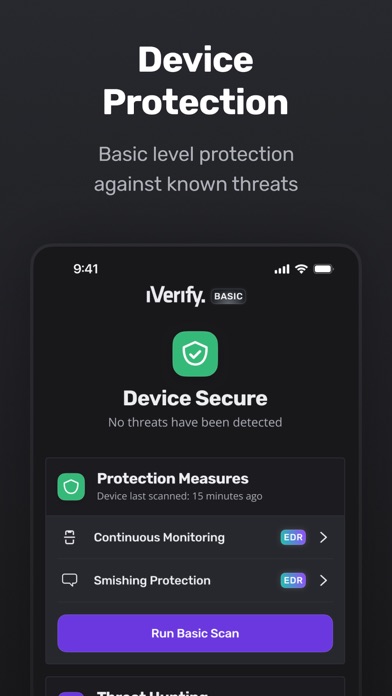
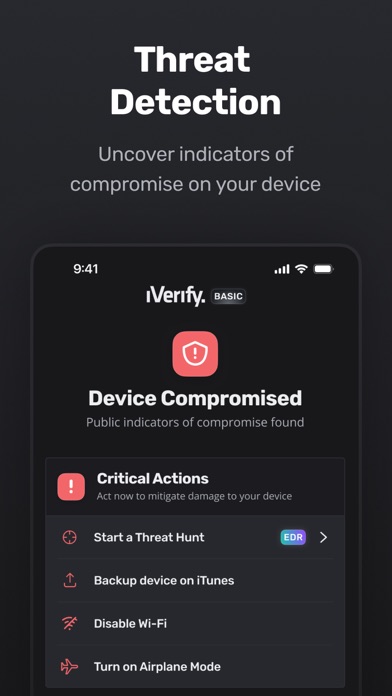
iVerify Basic is your gateway to enhanced device security and threat awareness, offering a glimpse into the powerful capabilities of our enterprise-gr...


