Check the acquisition promise
Read the store headline, screenshots and description. What problem is the app promising to solve?
Study the storefront ↗
10base-t Interactive · iOS
Explore the ad evidence, study the storefront, and build your next acquisition hypothesis.
01 / Creative research
Read the store headline, screenshots and description. What problem is the app promising to solve?
Study the storefront ↗Explore apps with direct store-link matches. Compare their hooks and formats without assuming the same approach works here.
Browse observed advertisers ↗Store rankings and revenue estimates describe market context. They do not establish ad spend, conversions or ROAS.
Review the market context ↗02 / Storefront & product
Study the product story and store experience behind the acquisition funnel.




03 / Market context
Keep revenue, downloads and store rankings separate from advertising performance.
I do a lot of home automation using a program called Indigo on my Mac. It allows me to mix various home automation systems like Insteon and Philip’s Hue. It involves various plugins which do cool things like allowing Alexa voice control. But the plug-ins frequently require explicit IP addresses to be entered. That’s where this app comes in super useful. After router reboots or power losses, DHCP re-assigns addresses. The main IP address display in IP scanner does a great job in finding and labeling devices so finding my Philip’s Hue hub after a reboot and address re-assign is a cinch. Further, many embedded devices present a web interface which IP scanner allows you to access directly. Going over my home network, IP scanner does a great job in general identifying devices. It’s my go to tool for analyzing my WiFi network
Because Apple foolishly made it so third-party apps like this, can no longer read MAC addresses. Well, it makes using this app really, really, really, friggin' really, really hard. I still am currently giving 4-stars because I know the developer had no control over this. But, yeah, thanks so much APPLE! Everything now comes up "Unidentified", and that is just super handy, let me tell you. Out of like 20 listings all but 3 are Unidentified. My online printer shows, my iPad shows up, and HAHA of course my Apple Airport Extreme shows up. So, because of Apple's wonderful decision to mangle apps like this, IP Network Scanner, now is rendered all but useless. I would really like to know why Apple did this?? If they aren't engineering planned obselescence, since iOS 10, with my iPhone 6 Plus' battery. In hopes of making me angry enough at the constant falling battery to upgrade to the newest iPhone. They are taking breaks from that and ruining apps like this. Again, thank you very much, Apple... 🤬🤬🤬🤬 And, to the developer, I assume it's not possible to fix this and find a workaround. But, if you can, please release an update that allows us to use this app like we used to be able to. Thank you if you can fix it.
Have at least 25 devices on my home network all over my 4 story home. This app comes in handy when I want to see what’s running, especially when something goes wrong and knocks me offline. A quick check with IP Scanner usually shows me where the trouble is. I have iPhone, iPad and OSX versions. Mostly they play well together, but sometimes loading saved scans or shared names will crash the app. That can be a bit buggy, but I’ve learned to deal with it. Overall, I’m happy with it, but learning its quirks took a little while. If you can deal with learning the quirks, go for it. If you expect it to be perfect every time you might get frustrated. That said, I’ve tried several apps and keep coming back to this one. Seems better featured and more reliable than others. I hope they keep improving it, but I’m not sad that I bought it.
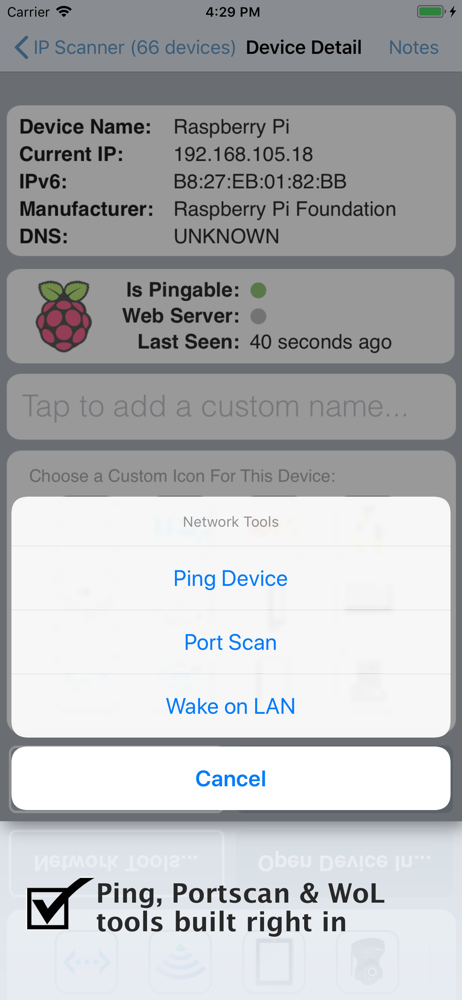
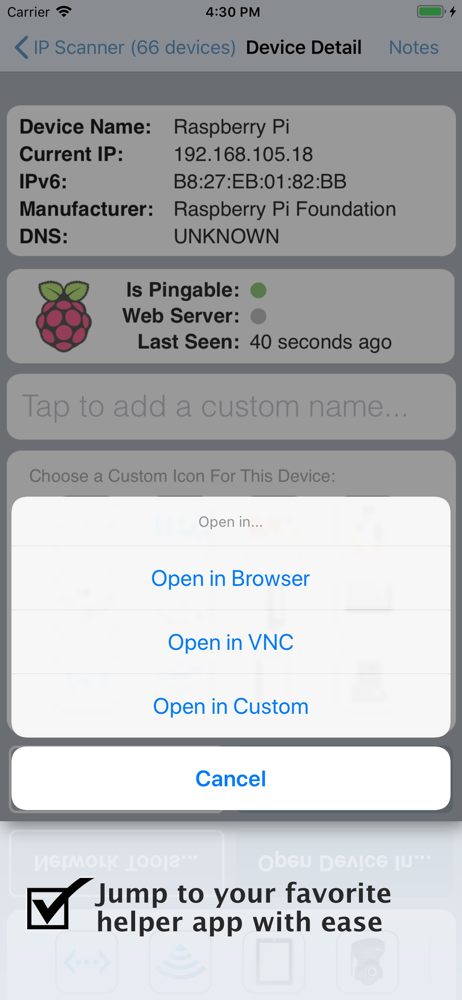
IP Scanner for iOS scans your local area network to determine the identity of all active machines and internet devices on the LAN. Powerful results, y...