Check the acquisition promise
Read the store headline, screenshots and description. What problem is the app promising to solve?
Study the storefront ↗
Techet · iOS
Explore the ad evidence, study the storefront, and build your next acquisition hypothesis.
01 / Creative research
Read the store headline, screenshots and description. What problem is the app promising to solve?
Study the storefront ↗Explore apps with direct store-link matches. Compare their hooks and formats without assuming the same approach works here.
Browse observed advertisers ↗Store rankings and revenue estimates describe market context. They do not establish ad spend, conversions or ROAS.
Review the market context ↗02 / Storefront & product
Study the product story and store experience behind the acquisition funnel.




03 / Market context
Keep revenue, downloads and store rankings separate from advertising performance.
If you’re looking for an app that will tell you comforting, colorfully-illustrated lies about “trickle charging” your battery, this isn’t the app for you. On the other hand, if you’re looking for an app that will give you a wealth of information that’s truly useful and doesn’t attempt to promise what it can’t deliver, you’ve found it. After downloading this app and starting to use it, I was disappointed by the lack of an alarm to notify me when charging was at 100 because I’d been told by both battery app descriptions and tech journalists in the past that “overcharging” (like leaving your device on the charger all night) can be a cause of battery life(span) issues. So I emailed the dev of System Status. Know what I learned? Two things: one, he’s very responsive and helpful, and two: battery charging is 100% under iOS control - it stops charging when it hits full charge. In other words, you can’t “overcharge” your battery. And the kind of alarm I was looking for used to be a feature in System Status, but A) it had to be running in the background to continually check on charge and B) Apple restricted what apps can run in the background. So he removed the alarm, as people would’ve had to leave System Status as their front-most app for it to work. A simple, clear explanation. Very refreshing, in a sea of snake oil “monitor/utility” apps.
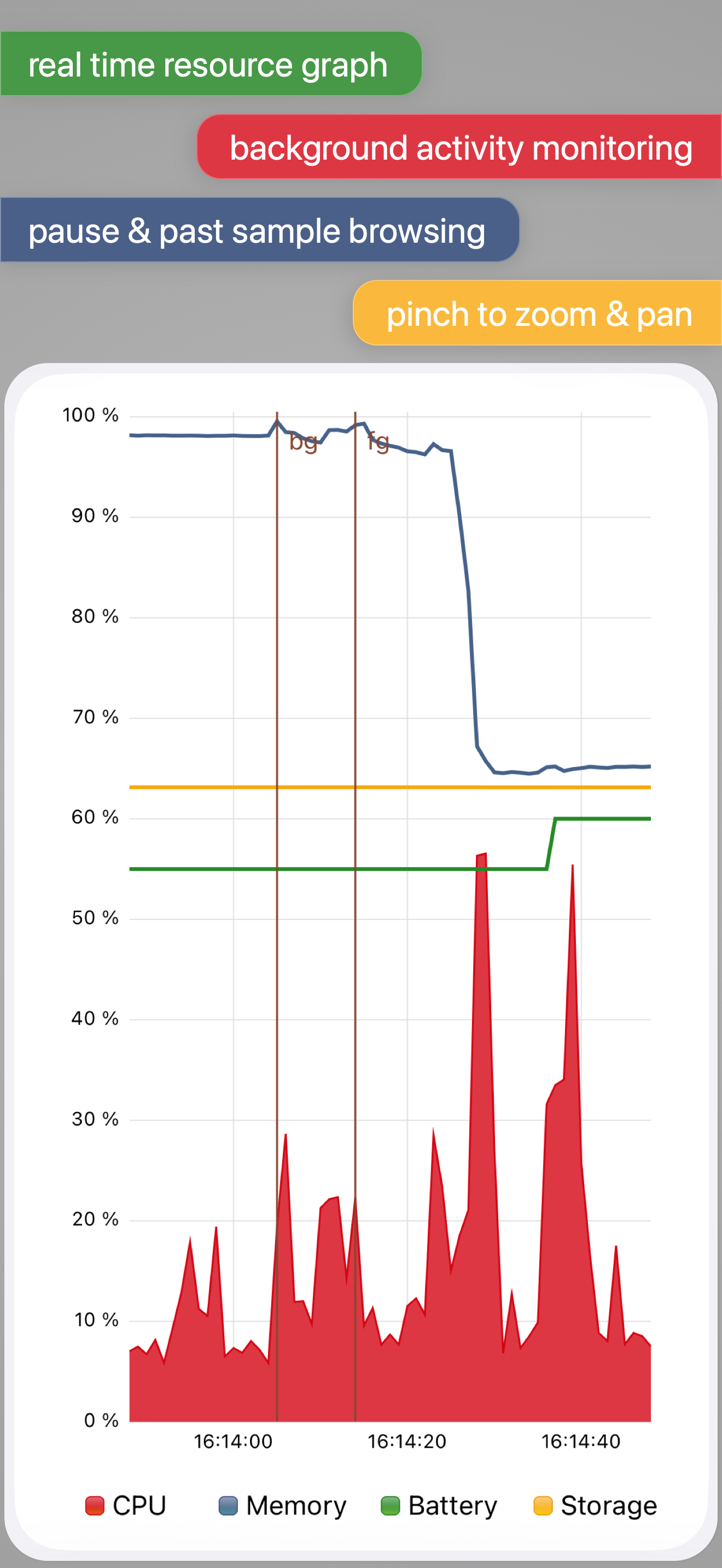
First off, I do recommend this app. I’d like to see the app continue to monitor in the background when switching to another app, BUT this I believe is an iPadOS limitation. I purchased the full version of this app for system insights to my 2017 iPad Pro, and it is useful on my M1 iPad Pro. I check memory and CPU the most and this app has been the Closest thing to an Activity Monitor for the iPad. More details to my “WISH” above … My only wish is that it would keep active when I minimize it to the background until I actually close the app. I want to run certain tasks and see what ‘pressure’ they put on my M1 iPad Pro - which I can when hooked into an external monitor and running Stage Manager when needed.
Hey, Apple, I’m talking to you…soooo, why not? Cuz this pairing of apps provides essential information! Why do I need to employ a third party in order to gain a little situational awareness, Apple?! Not the tactic of a copilot, let alone a combat veteran that needs the top guns! Stop tasting our sweet juicy data and memory-holing it to the priestly class of your occult dev(il)s! It’s common knowledge that knowledge is power, and for unlawful carnal knowledge, BigFruit wants us powerless, like a hellish Cupertino Air conditioner during wildfire season! Are they evil, or are they misunderstood? Are they rotten to the core, or is this simply a misunderstanding between a big worm and we birds who flock? You can and are able to prophesies that these apps are now and shall be installed on every one of my networked iFruits, whole eBooks, iPhondle slabs, and WacProse. Given the world market our dear demigod has created, having rested on the seventh day whilst ignoring the pleas of we drowning men, the App Store is now overly ripe with men playing God in attempt to right the perceived slight…and not all we cut from the same cloth. THIS APP IS THE BEST AROUND - its never gonna let ya down! Thank Heavens!
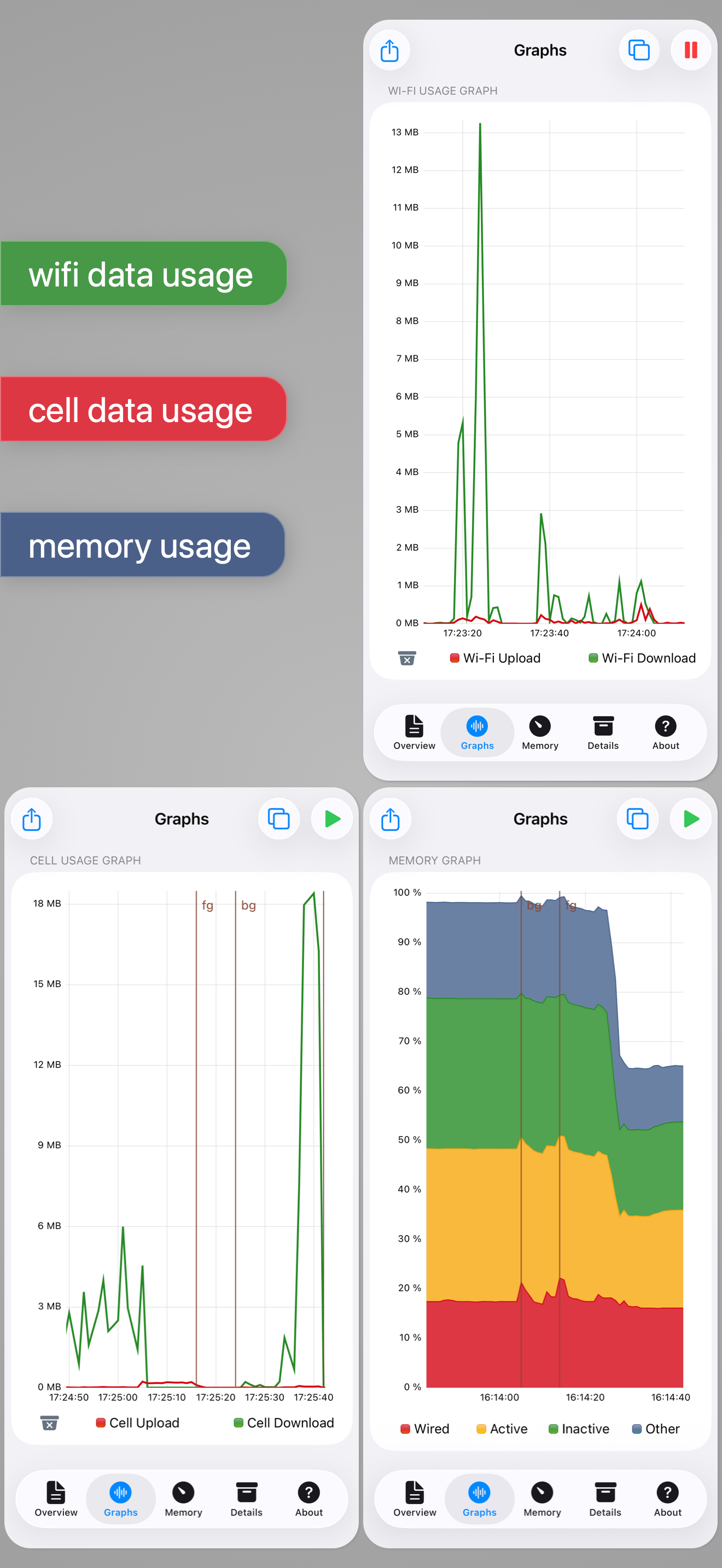
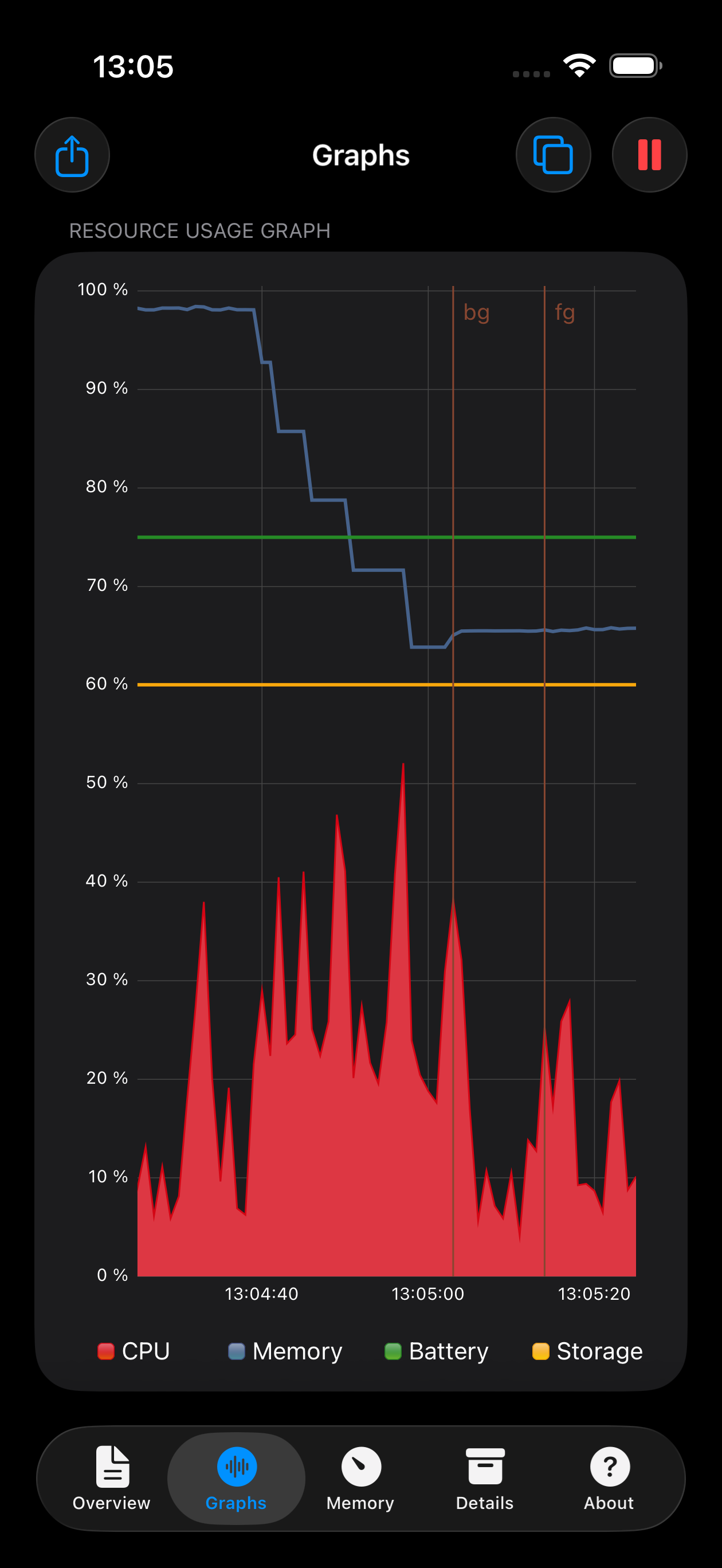
An advanced tool for monitoring your iPhone and iPad performance. System Status provides graphical monitoring of all the device's resources such as C...