
Check the acquisition promise
Read the store headline, screenshots and description. What problem is the app promising to solve?
Study the storefront ↗
Three Rivers FCU · iOS
Explore the ad evidence, study the storefront, and build your next acquisition hypothesis.
01 / Creative research
Read the store headline, screenshots and description. What problem is the app promising to solve?
Study the storefront ↗Explore apps with direct store-link matches. Compare their hooks and formats without assuming the same approach works here.
Browse observed advertisers ↗Store rankings and revenue estimates describe market context. They do not establish ad spend, conversions or ROAS.
Review the market context ↗02 / Storefront & product
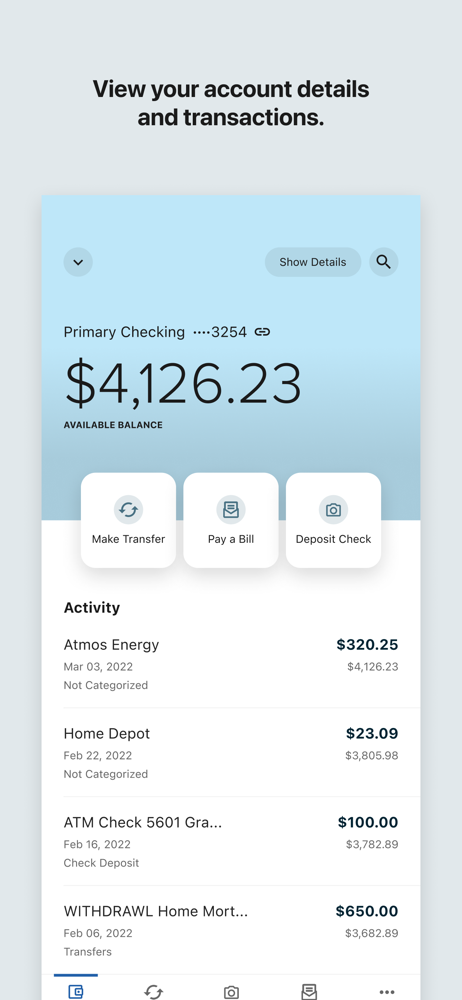
Study the product story and store experience behind the acquisition funnel.




03 / Market context
Keep revenue, downloads and store rankings separate from advertising performance.
Ok, when I first decided to actually look into 3 Rivers Credit union. I was actively looking for a better bank than the one I’m still at but I’m not wanting to work through them any longer. I was looking for a bank that actually cared about me (so far. Lol) but honestly. When I walked in Allie helped me right at the start. She even seen where I could actually be doing better! She gave me a straight layout of how I could manage my money! Her position there is to helping people with all their debt AND ways to get a better credit score quickly. Then on the app I can actually SEE my current credit score and even what I could do if I paid something off what my credit score would be. I am honestly really loving it so far and I’ve had it for about a month now! So go for it you’ll love it too!
One thing I can’t stand about this “new” app is unlike before where we had the option to check off when an item had been paid, that feature is no longer available on this new app. I simply can’t understand why we don’t have access to that!! It seems like such a small thing to include, it was on the last one, and it was so helpful to stay up to date as we reconcile our checkbook with our account!! We have mentioned this a few times and we are met with responses that seem to just brush off this small but big item. So, I ask straight forward, is there any plan whatsoever to add that feature to this banking app anytime soon or even at all??
While this is a great app when it works, it rarely works. I have three different banking apps and this one is my favorite as far as how it is set up and so user friendly, however, every single time I open the app, it crashes. It has been doing this for several months now. I’ve taken it into the bank and they can’t figure out the issue either. It’s super frustrating and if it continues I’m going to have to close my account at 3 Rivers. I have to have access to my account and I do not want to have to close my account so please resolve this issue.
3Rivers Mobile Banking The 3Rivers Mobile Banking App is an easy-to-use banking solution that puts the credit union and our services in the palm of y...


