
Check the acquisition promise
Read the store headline, screenshots and description. What problem is the app promising to solve?
Study the storefront ↗
UNITED, Inc. · iOS
Explore the ad evidence, study the storefront, and build your next acquisition hypothesis.
01 / Creative research
Read the store headline, screenshots and description. What problem is the app promising to solve?
Study the storefront ↗Explore apps with direct store-link matches. Compare their hooks and formats without assuming the same approach works here.
Browse observed advertisers ↗Store rankings and revenue estimates describe market context. They do not establish ad spend, conversions or ROAS.
Review the market context ↗02 / Storefront & product
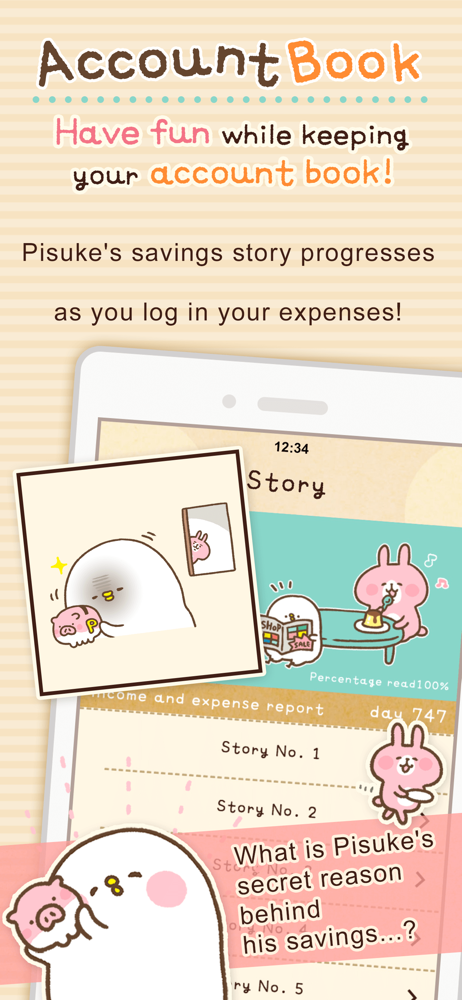
Study the product story and store experience behind the acquisition funnel.






03 / Market context
Keep revenue, downloads and store rankings separate from advertising performance.
best budgeting app and ive tried TONS of them, including the fancy ones you pay for. it’s fun to add expenses and income because the interface is so cute, and its so simple to see how much $ you have compared to how much you’ve spent. When i downloaded the app, i made “paid” categories for available credit, debit balances, and cash on hand. That way, if I get behind on logging things, i can catch up by plugging in what i have at that moment, and adding a “paid” entry for the total amount of expenses i didnt keep track of. Then i can check the list and see my notes of what money came from where - for example, i can note that i spent $5 cash at 7/11, and $5 debit at the grocery store - and compare that to the balances i entered earlier. there isn’t any other app ive used that has that specific capability, and i don’t know why - I guess they try to overcomplicate things. I also love how there is 100% no judgment or messages or “tips” about budgeting or saving money. it’s a fun and simple account book! no guilt!! one feature i’d like to see is a calculator in-app, that would be useful. For people complaining about ads - its only $1 to remove them! you’ll forget about that $1 immediately. App developers need to make money somehow!
So, I love this app. I’ve been using it to keep track of my finances for about a year now, and so far haven’t had any problems. However, for the past couple of days, it’s been crashing every time I try to put in a new transaction, which is a pretty big nuisance. I don’t want to delete and redownload the app and risk losing my data, but I cant think of any other ways to fix it.
This is the Best personal Budget App! I don’t like the finance tracker apps that connect to your bank account or cards and I used to have a very similar App to this until they discontinued it. I adore this one tho, since I’m a Kawaii Gurl, so the graphics & characters are cute but not too distracting if you’re not into it. I prefer the Finance Tracker Apps that are totally manual since I can put in every $3 or other random cash I spend on little things, which is what adds up for me. The main screen is clear and always shows your monthly balance according to your manual entries of income & expenses. It’s great that you can change, delete and create your own categories of expenses and income, each with its own picture or graphic, to suit your needs and lifestyle. Then you can view your total expenses or income for the month as a list or a % pie chart, which I find really helpful and essential to budgeting for myself. It lets me see where I can cut back and where I have been spending or making more money than usual! 100% necessary for adulting!
Introducing a budget book app with cute illustrations! With this app, you can keep track of how much money you spend in a month, and even save money!...
| Name | Price | Type |
|---|---|---|
| Ad block | $0.99 | One-time |


