Check the acquisition promise
Read the store headline, screenshots and description. What problem is the app promising to solve?
Study the storefront ↗
Gustavo Severo · iOS
Explore the ad evidence, study the storefront, and build your next acquisition hypothesis.
01 / Creative research
Read the store headline, screenshots and description. What problem is the app promising to solve?
Study the storefront ↗Explore apps with direct store-link matches. Compare their hooks and formats without assuming the same approach works here.
Browse observed advertisers ↗Store rankings and revenue estimates describe market context. They do not establish ad spend, conversions or ROAS.
Review the market context ↗02 / Storefront & product
Study the product story and store experience behind the acquisition funnel.



03 / Market context
Keep revenue, downloads and store rankings separate from advertising performance.
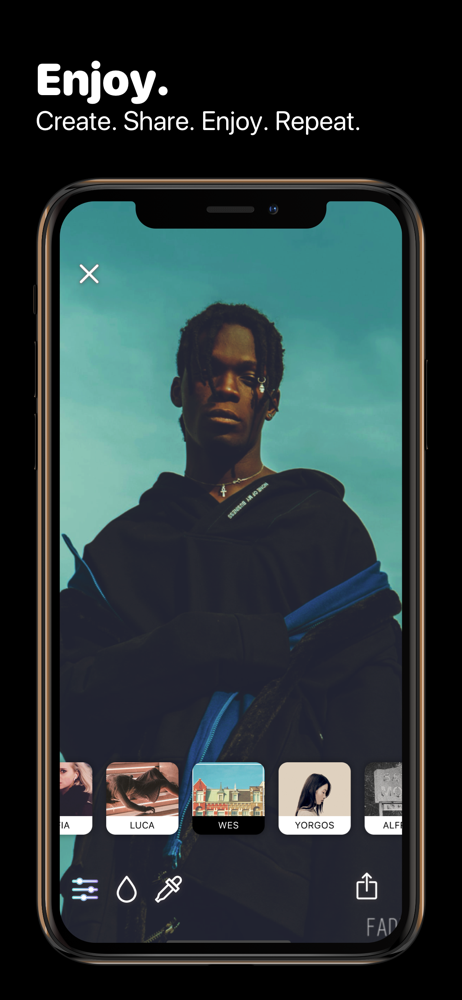
Easy to uses and a nice selection of filters. They my orange car pop and my product pictures look Good. Some of the filters are a little out there though. Wacky is fun though.
This app has beautiful filters but the app is SO bare bones you have zero ability to actually edit your photo, you’re just slappin’ a coat of paint on top of your pic and hoping for the best. Total fail for an photo app with so much potential to be a go-to for gorgeous, even artsy creations. Instead, you’re left with a small handful of, albeit a great little collection, colorful filters that you can’t adjust or edit in ANY way. I have a couple breathtaking pics from my trip to the Rocky Mtns that would look amazing with a couple of these filters, if only I could adjust the strength of it. I attempted a couple different pics with landscape and people, and not one single filter was useable because it was 100% strength on top of my pics and completely washed out or overpowered the photo itself. Not to mention how much better it’d be to be able to apply effects to only portions of the photo, apply layered filters, crop, resize — or actually be creative in any way lol. And the icing on the cake is how their is literally no instruction, introduction, info, FAQ, help — zilch. So even if there WERE any of the above features so desperately needed to make this a useable app, good luck trying to figure out how to navigate to or use them lol. All in all it’s a lovely app visually, but worthless. If they made some pretty basic improvements this would be awesome & definitely one I’d use regularly.
I’m not sure if I’m just not understanding right, or it’s just the lack of instructions and help. The depth feature does not seem to be working, there’s zero customization, there are no instructions or tutorials whatsoever, and your photo ends up zoomed in when you choose from your camera roll. It’s just all around confusing if I’m honest. I’ll hold onto it for any future updates for future review, but as of now I’m highly disappointed
Fade It is the first filter platform, here you will find always new filters, artistic, aesthetics, and styles! Always updated and keeping up with tren...
| Name | Price | Type |
|---|---|---|
| Snow | $0.00 | One-time |
| Amethyst | $0.00 | One-time |
| Velvet | $0.00 | One-time |
| Duotone 2 | $0.99 | One-time |
| Tamos Juntas | $0.99 | One-time |
| Duotone 3 | $0.99 | One-time |
| Duotone 1 | $0.99 | One-time |