Check the acquisition promise
Read the store headline, screenshots and description. What problem is the app promising to solve?
Study the storefront ↗
Sergey Astakhov · iOS
Explore the ad evidence, study the storefront, and build your next acquisition hypothesis.
01 / Creative research
Read the store headline, screenshots and description. What problem is the app promising to solve?
Study the storefront ↗Explore apps with direct store-link matches. Compare their hooks and formats without assuming the same approach works here.
Browse observed advertisers ↗Store rankings and revenue estimates describe market context. They do not establish ad spend, conversions or ROAS.
Review the market context ↗02 / Storefront & product
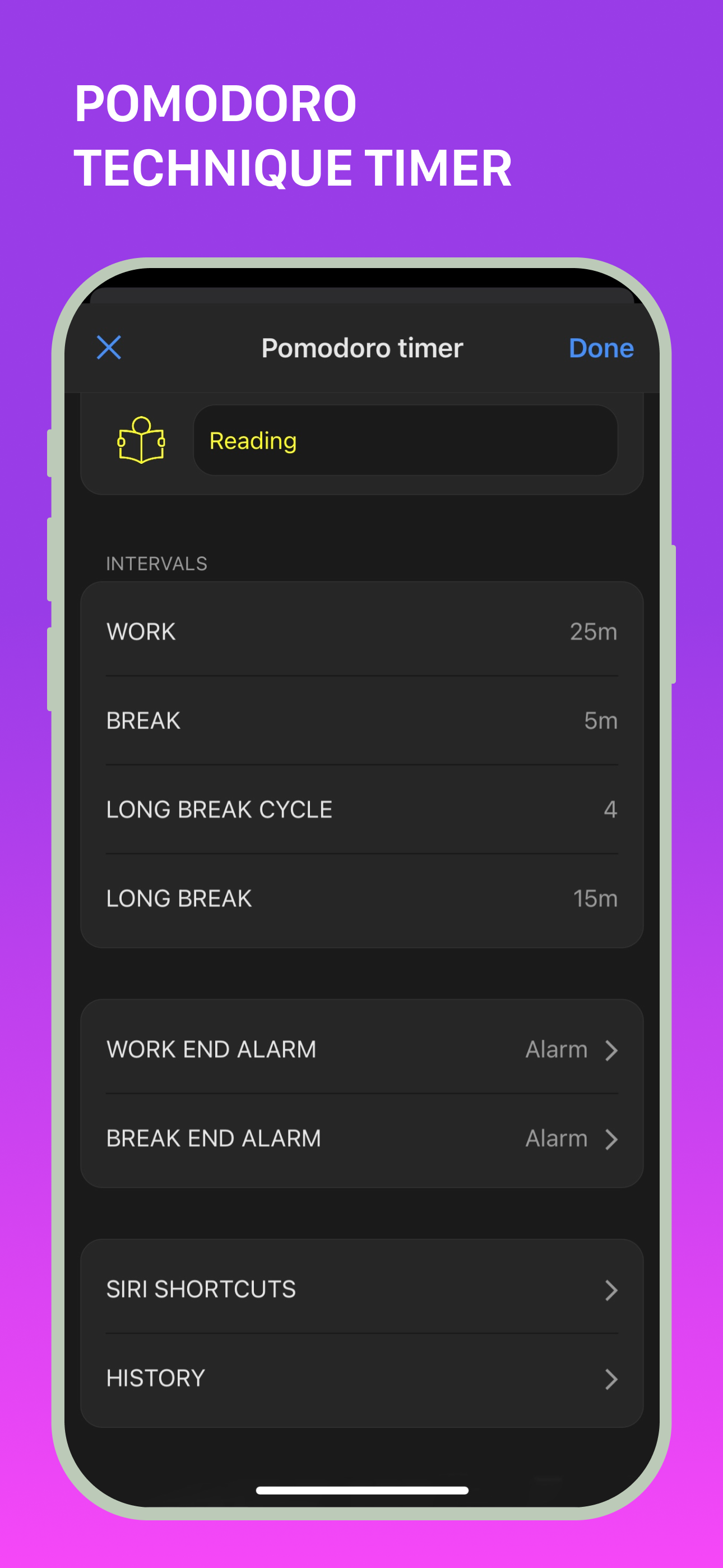
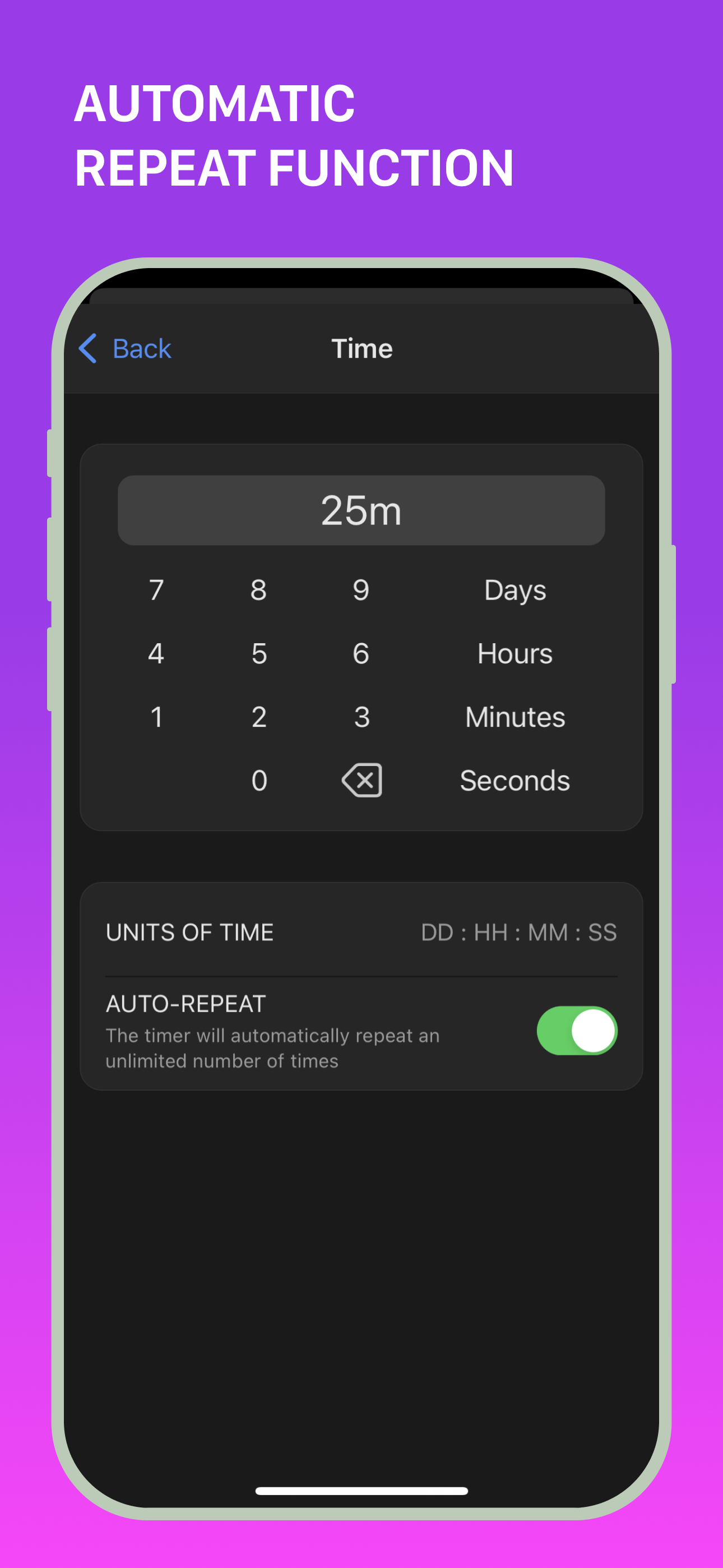
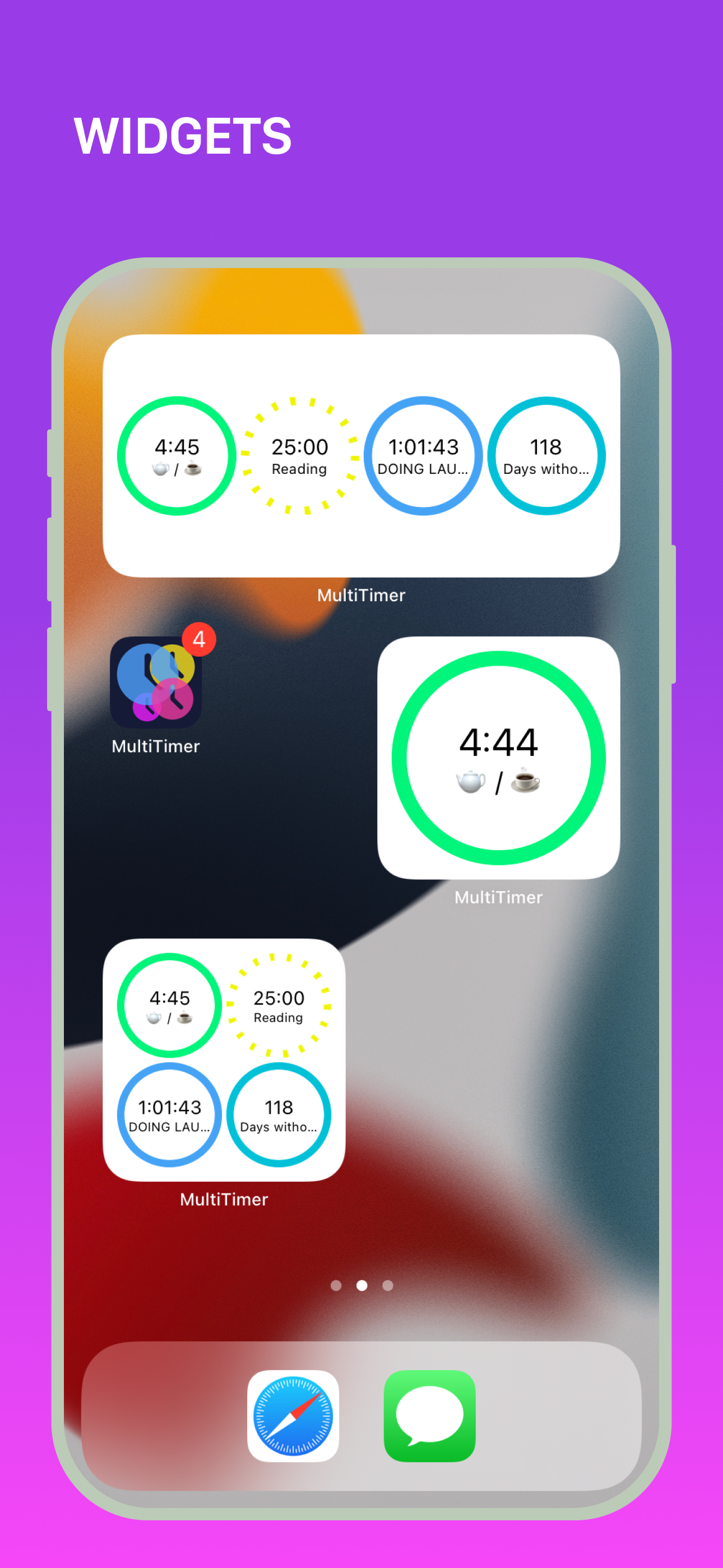
Study the product story and store experience behind the acquisition funnel.




03 / Market context
Keep revenue, downloads and store rankings separate from advertising performance.
I love this app! I’ve used it for studying, for tracking work hours, and goal accountability. I use it just about every day. Some things I hope to see in the future: - the ability to copy boards, so you can quickly make 2 that are slightly different (I often have a set of similar boards going, each with the same “goals” but with slightly different timer values - since each week I have similar things I want to work on each day, but the amount of time I can commit to each item varies by day.) - the ability to track how many times you’ve completed a timer. Maybe this would be a type of timer. The tracked number could show up in the timer itself, or maybe next to it on the board, or on another board (the option I’d personally like the most). Maybe you could edit the number for those instances when you accidentally let the timer run. I can kind of do this right now with the counting timer option, but that’s not automatic, and I find that on my phone the counting timer is a little unwieldy (you have to tap in exactly the right spot). - other than that, I just love the sheer simplicity but multi functionality of this app. Thank you for creating it and making it affordable.
I chose this multi-timer app over others because, although it’s nice to have a simple timer that is extremely easy to use, other apps I tried did not have as many kinds of timers or customizable options. I’m a college student, and I love the timer that has multiple stages because it makes it easy to organize & divide a large chunk of time. For instance, if I wanted to keep track of my laundry, I can set a timer with 30 min for washing, and 1 hour for drying. After the first 30 min is done, the timer will automatically stop and wait for me to start it again, so I can put all my clothes in the dryer. I don’t have to make a new timer or reset the timer. The same applies if I want to spend a certain amount of time studying every day. I don’t always have a 3 hour block of time to work, but I do have hours throughout the day, and the stepped timer accommodates for that & remembers my progress. There are a good variety of timers other than the one I describe, so I think this app really has something for everyone. The interface is easy to use once you poke around, it gives you a tutorial when you first enter the app. And all of this is just the free stuff, I haven’t bought the premium version, although I might if I find I need to.
I love this app. It’s exactly what I was looking for. I’m so glad someone made it. I like that you can have multiple boards, I like the commands which are basically macros that start stop or pause the various widgets on any of your boards. The commands work across multiple boards. That’s brilliant. The fact that you couldn’t drag and drop widgets from one word to another is also brilliant. I would pay for an in app purchase of being able to upgrade to being able to have one widget live and show up on multiple boards but have one identity. I would also pay for an in app upgrade it to be able to export my settings to Microsoft excel and then tweak them and then re-import them because that would be so much faster for me than clicking through the GUI. Also, I’d love to be able to share my profile across my Apple devices, so I couldn’t have timers running on my iPad and then pick up my iPhone and have that shared event functionality. Also, if you look at a little game called Mekorama, they get their users to create widgets for them for free. You could do that. You could have people create boards for the trendy diets, exercise programs, or whatever, and then upload them to your user forum and let other users download them and that would add tremendous value to your app. This idea would piggyback on top of the import export in excel format. Or CSV is fine too.
MultiTimer – Unlock New Productivity and Time Management Opportunities! **NO ADS** Whether it’s daily tasks, cooking, studying, or workouts, MultiTim...
| Name | Price | Type |
|---|---|---|
| MultiTimer Pro (Monthly) | $1.99 | Monthly |
| MultiTimer Pro (Annual) | $7.99 | Yearly |
| MultiTimer Pro (Annual) | $8.99 | Yearly |
| MultiTimer Pro | $17.99 | One-time |