Check the acquisition promise
Read the store headline, screenshots and description. What problem is the app promising to solve?
Study the storefront ↗
Appenvision Ltd · iOS
Explore the ad evidence, study the storefront, and build your next acquisition hypothesis.
01 / Creative research
Read the store headline, screenshots and description. What problem is the app promising to solve?
Study the storefront ↗Explore apps with direct store-link matches. Compare their hooks and formats without assuming the same approach works here.
Browse observed advertisers ↗Store rankings and revenue estimates describe market context. They do not establish ad spend, conversions or ROAS.
Review the market context ↗02 / Storefront & product
Study the product story and store experience behind the acquisition funnel.
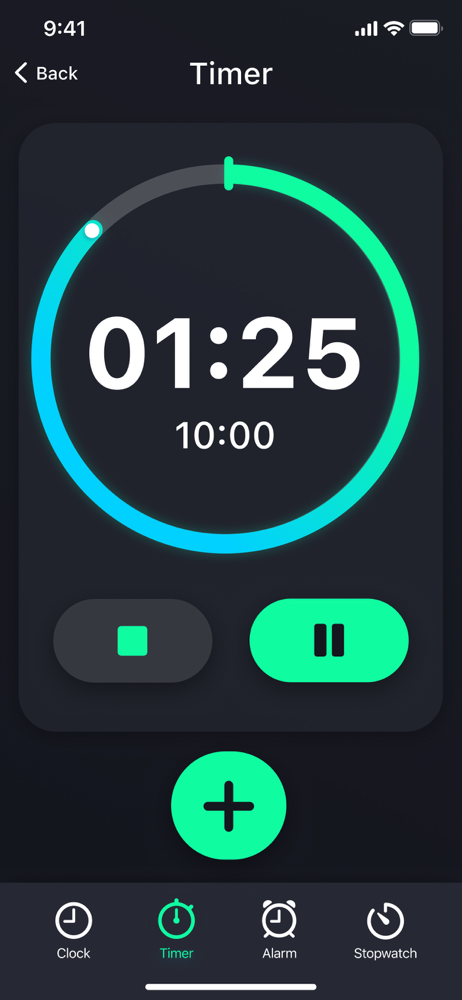
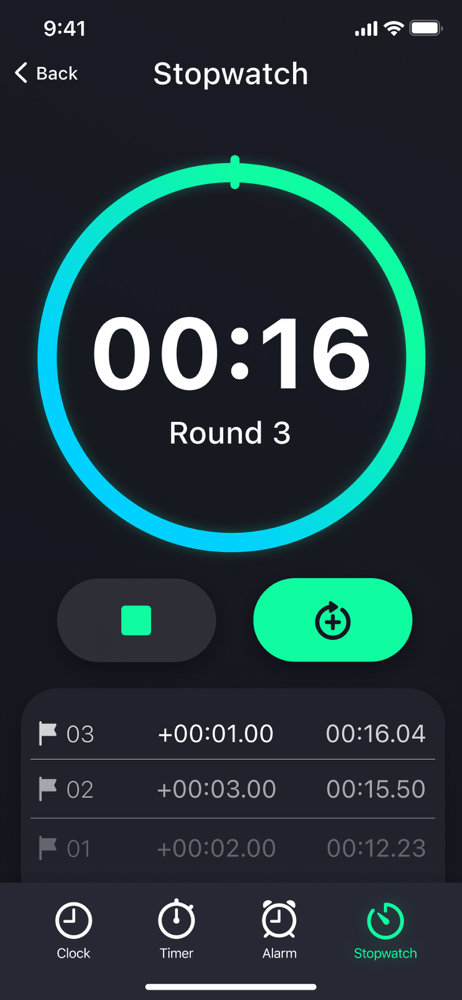
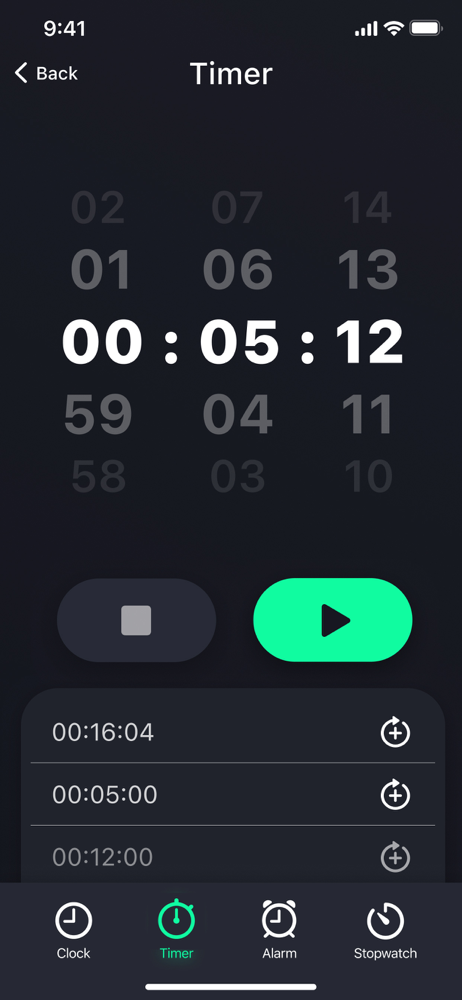


03 / Market context
Keep revenue, downloads and store rankings separate from advertising performance.
I like others Thought you can’t get the free version. It’s simply not true. Read and follow instructions. Once you close the app completely and you restarted it, The free version will pop up. I’m glad I was able to adjust my review. I’m very sorry I didn’t pay attention and completely close it out like instructed close it out and restart People. This is an amazing app. I might purchase the additional features just because of how wrong I was. Very sorry thank you for making this app. It’s quite amazing.
The developers should consider changing what it says on the subscription page, which you can only move on from by selecting from 3 options: a "free trial", the actual subscription, or a weird 3-day free trial then weekly subscription. I'm assuming based on their comments in the reviews that the "free trial" option is probably the one they mean is actually free forever, but because it's labelled "trial" I'm not sure if that's actually the case so I didn't want to bother in case I have to deal with unsubscribing later. If it is truly the free forever option then it should be labelled as such, or at least have an option to close/skip that screen (there was no X button to close, couldn't swipe out of it, no skip button etc) Very poor UX and really unfortunate because the UI looked like what I wanted out of a timer app (mostly with the circle visual)
It helps for homework and whenever you need a time yourself, you can use it for cooking. You can also place timers. If you need a ride for 30 minutes you can put a timer for 30 minutes.
Looking for a handy timer app? Organize your time effectively with our countdown, stopwatch and HIIT timer! From cooking and exercising to studying an...
| Name | Price | Type |
|---|---|---|
| Advanced Timer Tools (Weekly) | $8.99 | Weekly |
| Advanced Timer Tools (Weekly) | $9.99 | Weekly |
| Advanced Timer Tools (Weekly) | $9.99 | Weekly |
| Personalized Timer Settings (Monthly) | $16.99 | Monthly |
| Enhanced Timer Options (Annual) | $39.99 | Yearly |
| Enhanced Timer Options (Annual) | $39.99 | Yearly |