Check the acquisition promise
Read the store headline, screenshots and description. What problem is the app promising to solve?
Study the storefront ↗
Michael Fuller · iOS
Explore the ad evidence, study the storefront, and build your next acquisition hypothesis.
01 / Creative research
Read the store headline, screenshots and description. What problem is the app promising to solve?
Study the storefront ↗Explore apps with direct store-link matches. Compare their hooks and formats without assuming the same approach works here.
Browse observed advertisers ↗Store rankings and revenue estimates describe market context. They do not establish ad spend, conversions or ROAS.
Review the market context ↗02 / Storefront & product
Study the product story and store experience behind the acquisition funnel.



03 / Market context
Keep revenue, downloads and store rankings separate from advertising performance.
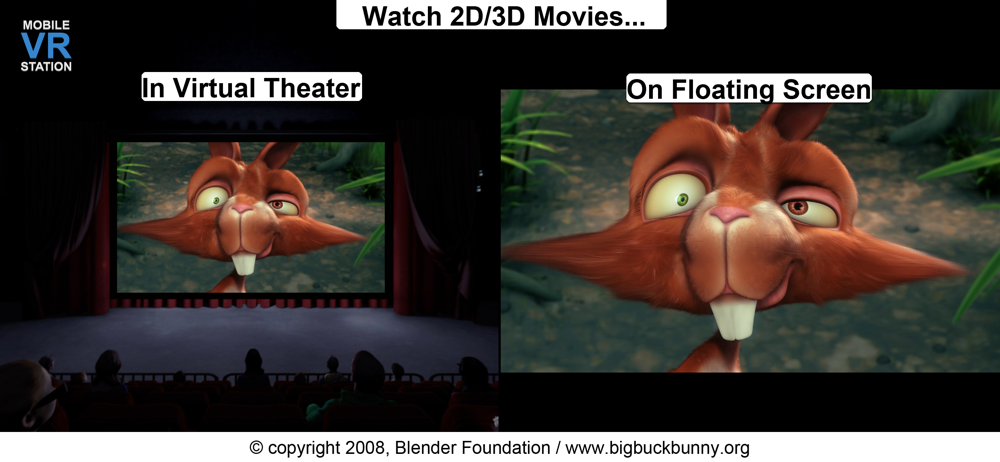
This is a great way to watch videos in vr! I bought a Google daydream headset from goodwill today, and I was looking for vr apps to use with it, and this is just perfect. One downside though is that the menu in the player can be very glitchy and slow sometimes, but all the settings there can be done just fine in the non-vr menu. I’m going to buy the thing that bypasses the 5 minute limit on videos, and I think it’ll be worth it. Overall, this is a mandatory app for people with headsets that you put your phone into.
since latest update the move menu doesn’t move the video where i’m looking anymore. It is always showing the video behind me by default.. if i turn 180degrees and use the move tool it NEVER stays..it always jumps back to 180 behind me.. usually i have to gradually work my way to 180..i move head 90 degrees and use the move tool and hope it sticks which it usually doesnt but if it does then i can move head another 90 degrees to were its where I want to be looking and sometimes takes 5 tries before i can get it to stick to where I’m looking.........major bug. please fix...before this update i never had issue with the move tool.....UPDATE: looks like for move tool to work you have to make sure you look at lower part of the screen, if you look higher it wont recognize it Needs h.265 support
After going through about 5 different VR players, none of which could accomplish what I needed, this one is the absolute best of the best. Has an insane amount of customization options and the quality of the video playback is awesome. The only tiny issue I have is alignment problems. I do seem to have to tap the screen every few minutes or so to re-center it but I had this problem on every other VR player. The nice things about this one is I can tap anywhere on the screen and bam, realigned again. Just need a headset now with a button that taps the screen without taking out the headset. Either way, amazing job. Keep up the good work. Bought the ultimate version almost immediately.
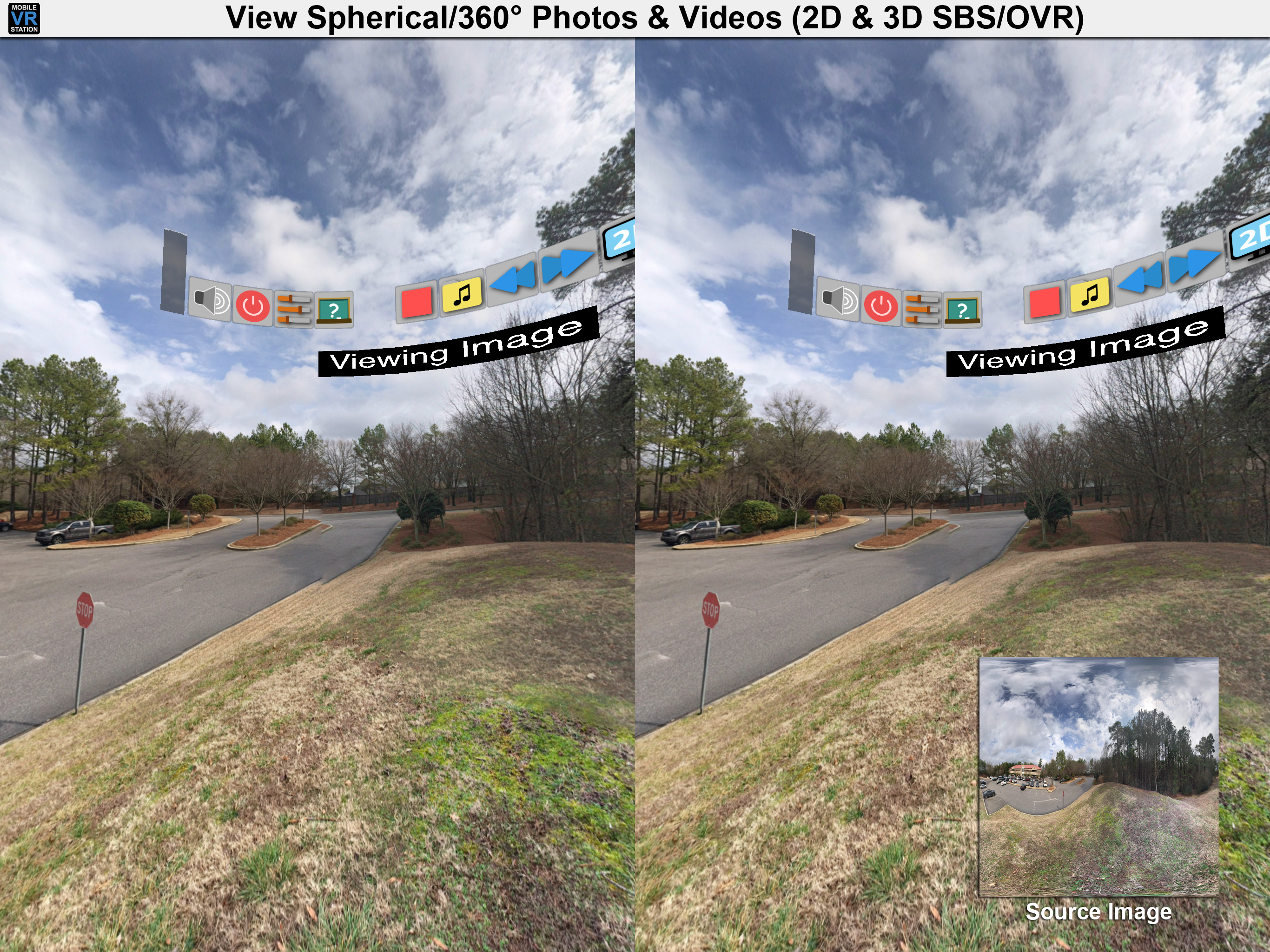
Mobile VR Station is a media player designed for Virtual Reality with head tracking. With this app you can view your Photos, Panoramas, Videos & File...
| Name | Price | Type |
|---|---|---|
| Protected Drives | $1.99 | One-time |
| Micro Player - Lift Safari Extension Limit | $1.99 | One-time |
| Presentation+ | $1.99 | One-time |
| Premium Edition - Remove 5 Minute Limit | $2.99 | One-time |
| Ultimate Edition - Everything | $5.99 | One-time |