Check the acquisition promise
Read the store headline, screenshots and description. What problem is the app promising to solve?
Study the storefront ↗
AppMadang · iOS
Explore the ad evidence, study the storefront, and build your next acquisition hypothesis.
01 / Creative research
Read the store headline, screenshots and description. What problem is the app promising to solve?
Study the storefront ↗Explore apps with direct store-link matches. Compare their hooks and formats without assuming the same approach works here.
Browse observed advertisers ↗Store rankings and revenue estimates describe market context. They do not establish ad spend, conversions or ROAS.
Review the market context ↗02 / Storefront & product
Study the product story and store experience behind the acquisition funnel.




03 / Market context
Keep revenue, downloads and store rankings separate from advertising performance.
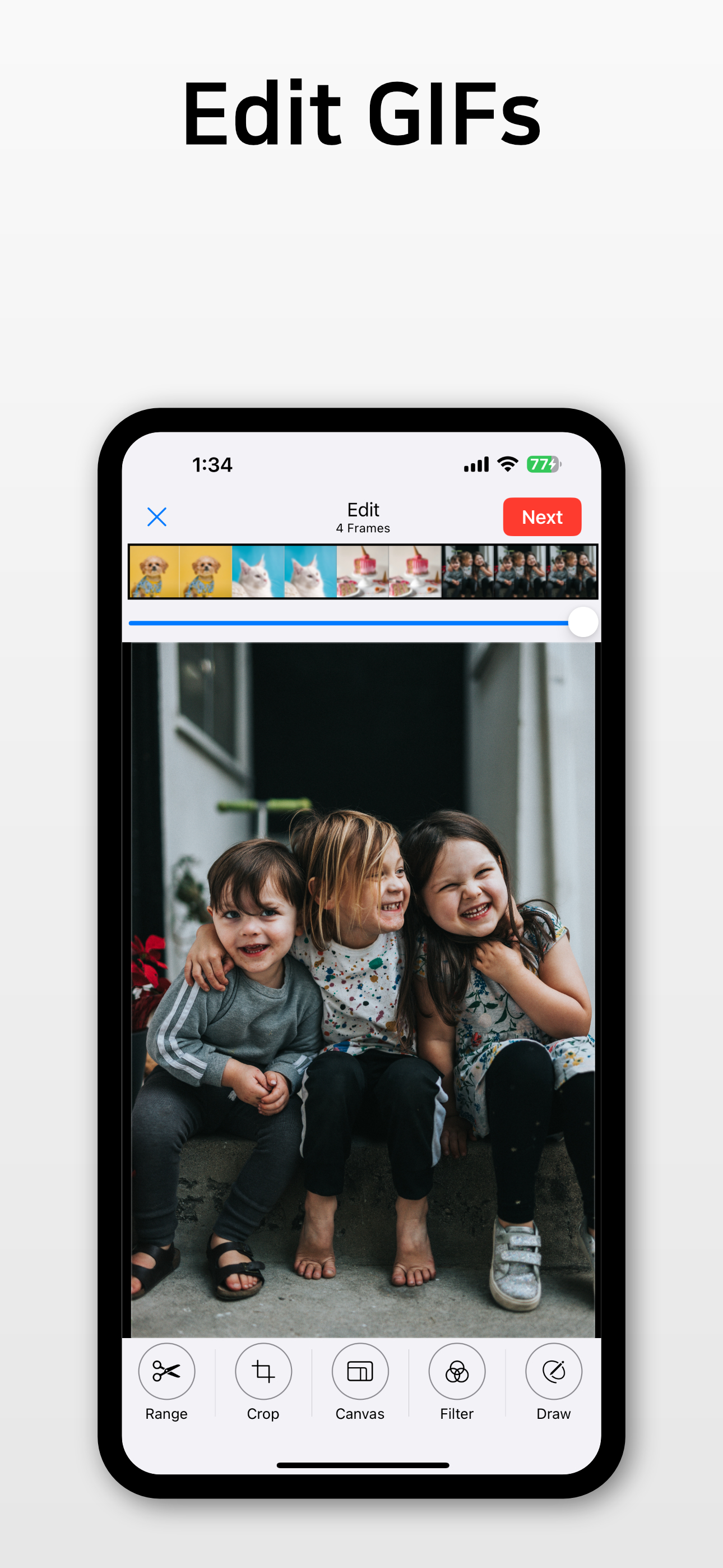
This is my main gif creator, if not the only one … I just have two requests: (1) Can you make it so the text banner splits in two (one line and a second line) if the text goes beyond eleven words? (2) Can you make a separate “range” option, for text, so the text banner doesn’t show up on the gif until we want it to? Edit: With the new update and design, now there’s no text option… 😳
Pros: easy to use, has nice free features, can make large gifs, can string two gifs together into one, doesn’t have a limit to a gif frames Cons: I use this primarily for turning my pixel art into gifs, and I don’t like that it automatically opens into video conversion instead of photo conversion. But, most damning, I’ve noticed that the app can kind of muddle colors. It gets worse the more that’s happening in the gif & the more you run it through the program (ie make it into a gif, then adding it onto another gif). It’s not the most noticeable at first, but colors will flicker between layers. For example, it turned my pink into light pink, tan into beige. On one of the objects it merged my base color and shadow, making it appear completely unshaded. It only did these things every other frame, which looked like a sloppy error on my part, but I double checked my own art & it was totally fine. As an experiment, I ran the flickering piece through the app two more times. What should have been a single color throughout 12 frames became at least five different shades. As such I will probably not be able to use this app for making commissions, which is a shame, because I already paid for it. I will update my review if the issue is resolved.
This is definitely the best gif app available currently (trust me I’ve tried them all). I use an iPad Pro to make gifs, so can’t use photoshop and this app has been great. A few improvements would make it perfect, though. I’d love to have a way to adjust the image manually, i.e. brightness, contrast, saturation, etc., instead of just the filters. It would also be great to be able to manually set the gif size for saving. I’m constantly having to test out each image size to see how large the file will be. It would be great if you could enter it in manually, or at least get a preview of how big it will be before you convert it. And it would be great to be able to save a preset or a default, so it would import each video with your saved settings. Just a few suggestion, again this is a great app and definitely worth the upgrade to pro!
Do you want to make GIFs from videos and photos? Then try "GIF Toaster," the best GIF maker app. You can create high-quality GIFs! It's free! ----...
| Name | Price | Type |
|---|---|---|
| Buy Pro Version | $2.99 | One-time |