Check the acquisition promise
Read the store headline, screenshots and description. What problem is the app promising to solve?
Study the storefront ↗
Duet, Inc. · iOS
Explore the ad evidence, study the storefront, and build your next acquisition hypothesis.
01 / Creative research
Read the store headline, screenshots and description. What problem is the app promising to solve?
Study the storefront ↗Explore apps with direct store-link matches. Compare their hooks and formats without assuming the same approach works here.
Browse observed advertisers ↗Store rankings and revenue estimates describe market context. They do not establish ad spend, conversions or ROAS.
Review the market context ↗02 / Storefront & product
Study the product story and store experience behind the acquisition funnel.




03 / Market context
Keep revenue, downloads and store rankings separate from advertising performance.
When traveling I like to have my iPad with me as a backup in case my laptop crashes. I am also much more productive when working with two monitors than one. So being able to use my iPad as a secondary monitor is great! The screen resolution on my iPad is excellent when using it as a secondary monitor. Duet Display is a reliable option but with some caveats when connecting to a Windows 10 computer. It is not quick to respond as a quality second monitor. Refresh rate/mouse lag ranges from slight to moderate. Mostly it is slight, but tends to get worse over the course of the day. It performs better after a reboot of my iPad and notebook. Once or twice a day Duet suddenly stops working, but the fix is simple. I open Duet on my notebook and hit “Quit app”. I then open Duet again and this fixes it every time. If I could count on my notebook 100% then carrying a portable monitor would be a better solution. But, having my iPad as a backup gives me peace of mind that I will not be without a working computer if my notebook should fail for any reason. Duet Display is a serviceable option if you need a secondary monitor and prefer that secondary monitor to be an iPad capable of serving as your backup computer.
First time i write a review on App Store because i was amazed by the Duet support team. The app worked very well with my iPad 4, which is so obsolete right now it can’t run any other app smoothly. The iPhone screen is quite small to be used as 2nd monitor so i passed on that. So everything is fine as i expected, up until about recently i get stuck at “Launching Duet ...” screen. As a normal human being, i tried FAQs, Google to find answers but there is no working solution. So as a last resort i turned to support, got an automatic reply email and went to bed. The day after that, i found out that they replied literally 5 minutes after that with a few questions and a solution. That didn’t work right away but that just make me wished i asked them sooner. They kept providing me solutions after solutions, we exchanged emails for a week trying everything, they rotate 3 people in to help on my issue. The team is very polite, specifically pointed out every step along the way, never loose patient and always reply within the hour. After all it was a dumb mistake on my part, so everything is working normal again. I have to say i worked with many support teams about many issues including Apple, Facebook, Google, Microsoft, Steam, and dozens of app and game developers. This is hands down the best experienced i had working with any team. The app maybe not the best but the team is perfect, and they keep improving with each update.
As another reviewer pointed out, I was excited when I heard Sidecar would allow the use of an iPad as a second monitor. Unfortunately, I found out after installing Catalina that my iMac late 2012 edition was not compatible. I currently have dual monitors with my iMac and wanted a third smaller touchscreen for Photoshop and additional screen real estate. I already had the app installed on my computer and the iPad from when Duet first came out, but I wasn’t impressed with the graphics at that time for Photoshop use, so stopped using it. Recently, I decided to try Duet again and tried to connect my iPad to my iMac. It would not connect despite having updated software installed. I emailed support and could not believe how quickly I got a response! At first I thought it was a confirmation email regarding my support request but it was actually a thorough response on how to troubleshoot my problem. I went back-and-forth with support a number of times during the next couple of days troubleshooting the issue and they were extremely quick to respond each time! I am so impressed at the quality of their service! As it turned out, The problem was on my end. I am using Parallels to run a virtual Windows 10 machine on my iMac and the virtual machine was trying to connect to the iPad which prevented the iPad from connecting to the iMac. Once I fixed the settings on my virtual machine, Duet connected immediately. The graphics are amazing and the latency is nonexistent! Thank you so much to the Duet team for your support and for creating this product!
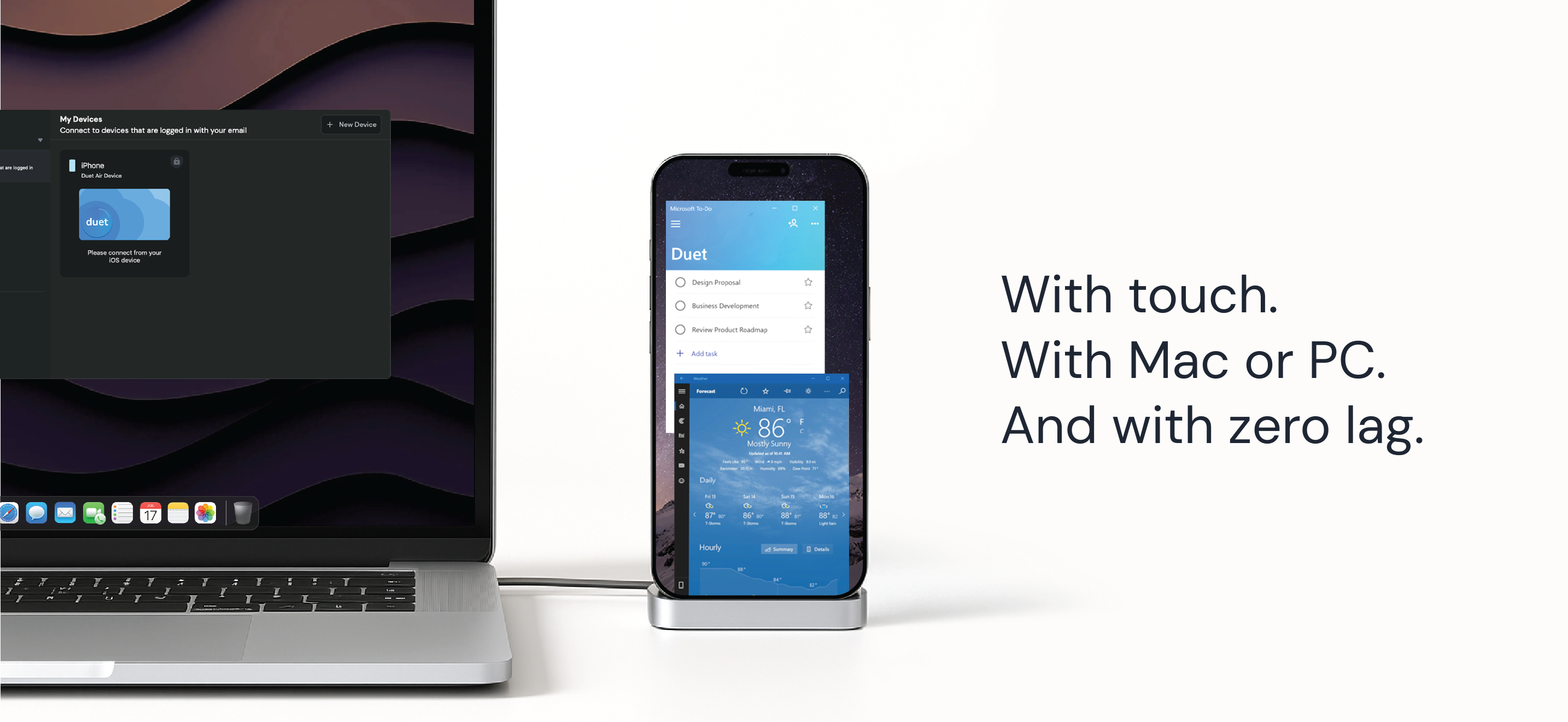
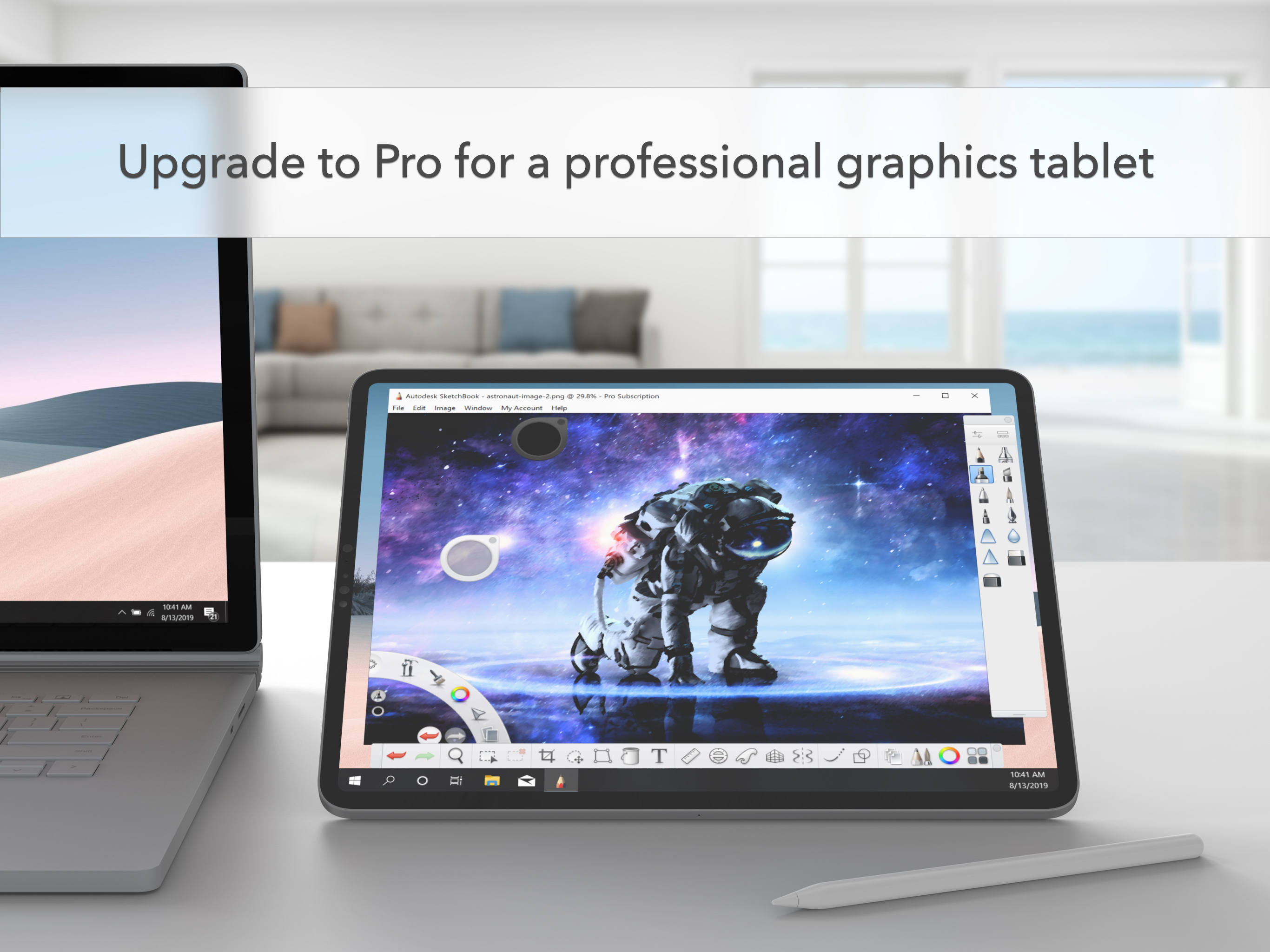
#1 best-selling iPad app in US, Japan, UK, Germany, and 17 other countries! Duet turns your iPad or iPhone into the most advanced extra display for y...
| Name | Price | Type |
|---|---|---|
| Duet Starter (Monthly) | $3.99 | Monthly |
| Duet Air (Monthly) | $5.99 | Monthly |
| Duet Pro (Monthly) | $7.99 | Monthly |
| Duet Starter (Annual) | $39.99 | Yearly |
| Duet Air (Annual) | $49.99 | Yearly |
| Duet Pro (Annual) | $79.99 | Yearly |