
Check the acquisition promise
Read the store headline, screenshots and description. What problem is the app promising to solve?
Study the storefront ↗
ForTheLoss Games, Inc · iOS
Explore the ad evidence, study the storefront, and build your next acquisition hypothesis.
01 / Creative research
Read the store headline, screenshots and description. What problem is the app promising to solve?
Study the storefront ↗Explore apps with direct store-link matches. Compare their hooks and formats without assuming the same approach works here.
Browse observed advertisers ↗Store rankings and revenue estimates describe market context. They do not establish ad spend, conversions or ROAS.
Review the market context ↗02 / Storefront & product
Study the product story and store experience behind the acquisition funnel.
The store evidence
US store price
$3.99
US rating
4.8 / 5
US rating count
6,645
Current version
4.3.4
2026-09-04 · Developer notes
◆ Fixed selection of joined nodes ◆ Fixed issue where crashes would occur due to rare duplicate ID by some figures ◆ See the full changelog: https://sticknodes.com
Store metadata collected 2026-10-21 UTC · US storefront · Source record. Free may include in-app purchases. Public data does not update revenue estimates.
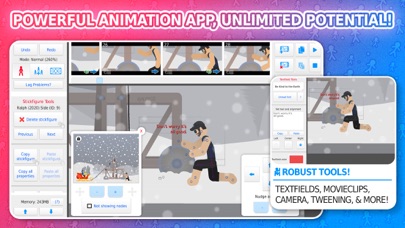
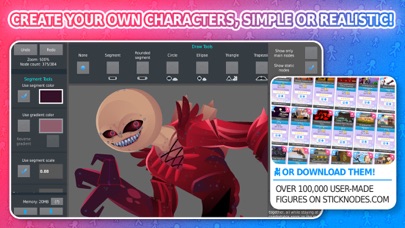
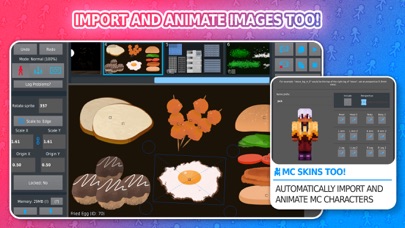
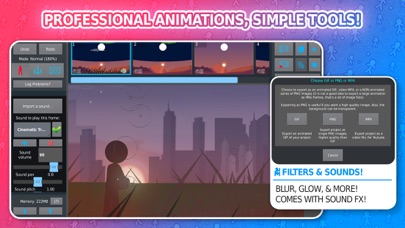
03 / Market context
Keep revenue, downloads and store rankings separate from advertising performance.
Hello! Who else sees some of the instagram pictures and videos online mainly on this game(app)? You more then likely have and you see them and think… “WOW I wish I knew how to do something as good as that:0” Well today I’ve got some tips & tricks (you have no idea how fun that is to say!) #1 back grounds: If you want a nice looking animation you’ve got to have a nice background! It is one of the most important things to a nice looking animation! First off you have tint! Tint is a slight mixture of the original color and a new one! If you want your bgs to look like it’s night time you could change the tint to blue or black! Or if you want a bright daytime bg then you can change the tint to orange or yellow! #2 effects: a also very important part of animation is effects! Effects are tiny animation used for usually a hit or a smear! It is very important you use a hit and smear effect in your animation! Not having any effects will cause your animation to look plain and bland! Using effects makes it look more efficient and smooth! If you’ve made it this far you have the time on your hands to read something’s lol. Thank you for stopping bye and For more tips & tricks visit my channel! See ya there!
I would say alot of good things about what's already in this app but really i just have a couple of suggestions that i think would make this app a little better. First one, reversed movieclips. Basically you can select reverse once or reverse looping. Reverse once will just play the movieclip backwards once. Reverse looping will play the movieclip normally, then when it hits the last frame, reverse it, then when it hits the first frame again, play it again normally. This would work well if you have a charge up animation but you're too lazy to make a energy orb so you change the starting frame and reverse loop a section that already shows an orb. Second, Joined stickfigure linking. Just allows you to copy and paste all parts together of a joined stickfigure as well as delete the entire thing. Third, flashlight filter. Choose which direction you want the light to come from and it makes the stickfigure have a little blurred edge facing torwards the light. Kind of like drop shadow but its on top of the figure rather than behind it off to the side. Finally, background music pls? It would help if you can't edit your animation with an editing program so you cant add music. Thank you if you read this or add any of these
When I first started this app,I was about 13 years old...it was,well,meh...it had almost nothing in it, but then came -THE UPDATES- and then all of a sudden the app started getting sooooo much better and better and BETTER and so good that I just HAD to get the pro version.I was having such a good time with the app that it almost wasn’t an app at ALL, it was more like a game I could play, where I could be anything at any place at anytime, I was getting hooked on animation, and in the process of working (playing) I got so much better at it, I got so much experience that I was actually PROUD of what I was doing, in fact SO proud that I wanted to start a career out of it, and so I did.I started to show my friends and family and they would help me get ideas to make it more challenging...if it weren’t for this app,I wouldn’t have found my purpose in life, so whether your just looking for “Sticknodes and chill” or making stories,THIS APP is for YOU, so what are you waiting for?STOP reading this and go download this AWESOME, no that’s an understatement...this MAGNIFICENT APP RIGHT NOW...thank you to Ralph for inspiring so many to find a big purpose in a little app -thank you-your good buddy-Fenn
Stick Nodes is a powerful stickman animator app created with mobile devices in mind! Inspired from the popular Pivot stickfigure animator, Stick Nodes...


