Check the acquisition promise
Read the store headline, screenshots and description. What problem is the app promising to solve?
Study the storefront ↗
Savage Interactive Pty Ltd · iOS
Explore the ad evidence, study the storefront, and build your next acquisition hypothesis.
01 / Creative research
Read the store headline, screenshots and description. What problem is the app promising to solve?
Study the storefront ↗Explore apps with direct store-link matches. Compare their hooks and formats without assuming the same approach works here.
Browse observed advertisers ↗Store rankings and revenue estimates describe market context. They do not establish ad spend, conversions or ROAS.
Review the market context ↗02 / Storefront & product
Study the product story and store experience behind the acquisition funnel.
The store evidence
US store price
$5.99
US rating
3.8 / 5
US rating count
12,727
Current version
5.0
2026-10-19 · Developer notes
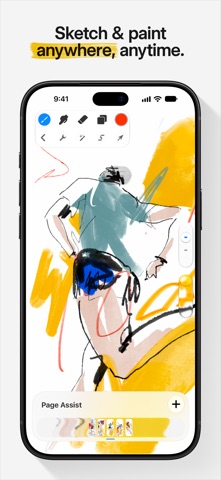
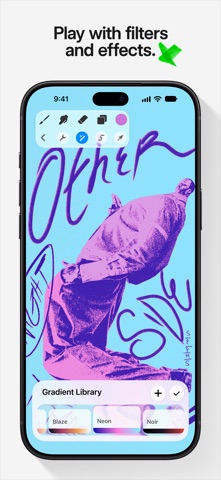
Great things come to those who wait. There's a fresh new look and so many features in Procreate Pocket 5, including brush libraries, Page Assist, and exciting hardware compatibility, that we better get into it. New Brushes There's over 150 new brushes in the Procreate Library created by our in-house Brush Developer Kyle T. Webster. It’s like being handed the keys to your own fully stocked art store; one that’s filled with brushes and styles that combine real-world familiarity with the endless possibilities of digital art. The beloved Classic brush library is still available by pinching inwards, or tapping ... and Show all libraries. Brush…
Store metadata collected 2026-10-19 UTC · US storefront · Source record. Free may include in-app purchases. Public data does not update revenue estimates.




03 / Market context
Keep revenue, downloads and store rankings separate from advertising performance.
Overall, as someone who doesn’t have an iPad to draw on the actual Procreate app, Pocket is very useful to create drawings with many different brushes, layers, etc., to show my creativity while saving $395 instead of buying an iPad. Although it is challenging to create something on such a small screen, you usually get used to the fact that you have limited drawing space, and the app lets you zoom in and out however you need. The app is very useful but I’ve noticed that people who have the Procreate app on iPads have more access to create new and different things with updates being released. One huge example of this is the 5.2.2 update, where you can choose a template out of many different 3-Dimensional objects and draw anywhere on it to create your own designs. I think this update is awesome and helpful, especially for graphic designers or people who run businesses to test their ideas for logos out on objects that seem real. But I, for one, am jealous of people who were given this update because it doesn’t seem like this same update will be released on Procreate Pocket. Procreate seems like the app that people are continuously making tweaks and updates on, but on Pocket it seems like there aren’t any major updates, which I’m a little disappointed at because I think phone users should have the same abilities as iPad users. But other than that, I really enjoy using Procreate Pocket and would recommend this app to anyone who wants to express themselves using digital art.
This app has come a very long way, and it’s still my go to choice for digital art and art on the go. It has become very close to the iPad counterpart and is really loaded with good features for a mobile drawing app. The learning curve is not too bad and it is very easy to learn how the app works, making it great for newcomers to digital art. The app does work wonderfully, it crashes from time to time- and unfortunately, will mess up your drawings very rarely. Upon crashes sometimes it might delete full layers or put an entire block on your art. It has only happened twice to me in my 2-3 years using the app, and it isn’t too much to worry about, it is overall very reliable! It saves incredibly high quality images, and the playback feature is really nice. It has very dynamic features in terms of drawing guides (perspective and grids), and liquify and distorting options through selections. Canvas sizes are customizable as well as brush sizes, which brushes can also be imported. It truly is a professional grade app for art! My only true complaint about this app is the recent shift in the effect of resizing images within your canvas. It makes your images really grainy now with recent updates, which is actually a little more frustrating in comparison to when it used to make your selections a little blurry on resize. This can prove to be really frustrating. Otherwise, I recommend this app for artists, and photo editors. It is very dynamic and totally worth the money.
I’m not sure what to feel towards Procreate Pocket. I’ve recently purchased the app on my iPhone in hopes that I would be able to use the same wonderful drawing app I know and love without having to carry around a huge iPad Pro wherever and whenever I want to draw, but I’m struggling to find any situation where I’ve ever felt comfortable using the application on the iPhone. I feel like I’ve had too high of an expectation from the iPad app to really see where the pocket version can shine but I cannot say that it would ever be a viable alternative to the iPad version let alone be some form of replacement. It’s lack of features that the iPad has like the extra drawing guides, liquify and quick shape are some of the biggest features that I would have really liked to have seen on Pocket, but sadly aren’t included as of making this review. I really want this app to succeed, but right now it’s simply unusable since I’m so used to the iPad version. I would also HIGHLY recommend some sort of cloud syncing if that isn’t already a feature so I can work on my projects across devices. Seeing as this isn’t an option right now from what I’ve seen, this is a huge bummer because It takes away one of the big reasons I wanted to purchase it in the first place.
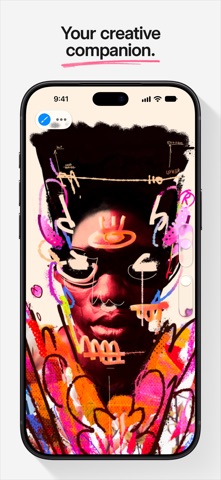
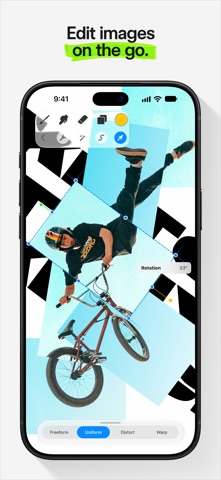
App of the Year winner Procreate Pocket is the most feature-packed and versatile art app ever designed for iPhone. Procreate Pocket has everything yo...