Check the acquisition promise
Read the store headline, screenshots and description. What problem is the app promising to solve?
Study the storefront ↗
Code Organa · iOS
Explore the ad evidence, study the storefront, and build your next acquisition hypothesis.
01 / Creative research
Read the store headline, screenshots and description. What problem is the app promising to solve?
Study the storefront ↗Explore apps with direct store-link matches. Compare their hooks and formats without assuming the same approach works here.
Browse observed advertisers ↗Store rankings and revenue estimates describe market context. They do not establish ad spend, conversions or ROAS.
Review the market context ↗02 / Storefront & product
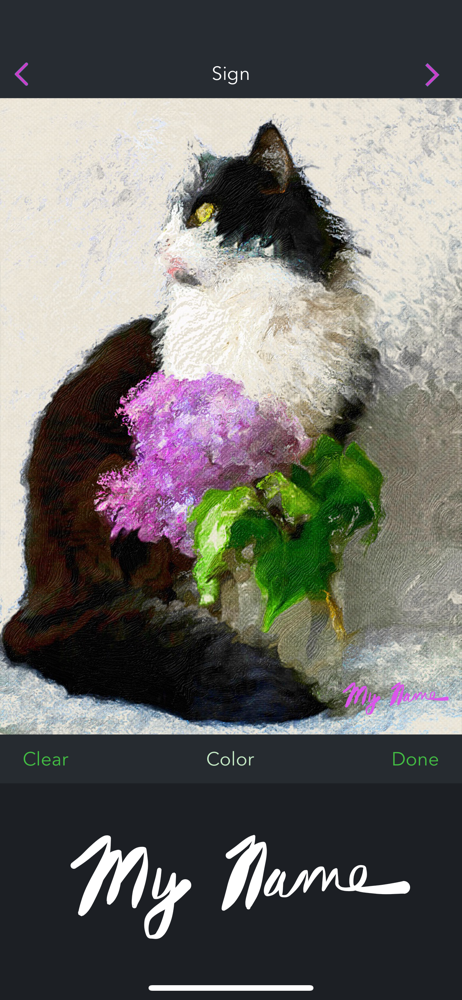
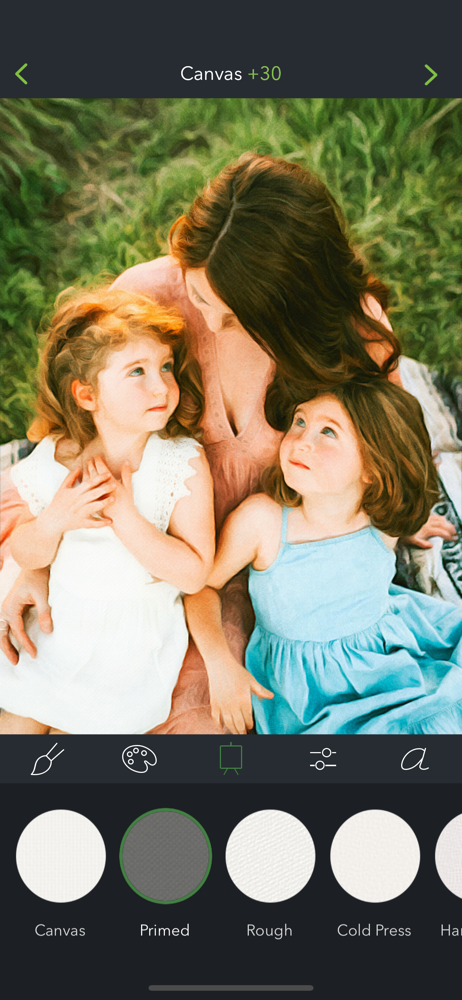
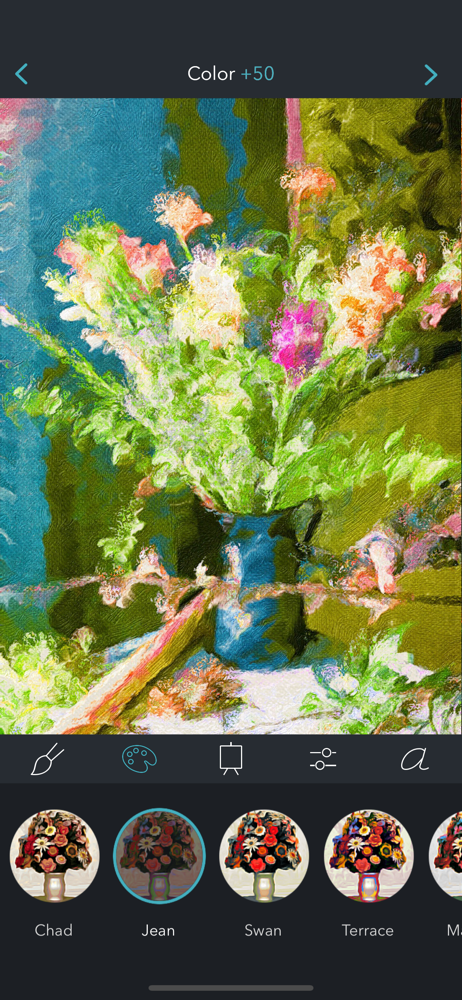
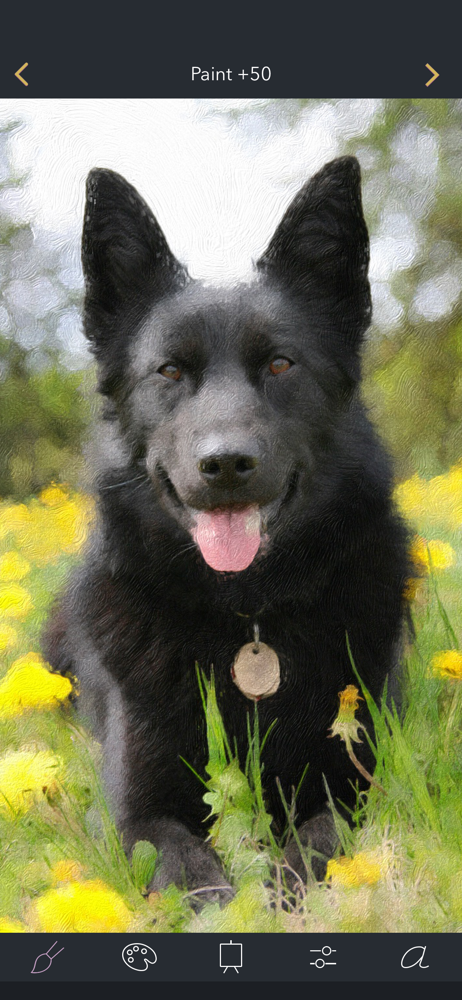
Study the product story and store experience behind the acquisition funnel.



03 / Market context
Keep revenue, downloads and store rankings separate from advertising performance.
This application would be great. It does a pretty good job turning photos into paintings. But the process of importing photos is clunky; the user interface controls that it uses are non-standard. Its photo picker doesn’t deal with nested albums. And I can’t search for photos by name or title or face. It should just use the normal Photos picker, which would be able to handle all those things. It’s difficult finding the photo that I want to use in the application. It also doesn’t have an action extension and it doesn’t handle drag and drop. Because of this, if I have an photo open in Photos, I can’t open it in Brushstroke. We have to go hunt for it in Brushstroke’s clunky nonstandard slow UI. It also resets its settings (like filter and canvas texture) every time I reopen the application. It also is difficult to switch between the filters I want, since there are so many filters (dozens), and I use only a few of them. I should be able to save my favorite filters, instead of having to scroll through a dozen filters every time we reopen the application.
I made a picture of my Mom’s old dog into an incredible looking painting, ordered it straight from the app, and shipped directly to my parents’ house. I did the same for my sister with a painting (from a picture) of her three boys when they were younger. They both cried tears of joy and couldn’t believe how well done they were. They both told me it was the best gift they’d received in years. The paintings were professionally framed, canvas taught, hanging wire in place and the artwork was ready to hang straight out of the carefully packaged box. All of that said, if you’re interested in having a physical painting ordered from what you created from your picture, be prepared to spend $80-$150 per print depending on how large you would like it. I think if you find a piece that you are really proud of, it’s worth the price tag. If you’re not interested in spending big bucks, you don’t have order them, you can save them to your device for free. Anyways, this app is dope. And it helped me win Christmas.
I’ve been a professional photographer since the mid-60s. (Remember Nikons, Leicas, and Hasselblads?) Since so-called retirement I have dabbled with image manipulation having determined that absolute reality was highly overrated. So far I have been displeased with what was available. The discovery of Brushstroke was a revelation. This app is exactly what I have been looking for. I can recommend it unreservedly to anyone looking to see the world in different, and exciting, new ways. The customer service is also outstanding and very quick. If you have a problem or a question about the app they are on it right away. You are missing something if you don’t have it.
Turn your photos into paintings with Brushstroke. Brushstroke transforms your album photos and snaps into beautiful paintings in one touch. Edit, sig...
| Name | Price | Type |
|---|---|---|
| Video Paintings | $3.99 | One-time |
| Illustration Pack | $3.99 | One-time |
| Brushstroke (Weekly) | $4.99 | Weekly |
| Brushstroke (Weekly) | $4.99 | Weekly |
| Brushstroke (Monthly) | $9.99 | Monthly |
| Brushstroke (Annual) | $29.99 | Yearly |
| Brushstroke (Annual) | $29.99 | Yearly |
| Brushstroke (Annual) | $59.99 | Yearly |
| Brushstroke | $79.99 | One-time |
| Brushstroke | $79.99 | One-time |