Check the acquisition promise
Read the store headline, screenshots and description. What problem is the app promising to solve?
Study the storefront ↗
Dmytro Vynokurov · iOS
Explore the ad evidence, study the storefront, and build your next acquisition hypothesis.
01 / Creative research
Read the store headline, screenshots and description. What problem is the app promising to solve?
Study the storefront ↗Explore apps with direct store-link matches. Compare their hooks and formats without assuming the same approach works here.
Browse observed advertisers ↗Store rankings and revenue estimates describe market context. They do not establish ad spend, conversions or ROAS.
Review the market context ↗02 / Storefront & product
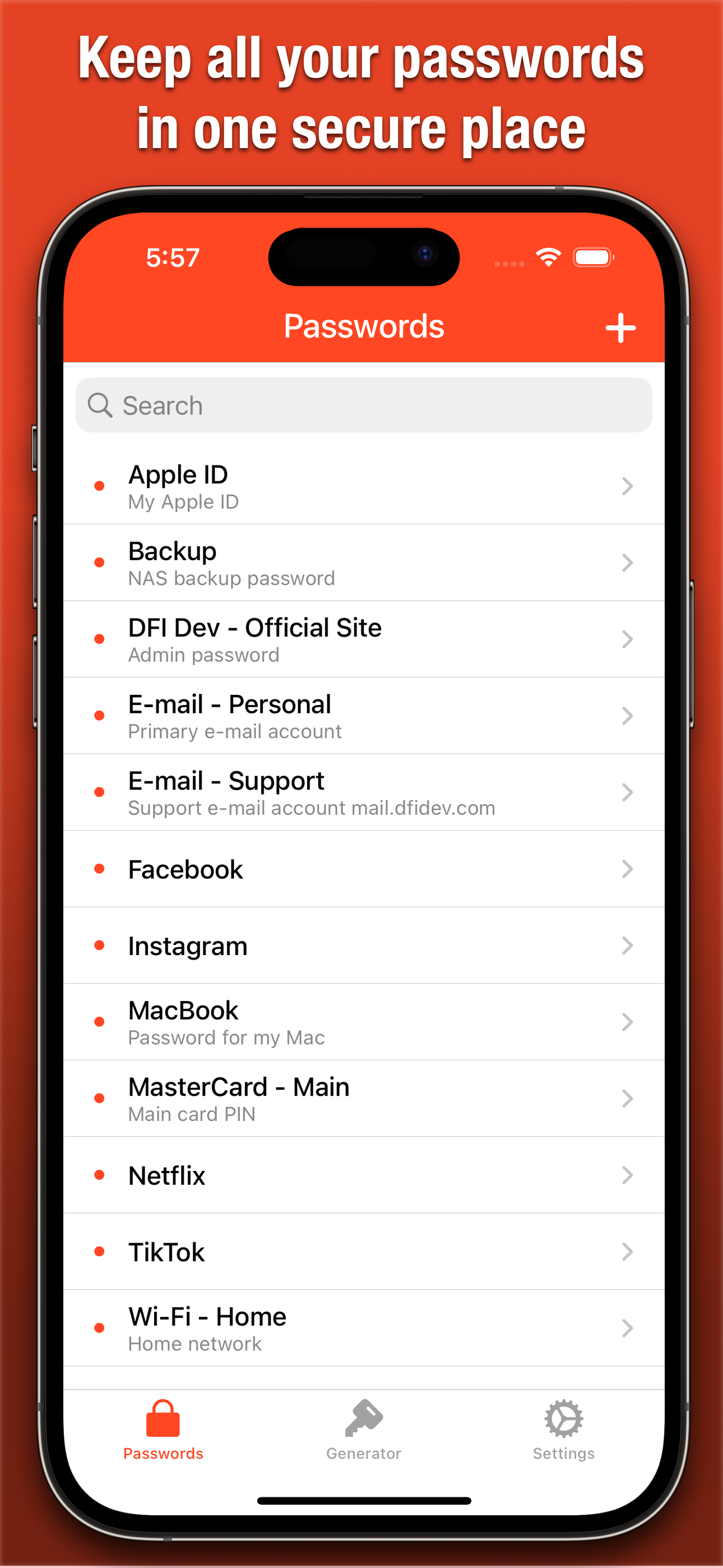
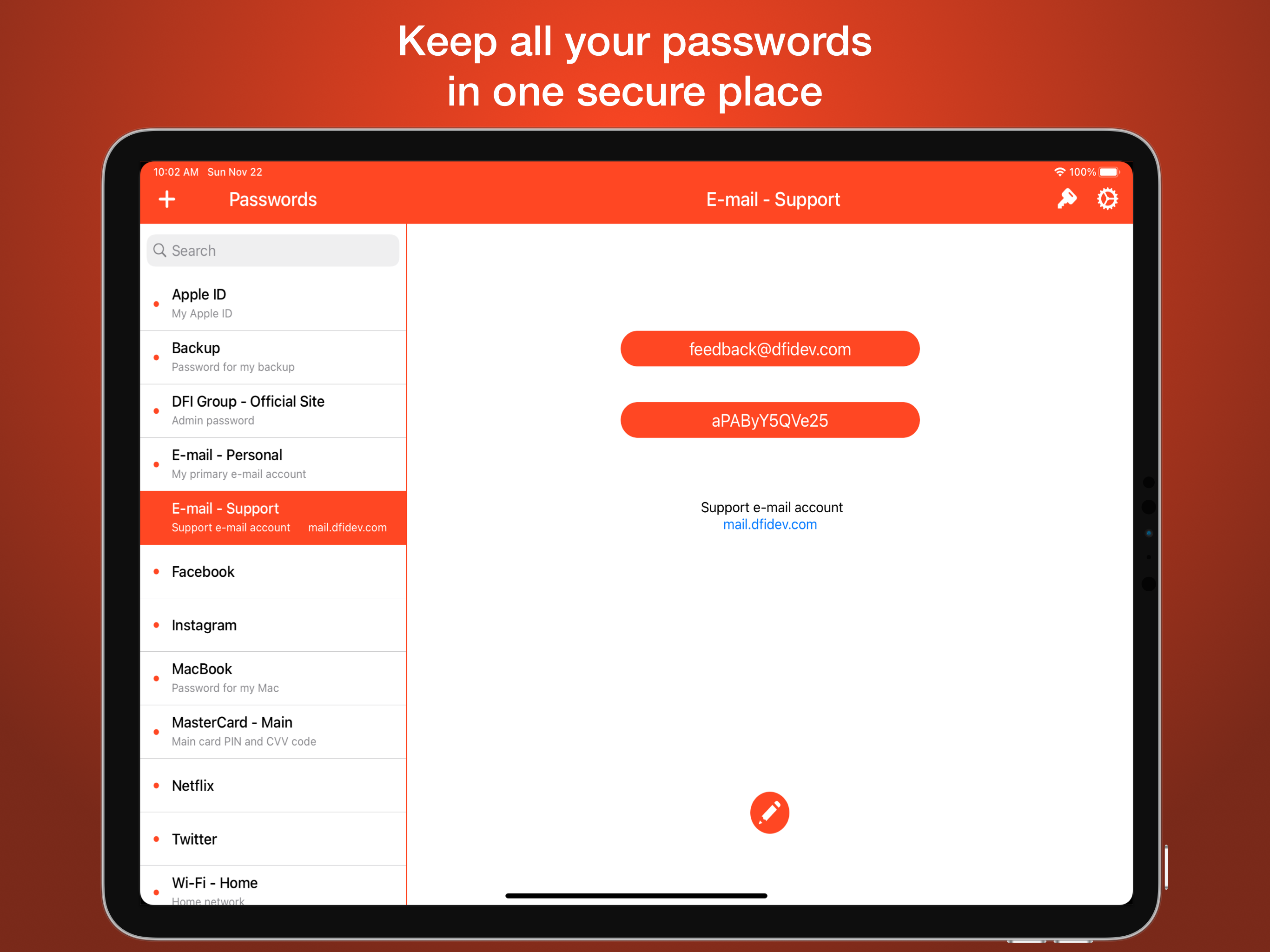
Study the product story and store experience behind the acquisition funnel.




03 / Market context
Keep revenue, downloads and store rankings separate from advertising performance.
Very easy to set up and use - But: I found it in a search for free password managers. Did not see even a hint of any charge on the site. When I tried to make an eleventh entry (a fair amount of time now spent ) message popped up saying I had my ten freebies and had to pay a onetime fee of $15 for unlimited entries. Not an unreasonable amount and I paid it. Would have been much better if the fee was expected and I could have decided whether to continue after trying just an entry or two.
I accidentally deleted the app and had the older version. When I try to get it back, they no longer have that version so I lost all my data! The app didn’t automatically update at all on the phone. Normally, I will see apps do that but that is a HUGE FLAW. So they never had “export to”. Which I am glad they have it now. I understand that was my fault deleting it but it had a lot of passwords I trusted it with. If this creator does not reply to my email, I will need to look for another resource for my password safety. But I can tell you one thing though. These creators really don’t care about our concerns because they are still making money with the app whether something happens with our information or not.
EDIT: I’m dropping a star due to a bug/glitch I found. Perhaps it’s a “feature”, but I think it’s a pretty big deal. If I go to one of my entries on the app (where you actually copy the pw) if I don’t fully close the app, if I just swipe up to the home screen or into another app), if I then tap the app icon to go back, it doesn’t go to the initial “Enter Password” screen, it takes me right back to the last opened screen, displaying all the info. Sometimes it will flash the “Enter Password” screen, but then immediately reopens the last opened info screen. So if someone was to pick up my device right after I sat it down and tapped the app icon, it would open and that could see all info; Title, User ID, Password and Description. I don’t know exactly how long, but if I wait a couple minutes, then reopen the app, it goes to the “Enter Password” screen as it should. But haven’t had enough time to test EXACTLY how long it takes before it stops displaying the last opened entry after closing... To me its a bit of a deal breaker since the app is used to protect your passwords and info, but this allows anyone who picks up the device to see all sensitive info. PLEASE fix this, because I think otherwise, this is the PERFECT app functionality for my needs. OLD REVIEW: This is EXACTLY what I wanted. I downloaded about a dozen pw managers at once to a/b them for my needs. Many come with many “bells & whistles”, sub menus, etc. That’s great for certain scenarios, but what I wanted was SIMPLICITY... open the app, copy the password with ONE CLICK, close, past the pw where I needed it, and that’s EXACTLY what this does. I have another in the phone for the more complex tasks, but when I need one-click access to my password, NOTHING beats this app. HIGHLY RECOMMENDED. 5 STARS.
iPassworder: A Fast, Easy, and Secure Password Manager. Enjoy a completely ad-free experience, even with the free version! iPassworder makes managing...
| Name | Price | Type |
|---|---|---|
| Unlimited Storage | $14.99 | One-time |