BerryCam for Raspberry Pi

James Moore · iOS

BerryCam for Raspberry Pi

Explore the ad evidence, study the storefront, and build your next acquisition hypothesis.

Paid-ad activity not yet verified
Compare appsMy watchlist

01 / Creative research

Turn the unknowns into a research plan.

01

Check the acquisition promise

Read the store headline, screenshots and description. What problem is the app promising to solve?

Study the storefront
02

Look for ad evidence

Explore apps with direct store-link matches. Compare their hooks and formats without assuming the same approach works here.

Browse observed advertisers
03

Separate demand from paid growth

Store rankings and revenue estimates describe market context. They do not establish ad spend, conversions or ROAS.

Review the market context

02 / Storefront & product

Where the click lands.

Study the product story and store experience behind the acquisition funnel.

Screenshots

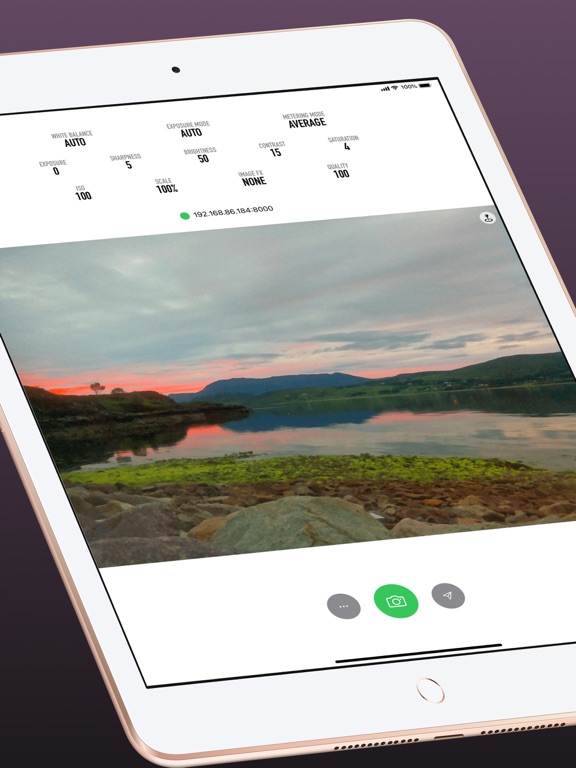
BerryCam for Raspberry Pi screenshot 1BerryCam for Raspberry Pi screenshot 2BerryCam for Raspberry Pi screenshot 3BerryCam for Raspberry Pi screenshot 4BerryCam for Raspberry Pi screenshot 5BerryCam for Raspberry Pi screenshot 6BerryCam for Raspberry Pi screenshot 7BerryCam for Raspberry Pi screenshot 8

03 / Market context

The business behind the app.

Keep revenue, downloads and store rankings separate from advertising performance.

How Much Does BerryCam for Raspberry Pi Make?

Monthly Revenue
$1.0K
Annualized estimate
$12.0K
Per Download
$1.00

Platform Performance

🍎iOS
Revenue
$1.0K
Downloads
1.0K
Rating
3.6 (10)

Rating Distribution

3.6
★★★★
10 reviews
5
10%
4
30%
3
0%
2
10%
1
50%

Top Countries

🇩🇪 DE🇬🇧 GB🇺🇸 US
Reviews (3)
★★☆☆☆Jaceykk12/8/2021
Update coming?

App needs to be updated to incorporate the recent changes in PI OS camera commands. I like the app, it would be a lot more useful if the GUI incorporated timelapse and video - basically an open source GoPro.

★★☆☆☆REEZY-K8/22/2020
No Live Preview

Not having such an expected function doesn’t help the experience. Since there is no live preview there is now way of knowing what the picture will look like before taking a pic.

★★★★★PiCurious9/8/2013
Great Way to Explore the Raspberry Pi Camera Features

Easy to set up. Works great. Makes it simple to explore the many features of the camera. I've tried exposure and FX settings so far. Only used it inside for now because I don't have portable power for the Raspberry Pi. Don't expect rapid frame or video shooting. Do expect camera control under many lighting conditions and an easy way to play with the camera (no Linux command line with flags).

Version History (11)
3.1.23/22/2021
3.1.11/26/2021
3.112/12/2020
3.012/10/2020
2.03/31/2017
1.42/16/2015
1.39/18/2014
1.2.13/28/2014
1.210/18/2013
1.19/11/2013
Available In (115 Countries)
🇺🇸 United States🇦🇺 Australia🇨🇦 Canada🇨🇳 China🇫🇷 France🇩🇪 Germany🇬🇧 United Kingdom🇮🇹 Italy🇯🇵 Japan🇰🇷 South Korea🇷🇺 Russia🇩🇿 DZ🇦🇴 AO🇦🇷 Argentina🇦🇹 Austria🇦🇿 AZ🇧🇧 BB🇧🇾 BY🇧🇪 Belgium🇧🇲 BM🇧🇷 Brazil🇧🇬 Bulgaria🇨🇱 Chile🇨🇴 Colombia🇨🇷 CR🇭🇷 Croatia🇨🇿 Czech Republic🇩🇰 Denmark🇩🇴 DO🇪🇨 EC🇪🇬 Egypt🇸🇻 SV🇫🇮 Finland🇬🇭 GH🇬🇷 Greece🇬🇹 GT🇭🇰 Hong Kong🇭🇺 Hungary🇮🇳 India🇮🇩 Indonesia🇮🇪 Ireland🇮🇱 Israel🇰🇿 KZ🇰🇪 Kenya🇰🇼 KW🇱🇧 LB🇱🇹 Lithuania🇱🇺 LU🇲🇴 MO🇲🇬 MG🇲🇾 Malaysia🇲🇽 Mexico🇳🇱 Netherlands🇳🇿 New Zealand🇳🇬 Nigeria🇳🇴 Norway🇴🇲 OM🇵🇰 Pakistan🇵🇦 PA🇵🇪 Peru🇵🇭 Philippines🇵🇱 Poland🇵🇹 Portugal🇶🇦 QA🇷🇴 Romania🇸🇦 Saudi Arabia🇸🇬 Singapore🇸🇰 Slovakia🇸🇮 Slovenia🇿🇦 South Africa🇪🇸 Spain🇱🇰 LK🇸🇪 Sweden🇨🇭 Switzerland🇹🇼 Taiwan🇹🇭 Thailand🇹🇳 TN🇹🇷 Turkey🇺🇦 Ukraine🇦🇪 UAE🇺🇾 UY🇺🇿 UZ🇻🇪 VE🇻🇳 Vietnam🇧🇴 BO🇪🇪 Estonia🇱🇻 Latvia🇳🇮 NI🇵🇾 PY🇰🇭 KH🇦🇫 AF🇬🇪 GE🇮🇶 IQ🇱🇾 LY🇲🇦 MA🇲🇿 MZ🇲🇲 MM🇾🇪 YE🇧🇭 BH🇨🇾 CY🇲🇹 MT🇷🇸 RS🇧🇯 BJ🇧🇫 BF🇨🇲 CM🇨🇬 CG🇨🇮 CI🇯🇴 JO🇱🇦 LA🇲🇱 ML🇸🇳 SN🇹🇿 TZ🇺🇬 UG🇿🇲 ZM🇿🇼 ZW
Supported Languages (1)
English
App Details

* This app requires a Raspberry Pi with installed Camera Module to work * Use your iOS device to control the Raspberry Pi camera module. Control expo...

iOS App ID
687071023
Content Rating
4+
Min OS
14.0
Size
2.0 MB
Publisher
James Moore