
Check the acquisition promise
Read the store headline, screenshots and description. What problem is the app promising to solve?
Study the storefront ↗
Willow Voice · iOS
Explore the ad evidence, study the storefront, and build your next acquisition hypothesis.
01 / Creative research
Read the store headline, screenshots and description. What problem is the app promising to solve?
Study the storefront ↗Explore apps with direct store-link matches. Compare their hooks and formats without assuming the same approach works here.
Browse observed advertisers ↗Store rankings and revenue estimates describe market context. They do not establish ad spend, conversions or ROAS.
Review the market context ↗02 / Storefront & product
Study the product story and store experience behind the acquisition funnel.



03 / Market context
Keep revenue, downloads and store rankings separate from advertising performance.
When I started using this app, it was actually pretty solid and I was impressed with the accuracy of the transcription. Unfortunately, overtime, it has become absolutely useless. While the interface on the iPhone is a model of inefficiency requiring you to do click galore only so that I can bring up a keyboard that makes it impossible to actually type the Mac application is probably even worse. It constantly has middleware failure issues. It keeps asking me to transcribe long passages that I was relying upon it to actually capture. And it crashes constantly despite frequent updates. I have a hard time understanding how people could rate it so well, except of course that they’re likely friends of the developers and paid endorsements. This is easily the most disappointing app. I’ve used in a long time. Especially because it makes me lose valuable information that I can’t get back. I asked for a refund on my annual contract and the company has refused and just said go ahead and keep the service for the rest of the year as if that were somehow a consolation. I’d recommend avoiding this one at all cost.
For about 20 years, I've been waiting for this technology to exist. I've bought various software solutions, special microphones, learned the special commands, etc., but the overhead was never worth the output. Willow Voice is the ultimate. It lets you pause to formulate your thoughts and keeps your output as you intended. It allows typed corrections, so if you have any strange or difficult to pronounce words in your everyday vocabulary, they will always be spelled properly. Honestly, it just makes everything else better and faster. That's all I can say.
Well, a voice does a pretty extraordinary job accurately taking dictation for exceeds the ability of the built-in Apple voice to text. That said the implementation and app are both little on a clunky. When you activate it, it switches to the Willow Voice spirit, which you then have to slide back to where you were trying to dictate. Unfortunately, it always goes directly back to messages, even when you're trying to dictate in other places. It's caused me to send some pretty unusual texts to people. Secondly, the iPadOS version seems to be deeply flawed and at the moment won't even activate. Even after flipping the toggle, there is no hotkey for the Magic Keyboard, which makes it very difficult. Activating it generally means you have to remove the iPad from the keyboard. Again, the voice recognition tech is outstanding. The use in the real world is flawed and needs significant improvement.
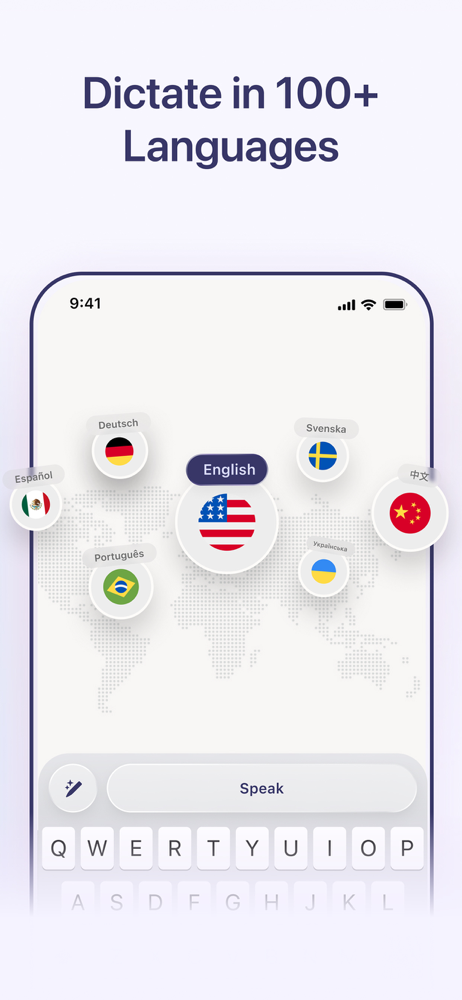
Willow is an AI dictation keyboard built for people who live in email, chat and documents all day. Instead of typing, press the microphone, talk once...
| Name | Price | Type |
|---|---|---|
| Willow Pro - Monthly | $15.00 | Monthly |
| Pro Individual Annual Plan | $143.99 | Yearly |


