Check the acquisition promise
Read the store headline, screenshots and description. What problem is the app promising to solve?
Study the storefront ↗
Edovia Inc. · iOS
Explore the ad evidence, study the storefront, and build your next acquisition hypothesis.
01 / Creative research
Read the store headline, screenshots and description. What problem is the app promising to solve?
Study the storefront ↗Explore apps with direct store-link matches. Compare their hooks and formats without assuming the same approach works here.
Browse observed advertisers ↗Store rankings and revenue estimates describe market context. They do not establish ad spend, conversions or ROAS.
Review the market context ↗02 / Storefront & product
Study the product story and store experience behind the acquisition funnel.



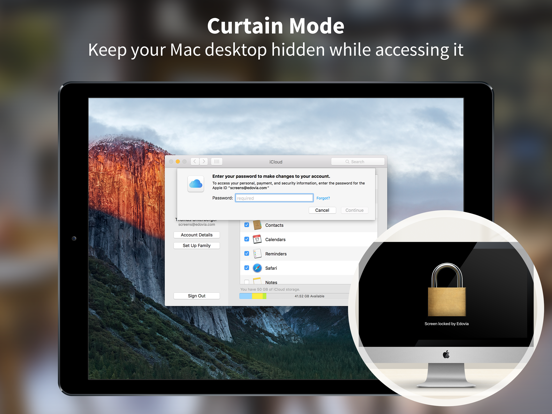
03 / Market context
Keep revenue, downloads and store rankings separate from advertising performance.
Nowadays it just randomly loses connection and stops responding. Not even any sort of error notification or anything, it just freezes with a still of my screen and stops broadcasting or accepting inputs. Even over my local network. When I force close the app and reopen it, it operates just fine as if nothing’s wrong… for a little while, and then it starts misbehaving again until I force close. My productivity is plummeting. It’s not me, it’s you. EDIT: Now it does something weird where, and I never believed this to be possible, the app I’m developing in (Unity) just stops responding to change until I move or resize the window. I thought it was a Unity problem, until I saw that natively on the computer the app responds fine. For some reason, Screens won’t render any changes to the app until I resize it. EDIT: Thank you for your flippant response to my review but I am going to continue leaving a negative review on your product for being a major inconvenience to me. Don’t talk to me about what’s productive, your app is taking productivity away from me and you expect me to keep your good name clean???? Completely unprofessional. EDIT AGAIN: Yet another flippant response to my review. Just let it go. Your product is causing problems for me and so I left a negative review. I will not be changing it. I will not ever be changing it. Every new version I will continue posting a negative review. You’ve earned it.
Don’t waste your money. Some reviews mentioned it was better than jump desktop. It’s not even close. This is just a glorified vnc client that is actually quite slow even on local networks. It doesn't work with headless windows servers. You have to have a monitor connected or you get a black screen. This is a known issue on the vnc server they use with it. So for my own use I had three computers to login to, the main windows server I just get a black screen. I have a remote server and it works on that but is very slow. Then there is my MacBook Pro and it works on that kind of but doesn't work nearly as well as jump desktop or parallels access, the UX for this app just isn't good. I was hoping for something usable. Oh and apple no longer gives refunds if you have problems with software, I only had the software 2 days and spent that time just trying to get it working right. This was the last app I plan to purchase on the App Store. Well I guess I got suckered because you do have a beautiful icon, too bad that quality didn't translate to the rest of the app. I hate writing this negative review. If Apple had just given me a refund, for this broken app, I would have just let it go unreviewed.
This app in conjunction with the Magic Keyboard has transformed my usage of my iPad Pro 11”. It is now my go to machine for most things. I can leave my 15” MacBook Pro at home and login to it remotely from either my couch or the local coffee shop. I tried Jump Desktop as well but Screens has far better scaling and integration if your main computer runs MacOS. Screens also has a more refined and intuitive UI for adjusting options etc. I just hope they keep working on improving it. For example, I wish I could use the command key etc. on the magic keyboard as well as some of the trackpad gestures associated with MacOS for swiping through multiple desktops etc. Keep it up fellow Canadians and stay safe through this pandemic. Thank you for a great piece of software.
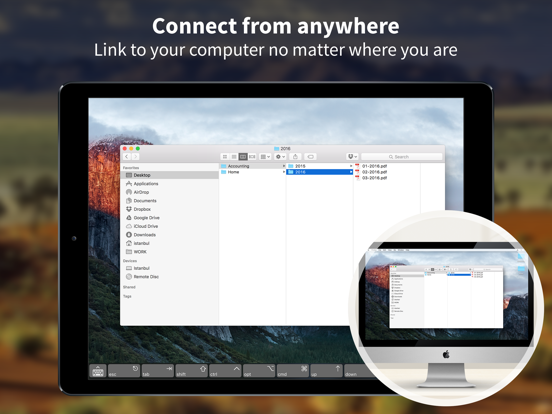
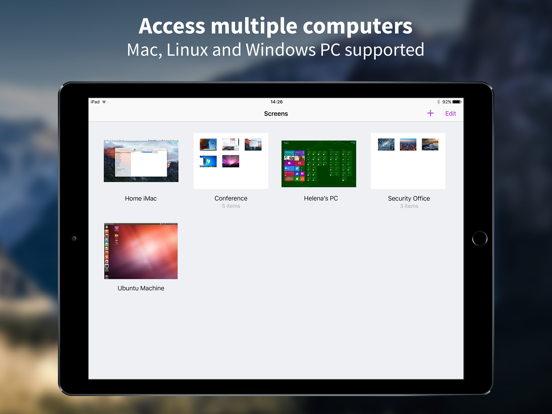
Control your computer from anywhere. Screens lets you connect back to your Mac, Windows or Linux PC and control it from the comfort of your living ro...