Check the acquisition promise
Read the store headline, screenshots and description. What problem is the app promising to solve?
Study the storefront ↗
Iurii Mozharovskyi · iOS
Explore the ad evidence, study the storefront, and build your next acquisition hypothesis.
01 / Creative research
Read the store headline, screenshots and description. What problem is the app promising to solve?
Study the storefront ↗Explore apps with direct store-link matches. Compare their hooks and formats without assuming the same approach works here.
Browse observed advertisers ↗Store rankings and revenue estimates describe market context. They do not establish ad spend, conversions or ROAS.
Review the market context ↗02 / Storefront & product
Study the product story and store experience behind the acquisition funnel.



03 / Market context
Keep revenue, downloads and store rankings separate from advertising performance.
This network ping testing tool has helped me multiple times especially when I’m just trying to figure if my network is slow or is the website I’m visiting. I also love the easy to use interface I have been a user from the beginning. It does exactly what it’s supposed which for a app that’s doing something in my opinion. Great job developer keep up the great work you do.
The good: This is a fully functional version of ping, with easy to set parameters. The imperfect: the time cutoff isn't perfect. (It allows some packets over the time cutoff into the statistics, though they are correctly counted as dropped by the time cutoff.) It would be nice if it retained the lasted used target hostname between uses, but not a big detail, as it does save the host, and a few letters get you to where you want. The bad: nothing of note. I don't have any trouble with sliders for parameters, though other reviewers have reported challenges using the sliders. It has been invaluable in diagnosing network issues with AT&T's hardware, enabling me to diagnose the location of their issues. (30-50% packet loss on an AT&T ADSL line helps explain a dysfunctional connection.) Highly recommended.
ok/decent ping app, however there are very clear and obvious issues that majorly affect the functionality. Both of these are very easy for the developer to fix. It is just about impossible to select .5 ( or less) for the Ping frequency (interval) with your finger , this is because the developer awkwardly chose to use the sliding bar UI element vs better UI options (or keeping the bar but allowing users to tap the number and manually input what interval they want). 2nd there should be a history of any DNS or IP address you ping/enter into the ping field. (not awkwardly having to open bookmarks and retype your entries to add bookmarks). or a Second better option would be an easy button next to the main entry line that is “add to favorites”, this way you only have to enter/type a DNS or IP address ones. The bookmarks section should have a copy/clone option, out for when you need to enter several IP address is that are similar (for example at a single location with many devices on the same subnet). Also it would be nice if you were able to press the ios dictation button on the keyboard when inputting an IP address - The developer has opted for an iOS keyboard layout that removes the iOS dictation button (sometimes we may not have both hands free and would like to dictate an IP address) these improvements would make this ping app one of the very best ping tools on iOS
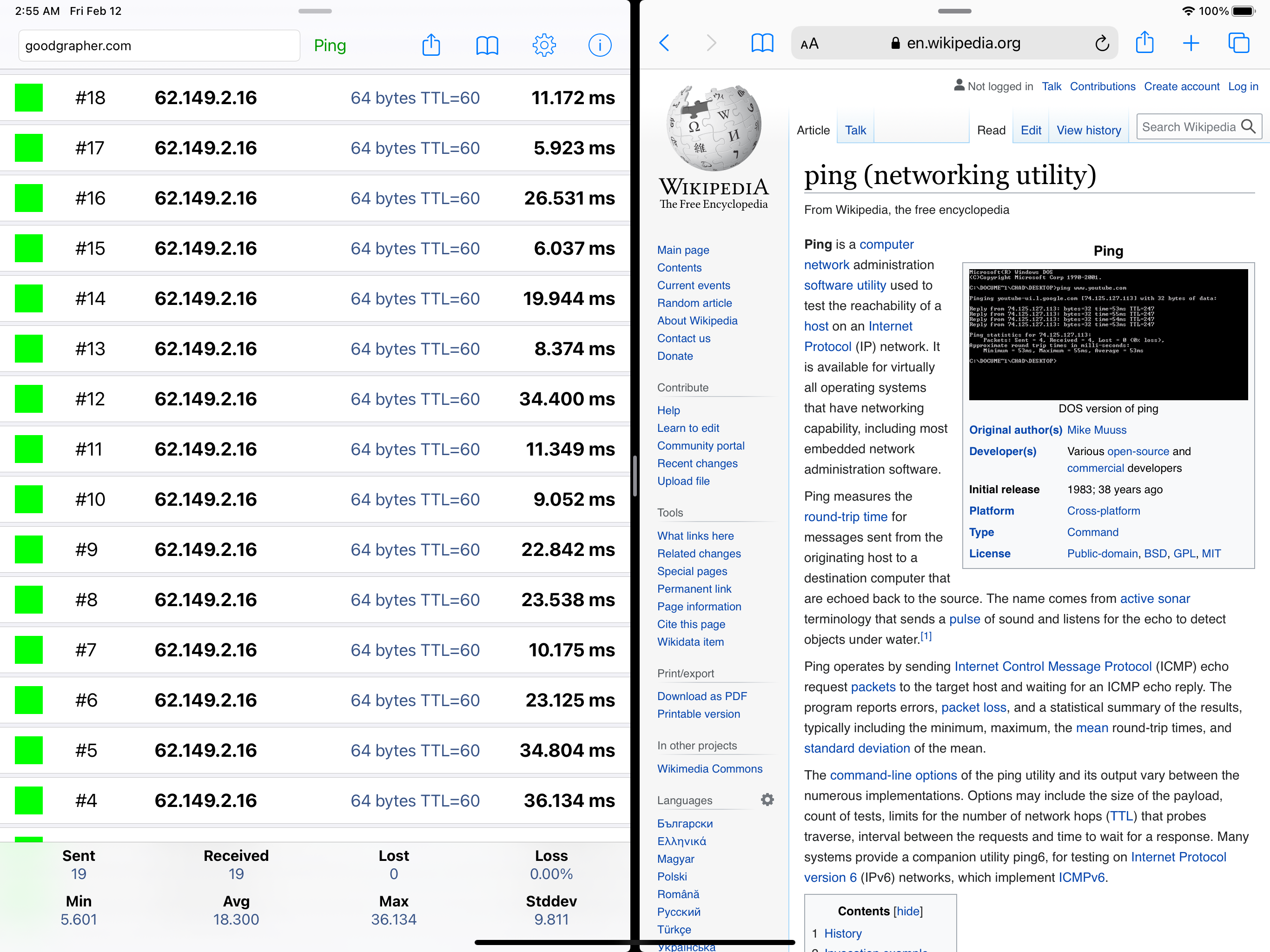
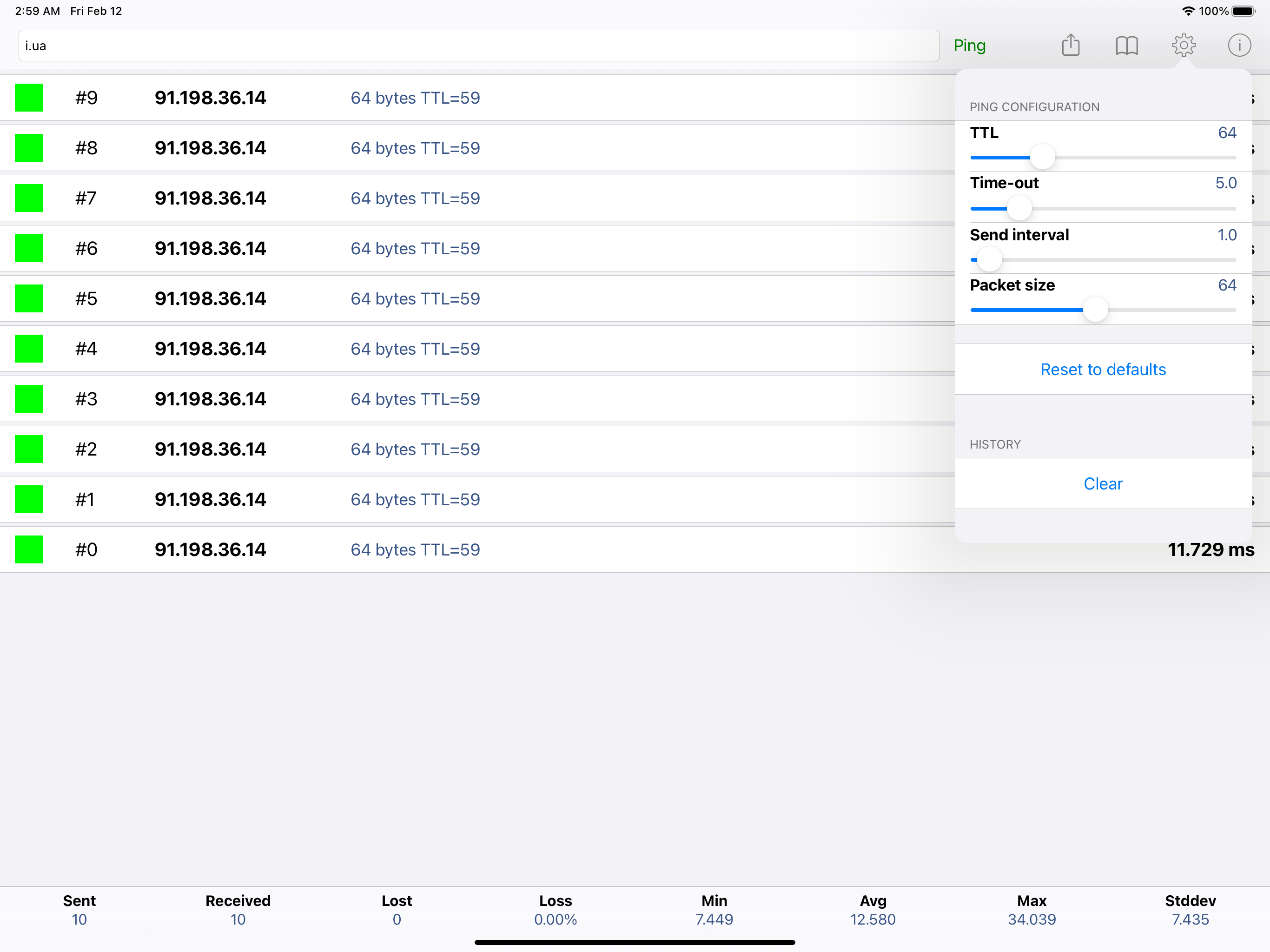
Ping is a network utility used to test the reachability of a host on an IP network. Features: - Supports both IPv4 and IPv6 - Configurable TTL, timeo...
| Name | Price | Type |
|---|---|---|
| Golden Star | $0.99 | One-time |