Check the acquisition promise
Read the store headline, screenshots and description. What problem is the app promising to solve?
Study the storefront ↗
Nikon Corporation · iOS
Explore the ad evidence, study the storefront, and build your next acquisition hypothesis.
01 / Creative research
Read the store headline, screenshots and description. What problem is the app promising to solve?
Study the storefront ↗Explore apps with direct store-link matches. Compare their hooks and formats without assuming the same approach works here.
Browse observed advertisers ↗Store rankings and revenue estimates describe market context. They do not establish ad spend, conversions or ROAS.
Review the market context ↗02 / Storefront & product
Study the product story and store experience behind the acquisition funnel.





03 / Market context
Keep revenue, downloads and store rankings separate from advertising performance.
This app seems like maybe it used to work. Now it’s some different screens like a maze where you go down one hall looking to accomplish something only to either have a locked door or a dead end. If you find a hallway that is successful, and you move forward a little, that will probably be as far as you go. I’ve been working on this for multiple days. After formatting my disc of three pictures I had (thankfully only three, I now can turn WiFi on and off. Then it starts doing something on the screen. No instructions, just some squares move around on the screen. So because WiFi was turned on I head to the WiFi settings on my phone and after a few tries I see the Nikon camera come up and let me click on it. Now I think I’m getting somewhere. But wait. Dead end. Or a hidden door maybe? The screen on the camera starts with the moving squares on the screen and says negotiating. Not sure what that means. I wait. Still going. Nothing changes on the camera or the phone. I get off my WiFi screen on my phone and then the camera stops and turns off my WiFi. Hmmm. I guess that was wrong. So then I try again and leave it go negotiating longer. Still no. Dead end. WiFi off. Do I really need this app? Don’t know. If I stumble onto another step maybe I will post it here. I mean I have nothing else better to do than to stare at my camera negotiating... I guess. Or maybe I’m supposed to do something. We will see. The saga continues...
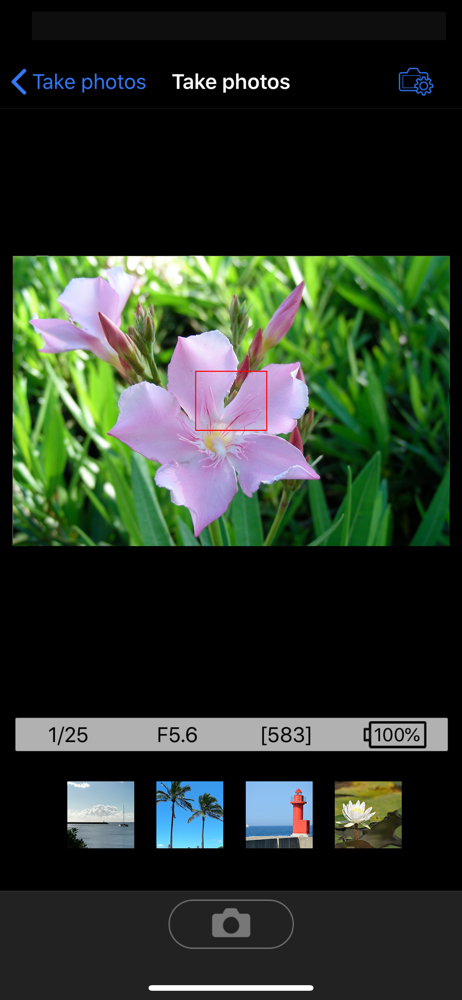
It’s virtually impossible to take a photo with this, and I think it’s because this app is a disaster. When it finally does connect, you’ll be able to take one or two photos with 30 seconds to two minutes of lag between for the live view to update to what you’re actually photographing. Usually, after about 2 to 3 photos, it will lose its connection, you’ll have to go back into your Wi-Fi settings and find the device again to reconnect it. Then, if you’re lucky, you will actually find a connection again in the app. Most of the time using this is spent waiting for the live view to update or fixing a lost connection to your Wi-Fi settings. When it is actually connected, it’s so laggy that the live view can sometimes not update for longer than a minute or more—if at all. I actually sent my WU-1a remote back to Nikon to have it checked because I was unable to get a connection for long periods of time when I needed it. They sent the device back saying that I has no issues. So, it must be the app. I was trying to use it again today after a year or so of forgetting about it (because when I did try to use it in the past, I was unable to actually get it to do what I needed). Today, I was able to get to it take two photos before it disconnected again. I came to search for an app update, because I thought “it must have been updated within the last year due to the bugs and issues making it impossible to use“. Surprise, no update!!
For several months now, I can't even stay connected long enough to download a single photo.. Ipad, iphone, doesn't matter, never works. So glad I spent $50 on a device that has zero use to me at all... And the fact that there is STILL no ipad version tells me that they don't care at all about their customers. I have a feeling that the devices themselves are faulty and no updates are going to fix them. Yet, they'll continue to sell this crap and take our money. Edit July 2017: several years later and I decided I'd try the app again. It must have been improved after several years and the new cameras coming out, right? Wrong! The only improvement is that I no longer disconnect at random. Want to use your phone as a remote for your camera on a tripod? Too bad, they couldn't even include a way to focus the camera. No camera controls whatsoever when your using your phone.. and not only that, they lock out the actual physical camera buttons while connected, so that it's impossible to set up any kind of shot in remote mode. Every other camera manufacturer out there seems to have a superior app... As one of the top contenders, Nikon REALLY dropped the ball here. I definitely won't be buying any more cameras from nikon unless I see much more effort from nikon to improve the user experience. We're in 2017, the age of the smartphone apps. This app should be an embarrassment to any nikon executives or developers. With over 7 months since the app was last updated, it seems they just don't care.
The Wireless Mobile Utility connects your iPhone, iPad, or iPod touch to Nikon digital cameras wirelessly (via Wi-Fi), letting you download photos, ta...