Check the acquisition promise
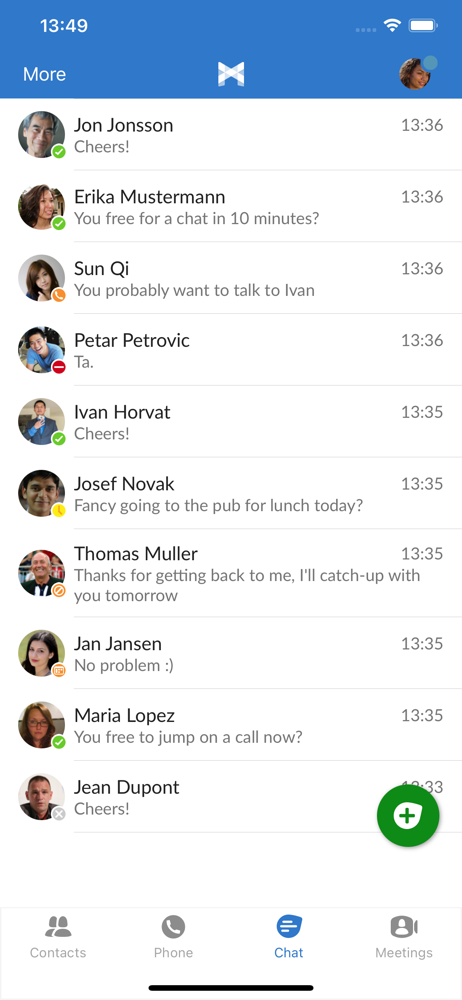
Read the store headline, screenshots and description. What problem is the app promising to solve?
Study the storefront ↗
Metaswitch · iOS
Explore the ad evidence, study the storefront, and build your next acquisition hypothesis.
01 / Creative research
Read the store headline, screenshots and description. What problem is the app promising to solve?
Study the storefront ↗Explore apps with direct store-link matches. Compare their hooks and formats without assuming the same approach works here.
Browse observed advertisers ↗Store rankings and revenue estimates describe market context. They do not establish ad spend, conversions or ROAS.
Review the market context ↗02 / Storefront & product
Study the product story and store experience behind the acquisition funnel.




03 / Market context
Keep revenue, downloads and store rankings separate from advertising performance.
I work for a company that uses MaxUC for our business phone service and for the most part if works quite well. Being that we provide the product internally I can easily get assistance, however, ever since iOS 26 this app has been absolutely awful. While audio remains fine, if music is playing and I dial out, the music will start again while making call; this doesn’t occur on inbound calls. In addition, lately speaker shuts off automatically for no apparent reason. If the dialogue box is open and I keep it up the speaker will stay on. If speaker is launched from a locked phone when call comes in there are no issues unless phone needs to be unlocked. Another issue is related to the speaker issue that then causes the mic recording light to stay on, or the mic in the Dynamic Island. If these particular issues could be resolved app could go back to 5 stars but at current it is quite atrocious.
Tends to leave your microphone active. I notice constantly on the latest iOS that even after a call finishes the microphone is still active until I force the app closed. Users should beware that it may be listening to you and those around you. Pay attention to the Mic icon at the top of your phone.
The Max UC is nice in that the app is pretty much the same on a laptop or cell or tablet. Chat and presence shows up across all three and are update simultaneously. I can change devices mid chat. The presence ties into Outlook calendar so I see if coworkers are in meetings or on a call or available. Probably what I’d like the best what I call the Call Pull feature. If I’m on my desk phone or PC, the app on my cell knows it and gives me a blue bar that I can touch and pull the call off the desk phone on to the app on my cell. I can then walk around the office get something I need then walk back to my desk and “switch” the call back to my desk phones. Probably the next best feature is an ability to “switch” the call to a direct cellular call. If I’m on the app on my cell phone and I run out of good Wi-Fi or get in my car it will switch over to 4G seamlessly. But I live in some foothills and the cellular data coverage can be can be spotty. The switch feature allows me to make the call come from provider to my cell phone as a standard call and move off a voice over IP. Brilliant! The Integrated meeting feature is pretty cool as well. Being able to uplift a voice call to a meeting with video and desktop sharing is really convenient. I’ve even done this from the cell phone app. I’m used in a number of apps and clients that are just so clunky I don’t really deliver. This is the first one that’s really integrated everything together and thought through all the call use cases.
IMPORTANT: Full telephony functionality is only available as directed by your telephone service provider. With MaX UC, you can take control of your...