Check the acquisition promise
Read the store headline, screenshots and description. What problem is the app promising to solve?
Study the storefront ↗
Solitaire, Mahjong and Sudoku Company · iOS
Explore the ad evidence, study the storefront, and build your next acquisition hypothesis.
01 / Creative research
Read the store headline, screenshots and description. What problem is the app promising to solve?
Study the storefront ↗Explore apps with direct store-link matches. Compare their hooks and formats without assuming the same approach works here.
Browse observed advertisers ↗Store rankings and revenue estimates describe market context. They do not establish ad spend, conversions or ROAS.
Review the market context ↗02 / Storefront & product
Study the product story and store experience behind the acquisition funnel.




03 / Market context
Keep revenue, downloads and store rankings separate from advertising performance.
So I downloaded this app to give it a try. The ads were beyond intrusive and annoying, which made it hard to check out the app properly. So I figured it wouldn’t hurt to pay a couple bucks to get rid of the ads. I didn’t pay attention to the price beforehand, so imagine my surprise. My bad. Anyway, it’s a pretty decent calculator. I’m coming from the galaxy note, so I really missed having an all in one calculator and Unit converter. This one is okay, with just a few annoyances. First, the sound effects are very jarring. Would be better if the key presses sounded more like the iPhone default keyboard sound, in my opinion. Also, the +,-,/, and X buttons on the calculator seem to be in odd places compared to most other calculators I’ve used. Not saying it’s wrong, but it will take some getting used to.
Okay, let’s be fair: No one expects a company to develop an app with no reward for their work...so I expect ads, and there’s nothing wrong with that. If I like the app, I may purchase the ad-free version. The problem: This apps ads are time-consuming and intrusive. I need to use a conversion app during time-sensitive preflight planning, to convert different charts with different measurements...to determine if it’s safe to fly in remote areas. I don’t have 30-60 seconds every few minutes to watch an ad, nor do I need to lose my train of thought when I’m making decisions that could literarily kill me or others. So I cannot “try before I buy” with the ads this app uses—I cannot “give it a go,” the ads are too distracting for that.
If you want a calculator for your iPad/iPhone that is quite functional yet easy to see and easy to use, thus is the one. It just plain does the job! In the last update they made the numbers light grey in color on a slightly darker grey background. It was infinitely easier to see when the numbers were black. I have no idea which “genius” decided virtually no contrast was better but obviously he/she is young and has excellent eyesight, many of us enjoy neither trait.
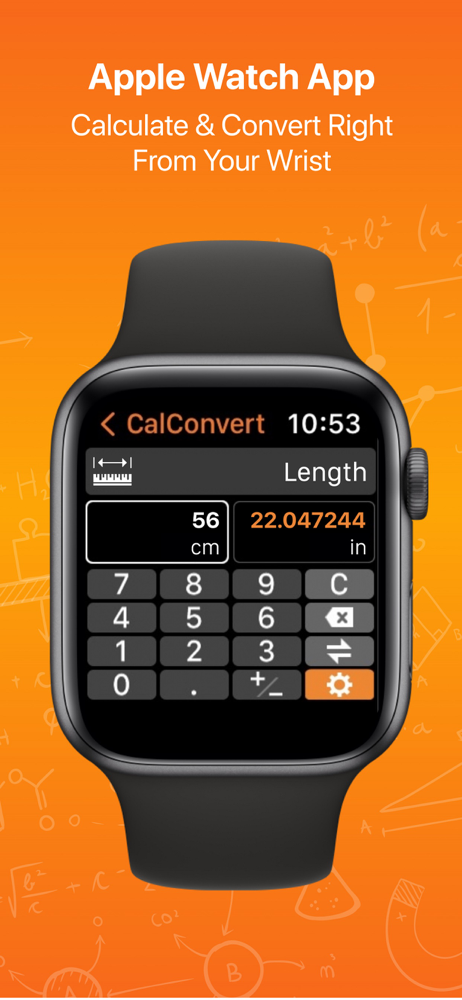
Download CalConvert, the #1 advanced scientific calculator and currency/unit converter in the App Store. CalConvert supports iPhone, iPad and Apple Wa...
| Name | Price | Type |
|---|---|---|
| CalConvert Pro | $0.00 | One-time |
| CalConvert Pro - Monthly | $2.99 | Monthly |
| CalConvert Pro - Annual | $9.99 | Yearly |
| CalConvert One Time MP | $39.99 | One-time |