Check the acquisition promise
Read the store headline, screenshots and description. What problem is the app promising to solve?
Study the storefront ↗
Rambax, LLC · iOS
Explore the ad evidence, study the storefront, and build your next acquisition hypothesis.
01 / Creative research
Read the store headline, screenshots and description. What problem is the app promising to solve?
Study the storefront ↗Explore apps with direct store-link matches. Compare their hooks and formats without assuming the same approach works here.
Browse observed advertisers ↗Store rankings and revenue estimates describe market context. They do not establish ad spend, conversions or ROAS.
Review the market context ↗02 / Storefront & product
Study the product story and store experience behind the acquisition funnel.




03 / Market context
Keep revenue, downloads and store rankings separate from advertising performance.
If it can’t copy all of the files it now shows/marks the ones it couldn’t download at the end but selecting the option to download those, say 3 failed files, still completely restarts downloading the thousands of files. Very frustrating, cancelling the new redownload of all the files clears the option to identify and download the failed files. So you can start over waisting hours or just give up and lose the files, since you need the space more. It’s better than iTunes, but it’s not great. Response to developer. I selected the Green button that said 3 items download, it proceeded to re-download the 2045 items, they did not all have check boxes on them either, I scrolled through and found one that did I didn’t try to find the other 2, I just selected the 3 items download option. Cancelling the download cleared the marked files that had errored on download and I was unable to re-identify them with the time I had left to work on the issue, forcing me to lose the 3 files as I had to delete all of them. The failure recovery options and resiliency of this app are lacking. If things don’t fail it works fine, but that’s frequently not the case. 2nd Response to developer: I didn’t come here for support, I came to report detailed reasons why I’m not fully satisfied with the product and hopefully help other potential users decide on the quality. I also provided clear usability feedback that is repeatable with this product. Your instructions are not follow-able for a number of reasons that should’ve been clear in my original post. I had already deleted the entirety of photos on my device prior to the original post, which I stated in my original post. Even if I hadn’t deleted the files, did you expect I was sitting with the app connected and/or somehow tracking 3 random files out of 2045? You have a use ability issue with this product that I’ve described, I don’t need, nor did I ask for support on this issue. I’d rather see you address the problem in future versions of the product.
Most times when people update reviews, the rating suffers. In this case, after using the app for years, all I have to say is that I still give it five stars because it’s easy to use, declutters my iPhone and works both ways. Yes, there are times I want to upload a photo that I’ve taken with my Nikon to show on my phone. After all these years, I have yet to find a better alternative. Suggestion- delete the free version and buy Pro directly. Do buy the Pro version. It is well worth the extra couple of bucks.
I took videos of the family gifting on Christmas Day and have had them on my iPhone since that time, because I couldn’t find a way to transfer them off to my computer. I’ve tried a number of ways to get them to my computer; cabling my iPhone to my computer, performing a backup, using a flash drive, and a few other tricks, but nothing worked. I was beginning to believe they were relegated to my iPhone forever. Then doing a search of my problem I came across your video. I had no idea that Apple had a physical limit on file size when cabled to a device. I downloaded Simple Transfer and couldn’t believe the ease of use. I had to check to ensure that it worked. No more videos on my iPhone now. I was able to delete them from my iPhone.
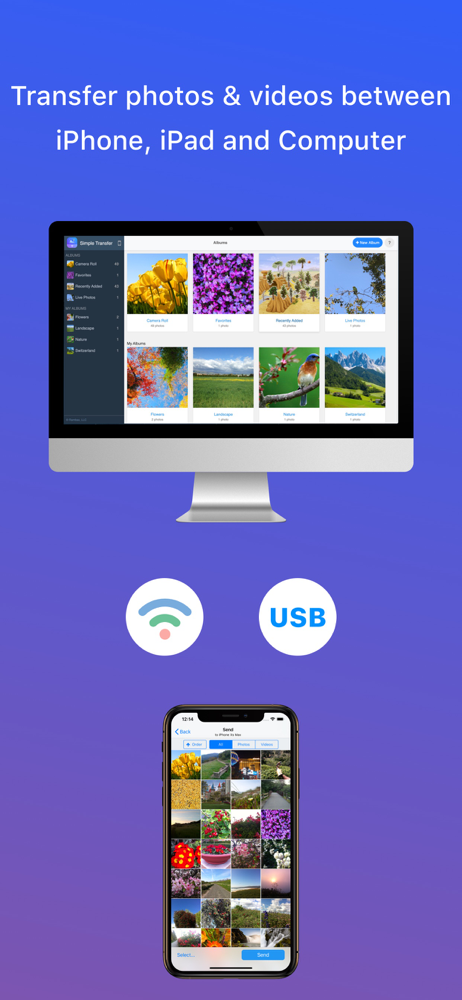
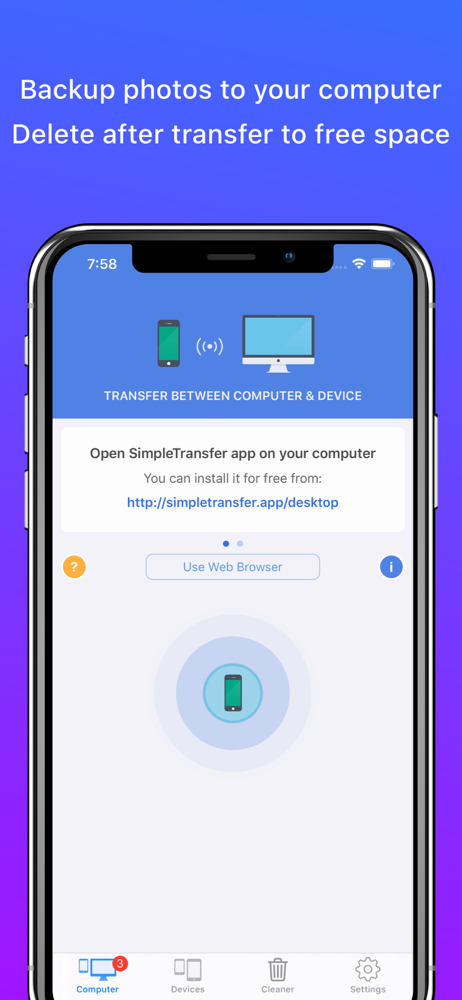
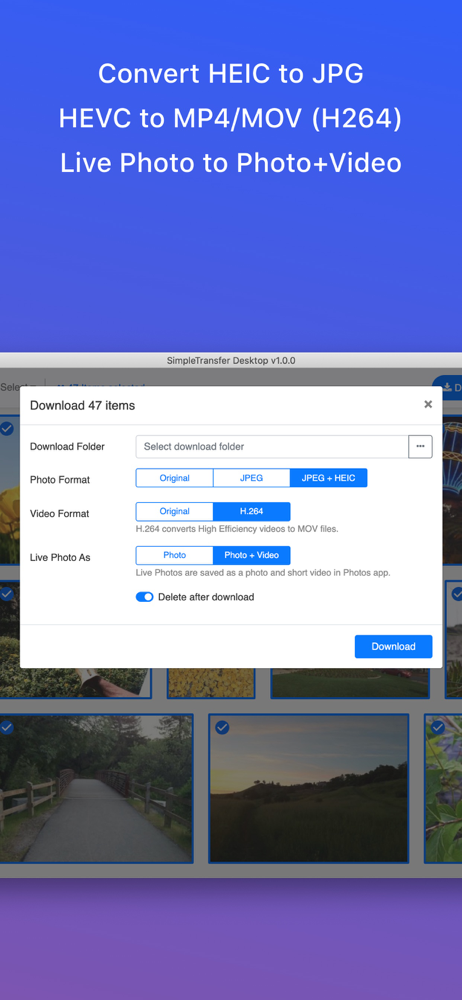
With over 7 million downloads, Simple Transfer is the easiest way of transferring your photos and large videos to computer using WiFi or USB. It can a...
| Name | Price | Type |
|---|---|---|
| Photo Cleaner | $9.99 | One-time |