Check the acquisition promise
Read the store headline, screenshots and description. What problem is the app promising to solve?
Study the storefront ↗
Seiko Epson Corporation · iOS
Explore the ad evidence, study the storefront, and build your next acquisition hypothesis.
01 / Creative research
Read the store headline, screenshots and description. What problem is the app promising to solve?
Study the storefront ↗Explore apps with direct store-link matches. Compare their hooks and formats without assuming the same approach works here.
Browse observed advertisers ↗Store rankings and revenue estimates describe market context. They do not establish ad spend, conversions or ROAS.
Review the market context ↗02 / Storefront & product
Study the product story and store experience behind the acquisition funnel.


03 / Market context
Keep revenue, downloads and store rankings separate from advertising performance.
I was given a gift a tankless model not being computer savvy while everyone learning about computers and printers I was sailing around the world and boy was that a experience like no other I wanted to build a land mark in the USA Like the pyramids are the Acropolis Stonehedge something that will last to the test of time there’s nothing in America like that so I got into building building and working and working now near 70 the opportunity may have passed possibly, but I still have gained a lot of knowledge and the printer was a challenge, but once I got it working, what a nice piece of equipment I recommend it, but I highly recommend learning how to use it. first I had trouble finding help only because I’m not computer shabby but once I got some help find a piece of tooling equipment Epson, you did a good job.
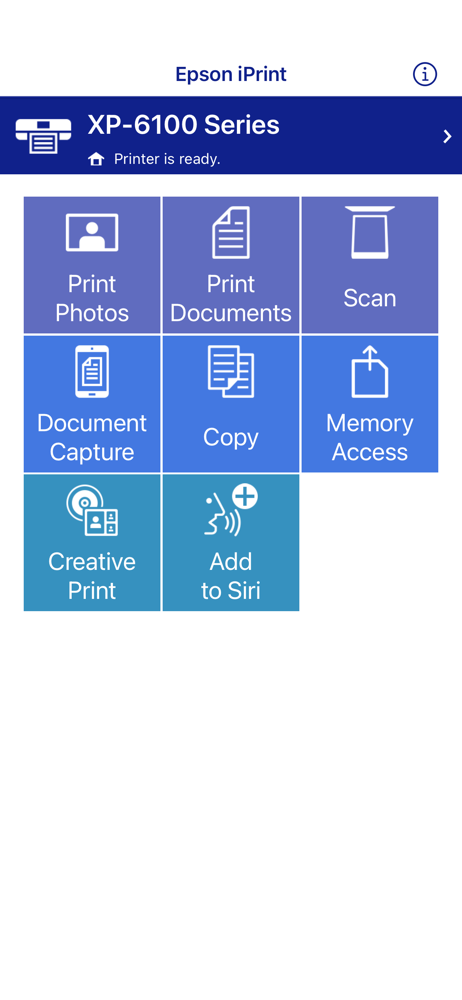
I sent this email to Epson, and I’m posting it here too. I’m feeling frustrated right now. I bought the Epson eco tank 2720 thinking I would be saving myself money in the long run by being able to print out my children’s curriculum. Well I went to print something out today and after 100 pages were already printed I realized several of the pictures were not printing. I used the print option from my phone instead of the Epson iPrint, because the Epson app is annoying. I want to print back to front and I would literally have to print one page at a time. It doesn’t allow me to just print even or odd or select just the pages I want to print. Since my printer doesn’t do double sided printing this is problematic. I ended up printing one page from the Epson iPrint that my regular phone printing app messed up, and the Epson iPrint did it correctly. However, this was not encouraging, because of what I previously stated. It will take me way too long and be too much work to bother printing it out. So I ended up buying curriculum I shouldn’t of had to buy. Your app needs fixed ASAP!!
This app from Epson comes to the rescue, albeit just for Epson-brand printers on your local WiFi network. It performs most printing tasks quickly, and with access to most of the Epson printers’ features that one is used to seeing when printing from a computer, using Epson’s installed printer drivers. IPhone users will agree that Apple’s iOS-embedded Print command provides only the most rudimentary access to printer features, almost regardless of printer brand. Particularly annoying is trying to print full page images on 8-1/2 x 11“ paper from a Letter-size paper tray. On my Epson Artisan 730 Multi Function Printer, using Apple’s Print command, the images from my camera roll will want to print using the much smaller paper feed for cut-size Photo paper. Since I don’t leave any paper in that feed slot except when I specifically want to use it, the image will ignore the Letter-size paper loaded in that tray, and simply not print. So, since I also have printers from other brands on my LAN, I find I need to also have iOS print apps for their printers installed on my iPhone, to access their fuller set of print commands. I have to say this app from Epson will tip my future printer purchases in their favor, so that I will be able to see my multiple Epson printers and select their features from a single printing app. Good job, Epson !
Print, scan, and share directly from your iPhone®, iPad®, or iPod® Touch. Print photos, emails, webpages and files including Microsoft® Word, Excel®,...