Check the acquisition promise
Read the store headline, screenshots and description. What problem is the app promising to solve?
Study the storefront ↗
Qianyan Technology · iOS
Explore the ad evidence, study the storefront, and build your next acquisition hypothesis.
01 / Creative research
Read the store headline, screenshots and description. What problem is the app promising to solve?
Study the storefront ↗Explore apps with direct store-link matches. Compare their hooks and formats without assuming the same approach works here.
Browse observed advertisers ↗Store rankings and revenue estimates describe market context. They do not establish ad spend, conversions or ROAS.
Review the market context ↗02 / Storefront & product
Study the product story and store experience behind the acquisition funnel.


03 / Market context
Keep revenue, downloads and store rankings separate from advertising performance.
I downloaded this app just for the widgets, so i don’t have feedback about the app icons. But I was very happy with the widgets, I picked several I really like and I was able to add my own pictures to them, and they were really easy to add to my screen. But it was all going good until a few days later I opened my phone to see that the widgets had an image of a lock on them, hiding the pictures. If someone could please tell me how to fix that, that would be great. I aim for the free path, so if I have to pay to fix it I’ll be ok without it. But if there is a way to remove the locks without paying, everything else about the app that I’ve used is great.
This apps does nothing for what you. It literally just has ideas of themes but not all the icons so you are having to go and find icons and do the short cuts which I been doing for free before!! It’s a lot of work and time consuming which I thought I would be Not doing after paying $24!!! Don’t waste your money!!!
I couldn’t find one review that actually explained this app so here it is. You can’t try any of the themes without paying so I paid for the $30 one time fee. Only then, are you able to tell how it really works & their little work around. It installs shortcuts with the different icons to all of your apps, requiring you to move or delete or the default apps & put the new icons in their place. Everytime you open one of the new icons, it takes you to apple’s shortcuts app before taking you to your destination causing a delay. They reccomend turning off motion in your accessibility settings which helps but there’s still a delay & now other things you’re used to like the multitasking are impacted. I also don’t think these shortcuts get badge notifications on them. Overall, this is for a very niche tech savy audience that is willing to deal with the different inconveniences in the name of customization. Most people will not like this & that’s the honest truth.
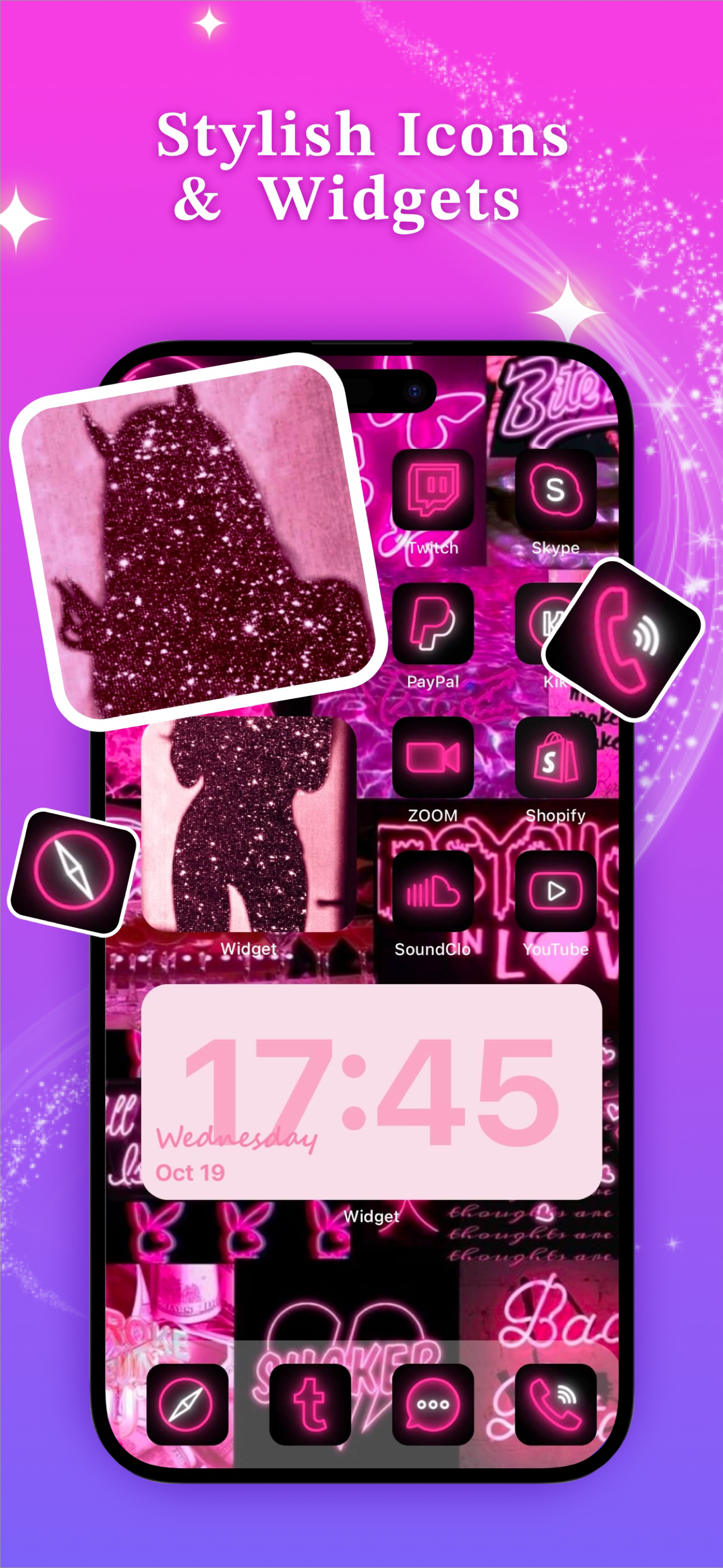
Widgets Kit let you easily download all the icons of your choice and customize the icons, themes, widgets for your iPhone. Bored of the usual style?...
| Name | Price | Type |
|---|---|---|
| Widgets Kit Weekly Pro | $5.99 | Weekly |
| Widgets Kit Weekly Premium | $5.99 | Weekly |
| Widgets Kit Yearly Pro | $29.99 | Yearly |
| Widgets Kit Special Offer | $29.99 | One-time |
| Widgets Kit Yearly Premium | $29.99 | Yearly |