Check the acquisition promise
Read the store headline, screenshots and description. What problem is the app promising to solve?
Study the storefront ↗
Dmitry Petrov · iOS
Explore the ad evidence, study the storefront, and build your next acquisition hypothesis.
01 / Creative research
Read the store headline, screenshots and description. What problem is the app promising to solve?
Study the storefront ↗Explore apps with direct store-link matches. Compare their hooks and formats without assuming the same approach works here.
Browse observed advertisers ↗Store rankings and revenue estimates describe market context. They do not establish ad spend, conversions or ROAS.
Review the market context ↗02 / Storefront & product
Study the product story and store experience behind the acquisition funnel.



03 / Market context
Keep revenue, downloads and store rankings separate from advertising performance.
I have been loving this app! It’s been so easy to use! Moving photos to it is super simple, you just choose photos that are already inside your iCloud Photos. I’ve been using it to store progress photos so that they don’t show up elsewhere on my phone (like my photo highlights widget on my Home Screen) and it’s been doing a great job! Super easy to sync photos too! I add them to the app and they’re immediately available on my iPad too. And I LOVE that it uses the iCloud storage that I already pay for! No new subscription, and no need to worry about another cloud service being hacked. But of course, there are always ways to improve. In future updates, I would love to see: 1) the ability to sort albums alphabetically and 2) I’d love to see an option where you can use just the master password and Face ID. A 4-digit pin seems a little insecure to me, and it’s not like I ever type it in anyways, so having the option to unlock it via Face ID and master password exclusively seems like a good idea to me. And if we’re still taking ideas, I wouldn’t mind if the button to access the library was a little bit more hidden. Maybe in like a basic settings screen, instead of right in the first menu. And finally, an iPad-specific app would be great! (And also-also, I personally would love the ability to add photos though the files app, but I can see how that’s outside the scope of what this app is designed for.) Overall though, it’s been an excellent app, and I am very happy with my purchase.
I've been using this app for a while, and I’m really impressed by the recent update. Originally a currency converter, it’s now transformed into a photo storage app with a hidden vault feature, which I love for the extra privacy it offers. It's amazing to have a secure place for personal photos, and I appreciate the peace of mind it gives me. The app’s developer is incredibly responsive. I had a small hiccup trying to access the hidden vault and reached out for help. Not only did they respond quickly, but he also demonstrated how to access the feature by sending a helpful video tutorial. Customer support like this is rare these days, and it’s great to see someone genuinely care about user experience. If you're looking for an app that values both your privacy and your time, this one’s a gem. Highly recommend!
everything about this app is great. Except one very simple and minor thing. First off, IT IS COMPLETELY WORTH IT!!! ESPECIALLY FOR A ONE TIME PAYMENT OF $15! One of the bes app purchases ive made for sure. It works as and looks like an actual currency converter. Everything is seamless until you put in your passcode into the “converter” which unlocks all of your photos and videos, etc. The app icon and name are also perfect, labeled, converter and u can change the icon. when you open the app everything is perfect and you can sort it into different albums and it’s all saved cloud, so incase you drop your phone into a 432ft lake and after 7days of searching end up finding nothing but a broken ali express drone, you can still get your data! which is absolutely perfect! The only thing that would need fixing is when you transfer to the app you can only do 20 at a time. So if you need to transfer things quickly or a large amount, it would take forever. I wanted to transfer about 2000 images and videos,it would’ve ended up taking so long that I just didn’t do it and instead used the apples hidden album. and if you need to transfer an entire album from your photos, there is no select album option which will take everything out of the single album and put it into the hidden converter. Which would be very helpful. Other than these two things, the app is absolutely perfect and worth it. I hope the creators are able to update this. HIGHLY recommend.
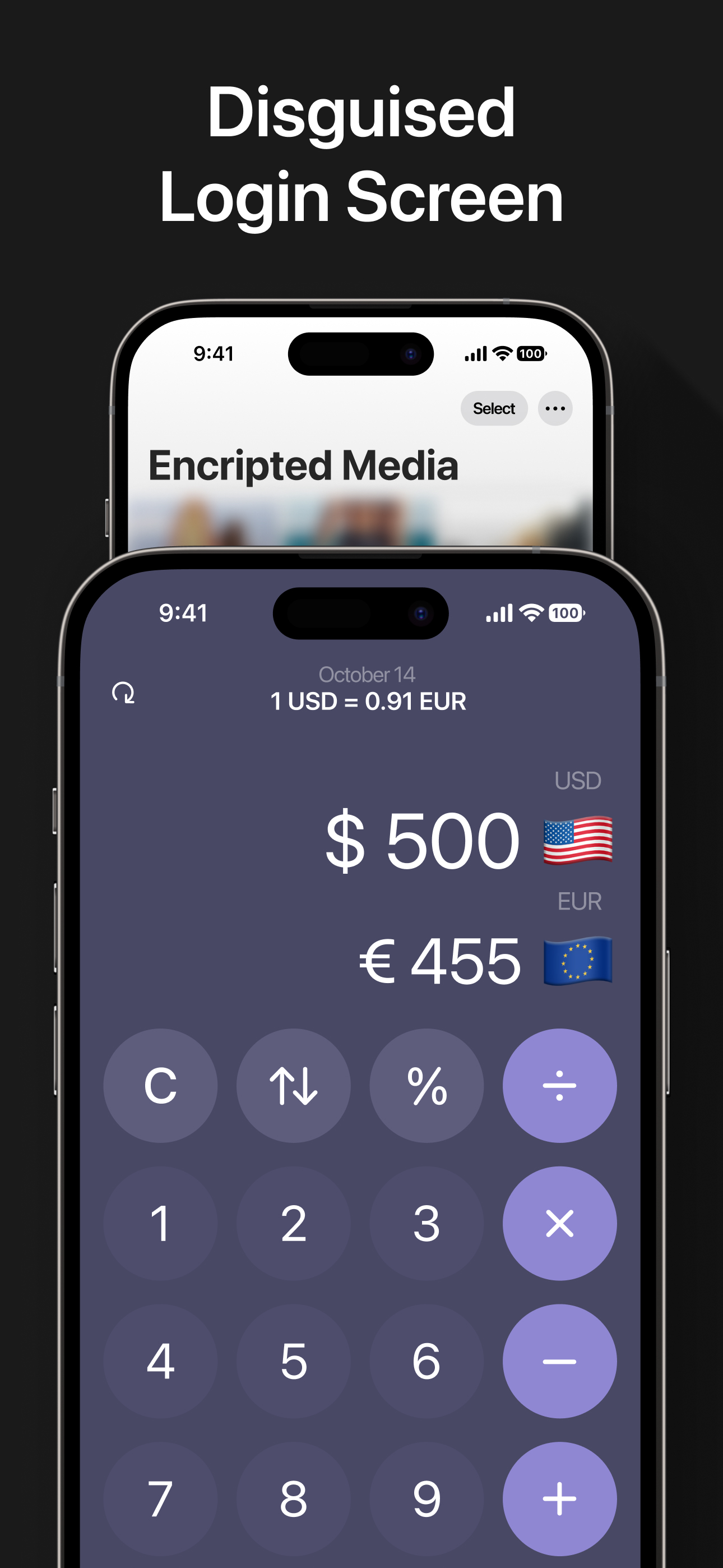
Private photos in a currency converter? Unlikely! Store Your Data! In Your iCloud! Without Subscription! Safe Home for your photos Store and disco...
| Name | Price | Type |
|---|---|---|
| Full Access With Discount | $9.99 | One-time |
| PromoFullAccessForever_1.0 | $14.99 | One-time |
| Full Access Forever | $19.99 | One-time |