Check the acquisition promise
Read the store headline, screenshots and description. What problem is the app promising to solve?
Study the storefront ↗
Filip Nemecek · iOS
Explore the ad evidence, study the storefront, and build your next acquisition hypothesis.
01 / Creative research
Read the store headline, screenshots and description. What problem is the app promising to solve?
Study the storefront ↗Explore apps with direct store-link matches. Compare their hooks and formats without assuming the same approach works here.
Browse observed advertisers ↗Store rankings and revenue estimates describe market context. They do not establish ad spend, conversions or ROAS.
Review the market context ↗02 / Storefront & product
Study the product story and store experience behind the acquisition funnel.





03 / Market context
Keep revenue, downloads and store rankings separate from advertising performance.
This app is great! It allows me to loop my aerial drone videos to my large screen tv through my Apple TV 4K. I upload the videos to my iCloud account using the Chill Zones app on my iPad. Then after downloading the Chill Zones app on the ATV, I just click on it and select which video I want to watch, click on the repeat icon and sit back and enjoy! I was having an issue of my videos not loading on the ATV app with tvOS 17.4, just an endless spinning gear. I contacted Filip, the developer, by email and he was so incredibly helpful in troubleshooting the problem. He updated the app today and it now works perfectly. Outstanding customer support!
As a professional photographer I can say this app is outstanding. I use it via an iPad 4th Gen and usb to iPad card reader and Apple 4K TV dongle. I open my drone video tapping iPad folder then SD card icon. Then I locate drone footage I want and export to iMovie. Then I “save” it while in iMovie which results in drone footage being saved in iPAd “Photos”. (That last one was the important step). Sometimes it can take many minutes to upload. Now I go to Chill Zones app and select the same movie in Photos, name it, then upload it to the Cloud using Chill Zones app. Finally I go in to Apple 4K TV menu and Open Chill zones app, and select the drone footage to loop on my big flat screen tv. Viola!
I LOVE this for my mini edc or festival sets in my living room. Pair some looped screensavers with some great edm and some sound sensitive light strips or Nanoleaf lights and you got yourself a stage. Only thing I have is if a progress bar can be added in the TV app to lmk download progress for what is in the cloud, currently it just says “loading” for an unknown amount of time until it’s downloaded and will play. Love this app!!
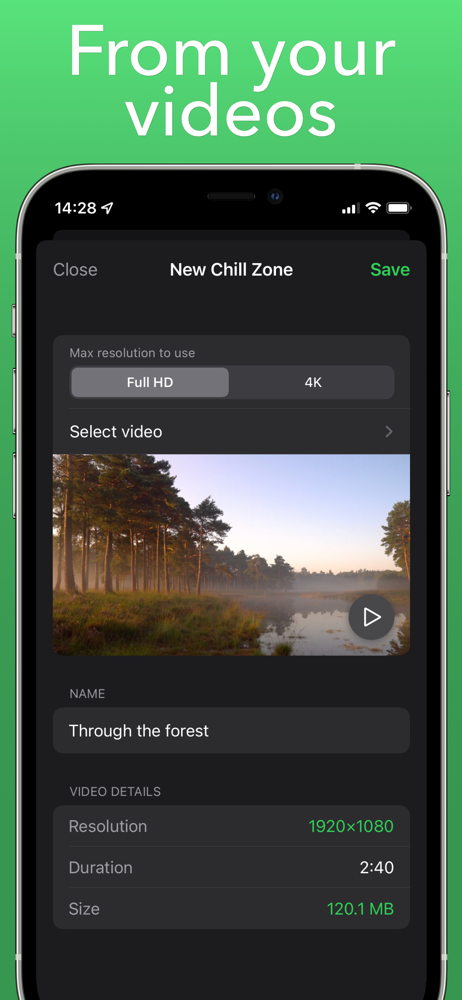
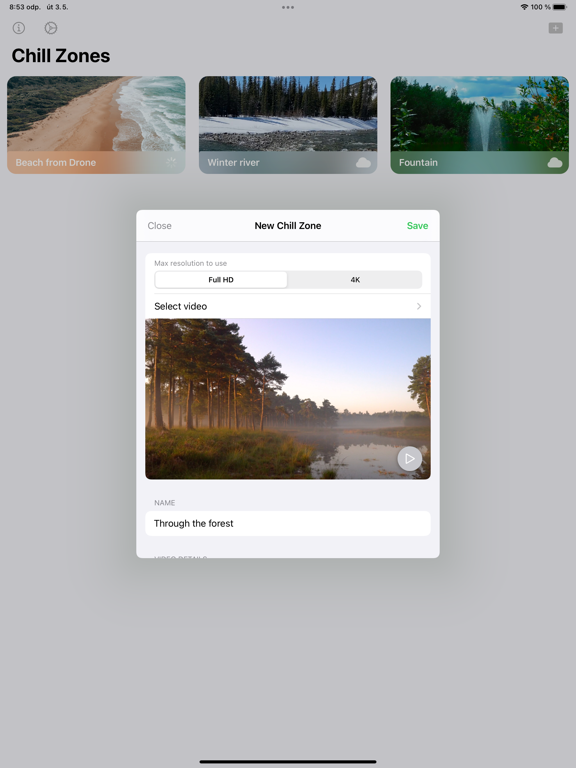
Create screensavers for your Apple TV. Import your own videos to play them in the Apple TV version of Chill Zones. It is that easy. No account reg...