Check the acquisition promise
Read the store headline, screenshots and description. What problem is the app promising to solve?
Study the storefront ↗
Adam Cabral · iOS
Explore the ad evidence, study the storefront, and build your next acquisition hypothesis.
01 / Creative research
Read the store headline, screenshots and description. What problem is the app promising to solve?
Study the storefront ↗Explore apps with direct store-link matches. Compare their hooks and formats without assuming the same approach works here.
Browse observed advertisers ↗Store rankings and revenue estimates describe market context. They do not establish ad spend, conversions or ROAS.
Review the market context ↗02 / Storefront & product
Study the product story and store experience behind the acquisition funnel.




03 / Market context
Keep revenue, downloads and store rankings separate from advertising performance.
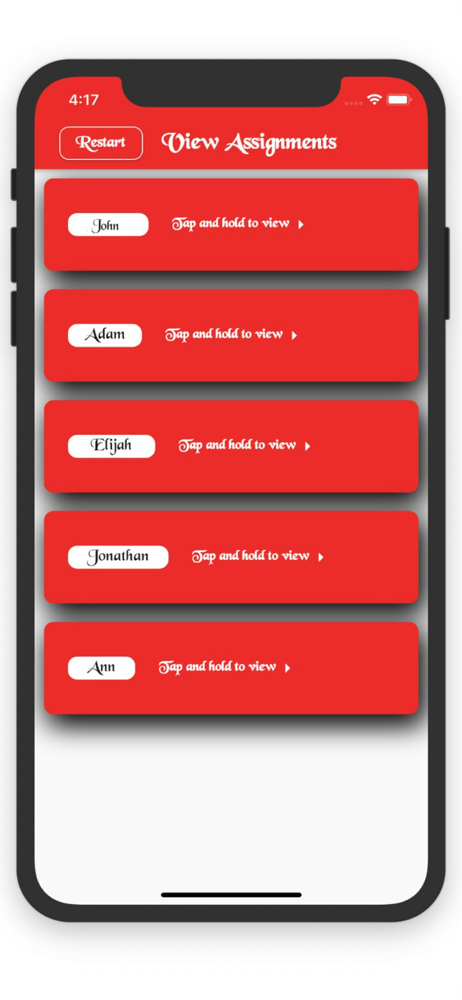
Good if you don’t want to send emails or texts to draw names. This app is used to draw names in person. Also good if you don’t not want to build a wishlist. Names are listed, exclusions are specified and finally you are taken to a screen where everyone’s name is listed. Pass your device around for each person to tap next to their name to quickly reveal who they need to get a gift. Just what I needed.
Good and simple but I was hoping I’d be able to share it through message or something for my family so we didn’t have to meet up just to pull names.
I downloaded the app. Entered the names. Every time I would click on names to block people on the list it wouldn't stay blocked. So I restarted and it would do the same thing. I would attempt to block parents from getting their child's name or their spouse's name but if I clicked on more than one name it wouldn't stay blocked.
Quickly and easily designate "Secret Santas" to your friend or work group and block certain people from getting each other. Only 3 simple steps withou...