Check the acquisition promise
Read the store headline, screenshots and description. What problem is the app promising to solve?
Study the storefront ↗
DevelopW LLC · iOS
Explore the ad evidence, study the storefront, and build your next acquisition hypothesis.
01 / Creative research
Read the store headline, screenshots and description. What problem is the app promising to solve?
Study the storefront ↗Explore apps with direct store-link matches. Compare their hooks and formats without assuming the same approach works here.
Browse observed advertisers ↗Store rankings and revenue estimates describe market context. They do not establish ad spend, conversions or ROAS.
Review the market context ↗02 / Storefront & product
Study the product story and store experience behind the acquisition funnel.
The store evidence
US store price
$7.99
US rating
3.4 / 5
US rating count
59
Current version
1.5.3
2026-10-20 · Developer notes
• Facial tracking with MediaPipe is now available on devices that cannot use a TrueDepth camera. • Added support for the compact Face Motion v3 communication format. Send live or recorded motion data to PCs and embedded devices over UDP/TCP. • Added FBX 2020 Binary export and corrected animation timing and duration. • Improved audio and motion synchronization during playback. • Improved connection switching, Bluetooth communication, and resuming transmission after camera interruptions. • Improved destination settings, error messages, and localization.
Store metadata collected 2026-11-01 UTC · US storefront · Source record. Free may include in-app purchases. Public data does not update revenue estimates.
03 / Market context
Keep revenue, downloads and store rankings separate from advertising performance.
EDIT: reinstalling it fixed the issue for me so I’m glad about that! Thanks to the dev for getting back to me so quickly about it. If you are also having issues with the app loading on the latest IOS try deleting it and reinstalling, worked for me👍 OG post: This app is pretty cool and it used to work very well for me, but it isn’t working anymore with the latest IOS update 16.1 :(( Everytime I try to open it, the app closes immediately. Hopefully an update for the new IOS will be released in the near future since I can’t use the app at all at the moment 💔
Great application for animator!! This application helps a lot in terms of animation, however it really depends on the user’s luck. Out of 10 times, I have been able to make the connection works once. It has useful features and easy to use though. I wish the connection improves as I have done everything troubleshooting says. The price is fair for this smart software. I wish I can get the best of it.
As much as I want to like this software, I cannot get beyond using the ‘face’ that comes with the included Blend file. The instructions included in the description are very basic and really do not help someone new to this. The videos in this are in Japanese, so if you are a non-native speaker they aren’t much help (translation in the closed captioning is very poor.) After writing the developer a few times, he stated that he is ‘busy’ and would not be answering anymore of my emails (not much help for noobs such as myself.) There doesn’t seem to be a community out there that utilizes this software where one can go for answers. Other software in this genre may be more expensive, but if you are new to these types of software and looking for something that has a reasonable amount of support and documentation, this is probably not the one you want.
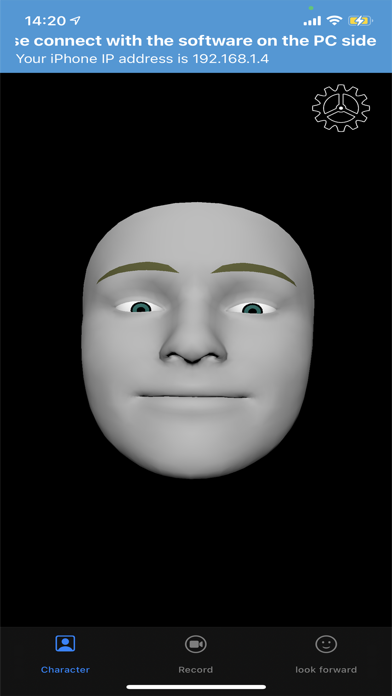
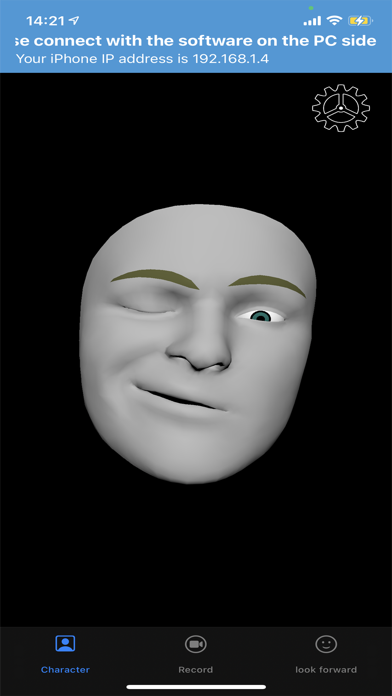
iFacialMocap allows you to capture facial expressions in an iOS app and communicate in real time with 3DCG software on your PC. You can also do an FBX...