Check the acquisition promise
Read the store headline, screenshots and description. What problem is the app promising to solve?
Study the storefront ↗
James Grote · iOS
Explore the ad evidence, study the storefront, and build your next acquisition hypothesis.
01 / Creative research
Read the store headline, screenshots and description. What problem is the app promising to solve?
Study the storefront ↗Explore apps with direct store-link matches. Compare their hooks and formats without assuming the same approach works here.
Browse observed advertisers ↗Store rankings and revenue estimates describe market context. They do not establish ad spend, conversions or ROAS.
Review the market context ↗02 / Storefront & product
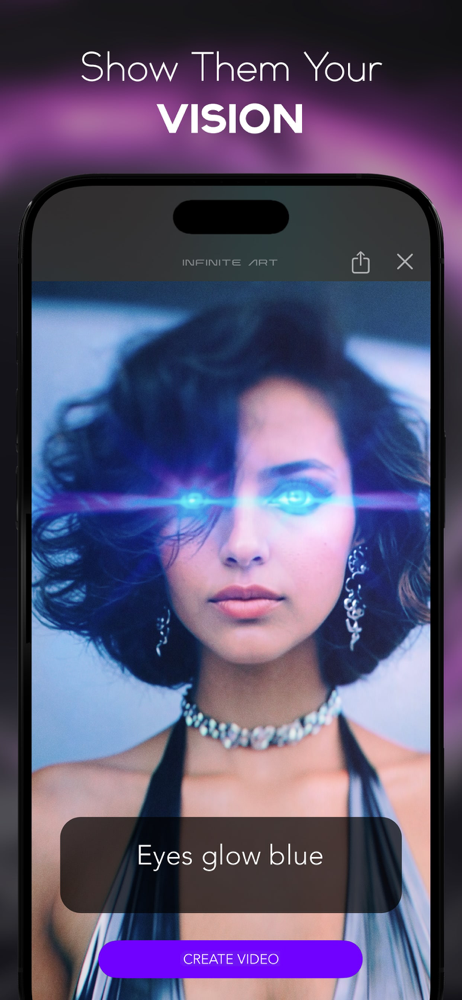
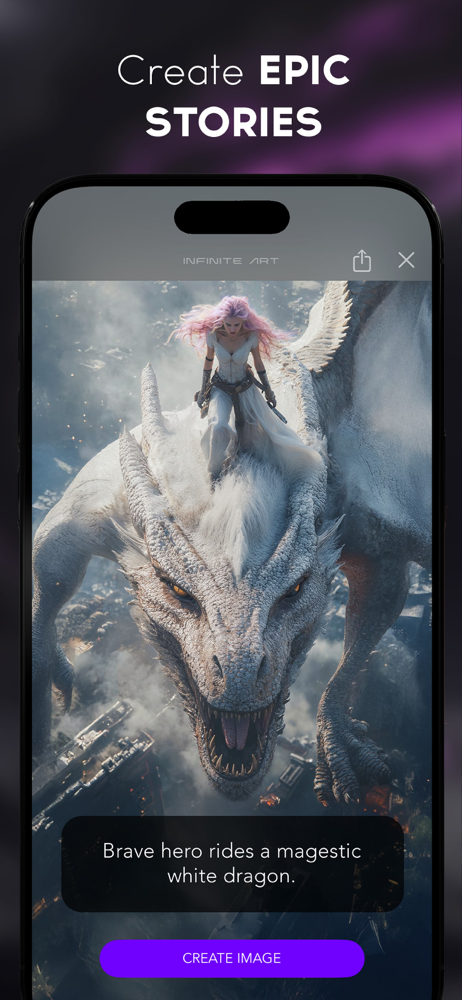
Study the product story and store experience behind the acquisition funnel.




03 / Market context
Keep revenue, downloads and store rankings separate from advertising performance.
I was able to create some great fantasy images with Dalle3. Flux model does not produce the type of images that I had been creating most of the prompt details do not even get used and its disappointing but it is the best of the models for adding text. The Flux model creates images that I could simply create by creating layered images in a photo editor which would produce better results and landscape orientation is ignored and a square image is produced. If you want realistic images then any of the models will work but most images created will have minor flaws and most of the flaws are easy to spot this is why I prefer to create Fantasy type images with AI as most flaws wont matter do to the image concept. The images are usable but not impressive.
I have been searching and searching for an ai generator app that allows for you to expand/out paint of the image. But I either can’t find one(for free) or they don’t give me the results I wanted. So glad to finally have one that actually follows the correct textures of the image. I would recommend that there be a way to gain more tokens of usage without having to pay though. But for what it is, the image expander is the best thing here so far.
While the concept is nothing new I’ve been a supporter of BrainFever since the beginning so I’d much rather go with this app rather than a competitor. So far it works pretty well. I had a little confusion early on with the perimeters but figured it out. This is just a suggestion/wish list since it is very early in the apps progression but if there was a choice of angle or perspective then it might be easier to mix a few pieces into a larger project. For example if I want a skull and I want it looking sideways or head on I can’t change that so it might be hard to use it with my other images. The other thing is the resolution. The max I’ve seen is 1024 X 1024. I’m sure this will increase over time. Again these are just ideas. Great start so far. Good luck to the developer! 👊🏼
Introducing Infinite Art, the ultimate creative studio for image and video. With our advanced algorithms and comprehensive editing tools, you can turn...
| Name | Price | Type |
|---|---|---|
| Pro Mode Weekly | $6.99 | Weekly |
| Pro (Monthly) | $19.99 | Monthly |
| 500 credits | $19.99 | One-time |
| Pro Monthly Special Deal | $19.99 | Monthly |
| Monthly Special1 | $19.99 | Monthly |
| Pro (Monthly) | $19.99 | Monthly |
| Pro Plus (Monthly) | $39.99 | Monthly |
| 2500 credits | $59.99 | One-time |
| Pro Annual | $99.99 | Yearly |
| 5000 credits | $99.99 | One-time |