Check the acquisition promise
Read the store headline, screenshots and description. What problem is the app promising to solve?
Study the storefront ↗
Made in Russia · iOS
Explore the ad evidence, study the storefront, and build your next acquisition hypothesis.
01 / Creative research
Read the store headline, screenshots and description. What problem is the app promising to solve?
Study the storefront ↗Explore apps with direct store-link matches. Compare their hooks and formats without assuming the same approach works here.
Browse observed advertisers ↗Store rankings and revenue estimates describe market context. They do not establish ad spend, conversions or ROAS.
Review the market context ↗02 / Storefront & product
Study the product story and store experience behind the acquisition funnel.



03 / Market context
Keep revenue, downloads and store rankings separate from advertising performance.
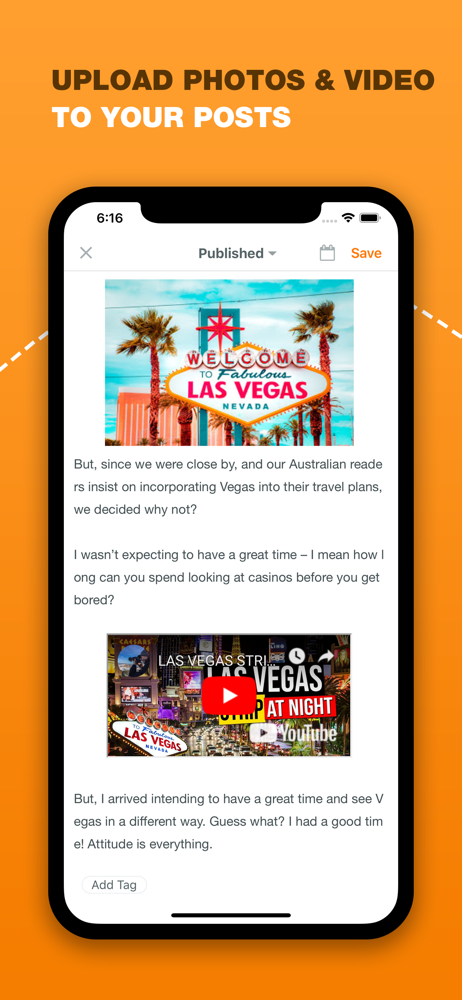
This APP is decent. It saves me a step when adding pictures (highly recommend doing that first and foremost) then writing it later. I personally write the blog outside the APP but that’s mainly me. The one issue I had was articulation and transfer of information between this APP and the website - hence the use of this only for pics and info I don’t want to forget. I’m not sure if it’s a connectivity issue or because this APP is not an official BLOGGER APP but I’ve had a few times where I’d start a post here yet wouldn’t be able to find it on the main website or vice versa. Also, if it’s published and you want to convert it back to a draft, sometimes the changes will not be saved or the post itself it gone. Other than that, everything else is able to work around once you know what you’re dealing with and don’t do certain things.
This is a good app, but better to use it on the computer than on the phone. They no longer have the same names also so it makes it difficult to find this app in the App Store fusing the search bar when typing the full name in. I couldn’t find a way to republish my already published blog post on my mobile after doing additional editing. It instead moved it back to the drafts section and I still cannot find a publish button for it so it is no longer shareable too. While using Blogger on the computer, I keep seeing a banner popup at the top of my screen stating community guidelines and I am unsure why as I’m still doing the same thing since I started writing on here since 2019. Perhaps there is a glitch between both versions of Blogger communicating with each other? It is causing more problems with posting my poetry.
So glad there’s finally another Blogger app and it really is great, do download it. I mostly use it for writing a draft post when away from the desktop so I don’t use all the features. But it’s exactly like writing from the desktop, everything is there. For draft it’s great. Unfortunately sometimes it publishes a draft if I’m not paying attention which is hugely frustrating. It sometimes times out and I can’t save or copy/paste to salvage what I wrote. Or sometimes it takes a few tries to connect to my blog. Overall though, the good outweighs the bad.
Blogg gives you the full power of Google's Blogger platform on the go. You can manage your blog from anywhere. Features: - Create blog posts includi...
| Name | Price | Type |
|---|---|---|
| Blogg for Blogger Pro (annual) | $3.99 | Yearly |
| Blogg for Blogger Pro Lifetime | $9.99 | One-time |