Check the acquisition promise
Read the store headline, screenshots and description. What problem is the app promising to solve?
Study the storefront ↗
Markuss Irbe · iOS
Explore the ad evidence, study the storefront, and build your next acquisition hypothesis.
01 / Creative research
Read the store headline, screenshots and description. What problem is the app promising to solve?
Study the storefront ↗Explore apps with direct store-link matches. Compare their hooks and formats without assuming the same approach works here.
Browse observed advertisers ↗Store rankings and revenue estimates describe market context. They do not establish ad spend, conversions or ROAS.
Review the market context ↗02 / Storefront & product
Study the product story and store experience behind the acquisition funnel.


03 / Market context
Keep revenue, downloads and store rankings separate from advertising performance.
So I create spyro fan music, and I want to be able to listen to it later or share it with people on a whim, like multiple tracks I’ve made, and this is perfect for that! Of course as soon as I compliment it, it stops playing in the background (removing one star for that.) other than that it works great and the quality of the audio is spectacular. You can even shuffle your songs just like iTunes! Update: I now use Nota Player to play my custom ambient tracks, because I’m a weirdo that needs constant sound in the background to not feel deaf. 😆 That feature also works great, except one minor flaw: the looping is not clean; you can hear a little blip as the song comes back in. But other than that, it’s nice to have on in the background. Just make note that it can make your iPad glitchy if you have it on 24/7 (no seriously, I play it CONSTANTLY!) Have a nice day, DoofenSpyroDragon
I looked a long time before finding one that actually worked consistently. And that the developer is generous enough to offer this for free I am very thankful. I use it to play my mp3 song files and some mp3 audio book files. I’ve been able to listen to one of my favorite trilogies which is spread over 6 files and covers 13 hours. I usually play it at night while I’m in bed to keep me company during my insomnia so the phone is plugged in. But I’ve also taken it places and played a lot of songs and if you keep the phone locked so the screen is off then the battery doesn’t get run down. It’s the screen that will nail your battery. It plays the files in order and repeats from the first if I want. Or it will repeat the current file, which is great for my fave songs. It can also play randomly from the song files I’ve imported which offers some surprise selections instead of a predictable repeating list. Though that can be good for concept albums where the songs must be played in order for the album to be what the artist intended. There are one or two things I’d change about it if I could do it without asking anymore of the developer, because those are nits and if anyone complains about anything in this free application then they need to re-think the amount of work they believe goes into apps like this. This works perfectly for what I need and want. Thank you, again, to the developers. I wish you great success.
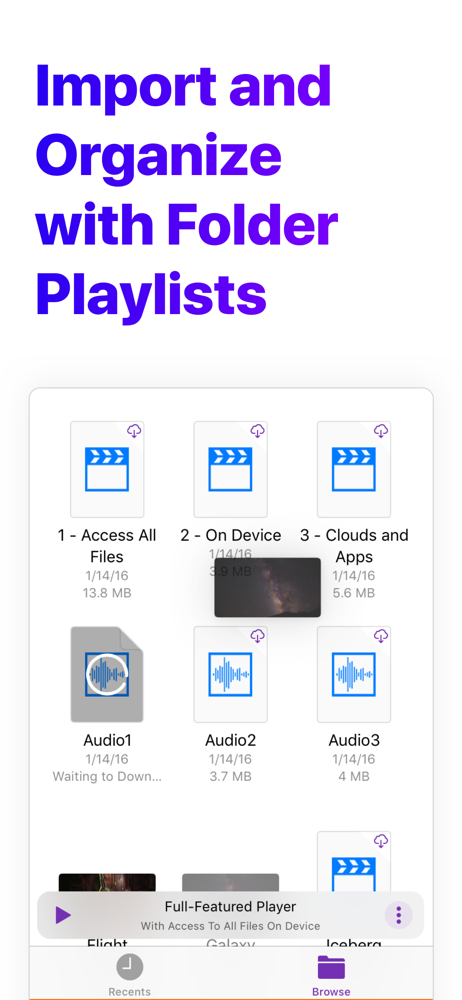
Nota Player just does one thing, play mp3 music files from your device or your cloud storage, and it does it well. And it’s free and ad-free. Thanks to the developer for providing this app. It’s easy to operate, but it could use some instructions or a help file. I had to figure things out by trial and error. The folders in the app are playlists. To get started, click the add-folder button (the + with a folder icon). Name the folder, save it, and open the folder. To add files to your folder, press the + icon. That opens up a file app, which allows you to add a file from your device, your cloud storage, or a flash drive. Navigate to the file you want to add, click on it, and it’s added to your folder. Repeat to add more files. To play a file, just click on it in the Nota app. The only media control in the app is play/pause. For other media controls, you can use the hardware controls on your device or on your keyboard or ear pods (if you have them). The only feature I’d like to see added is the ability to add multiple files at once. I have some box sets with 100+ tracks, and all the clicking gets to be a bit much.
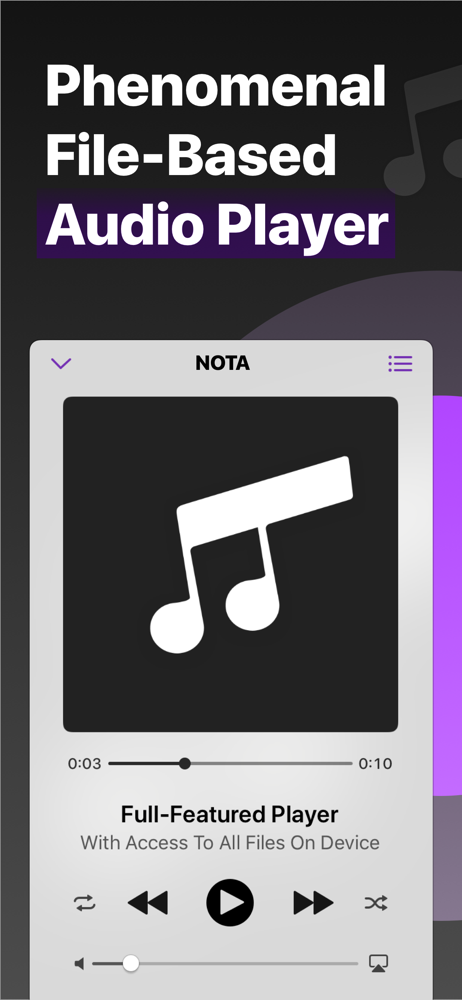
Nota is the first full-featured file-based audio player, which is able to inplace playback from system Files app and its File Providers*. That opens a...