
Check the acquisition promise
Read the store headline, screenshots and description. What problem is the app promising to solve?
Study the storefront ↗
Istvan Murvai · iOS
Explore the ad evidence, study the storefront, and build your next acquisition hypothesis.
01 / Creative research
Read the store headline, screenshots and description. What problem is the app promising to solve?
Study the storefront ↗Explore apps with direct store-link matches. Compare their hooks and formats without assuming the same approach works here.
Browse observed advertisers ↗Store rankings and revenue estimates describe market context. They do not establish ad spend, conversions or ROAS.
Review the market context ↗02 / Storefront & product
Study the product story and store experience behind the acquisition funnel.


03 / Market context
Keep revenue, downloads and store rankings separate from advertising performance.
Big thanks to the developer! This app has been amazing. It stays connected much longer than the BuWizz app. I hope to see an update where you can change the power level on a BuWizz from the controller, because any time it gets overloaded you must switch the power level. Note: In my experience, an Xbox One controller slows down the connecting process on this app a lot. Hopefully this can be fixed in the future, but a Series S controller works much better.
Found out about your app via the Racing Brick site. I had been hesitant to invest in any LEGO Powered Up due to the cost spike, added complexity, and lack of true remote. Your app was one of the reasons I gave PU a chance. Built the Rally Car about a week ago and played with its dedicated app. Paired a PS4 controller to my iPhone tonight, started up your app, and after 5 min of fiddling I was driving my Rally Car with my controller! Spent another 10 min getting the control feel just right. Thanks so much and massive kudos!
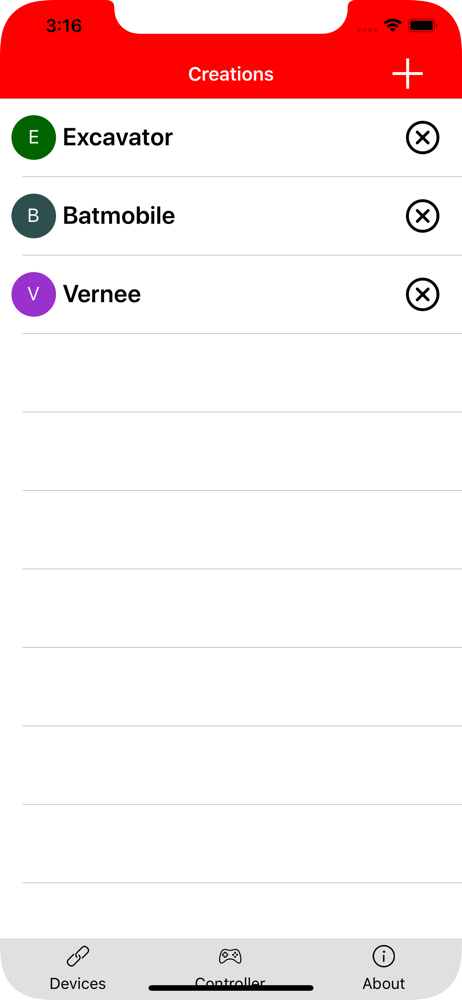
With dark mode on, it took me a moment to realize that profiles appear under a given creation. I kept creating profiles for the connected Batmobile, not seeing them until I pressed a profile on accident. :-) Other than that, the setup was simple with an Xbox One controller. Controller triggers can map to Boost actions, reversed as needed. And joysticks only need to be mapped once to handle both forward and backward motion. The only annoying aspect is the time it takes to connect to a device, which can happen frequently during setup, perhaps done accidentally. I’m sure the time to connect can only be improved so much, though I’d prefer the connection to either happen less frequently or to be a clearer, manual action (so it’s not pressed accidentally while exploring the app). Driving the Batmobile with an Xbox controller is awesome! Kudos to the app developer!
BrickController 2 allows you to control your Lego creations using an iOS compatible gamepad. Supported receivers: - SBrick and SBrick Plus - BuWizz 1...


