Check the acquisition promise
Read the store headline, screenshots and description. What problem is the app promising to solve?
Study the storefront ↗
Guojie Zeng · iOS
Explore the ad evidence, study the storefront, and build your next acquisition hypothesis.
01 / Creative research
Read the store headline, screenshots and description. What problem is the app promising to solve?
Study the storefront ↗Explore apps with direct store-link matches. Compare their hooks and formats without assuming the same approach works here.
Browse observed advertisers ↗Store rankings and revenue estimates describe market context. They do not establish ad spend, conversions or ROAS.
Review the market context ↗02 / Storefront & product
Study the product story and store experience behind the acquisition funnel.




03 / Market context
Keep revenue, downloads and store rankings separate from advertising performance.
I got a subscription, & it I guess helps you put your photos into albums I guess?…but after the second time getting on I it (it doesn’t show all of your photos only albums) & all it showed for some reason, pics of my sister fighting cancer in July-2020. Scared to open the app again bc I don’t want to see those pics again. So basically my phone does albums & I don’t get the point in this app…
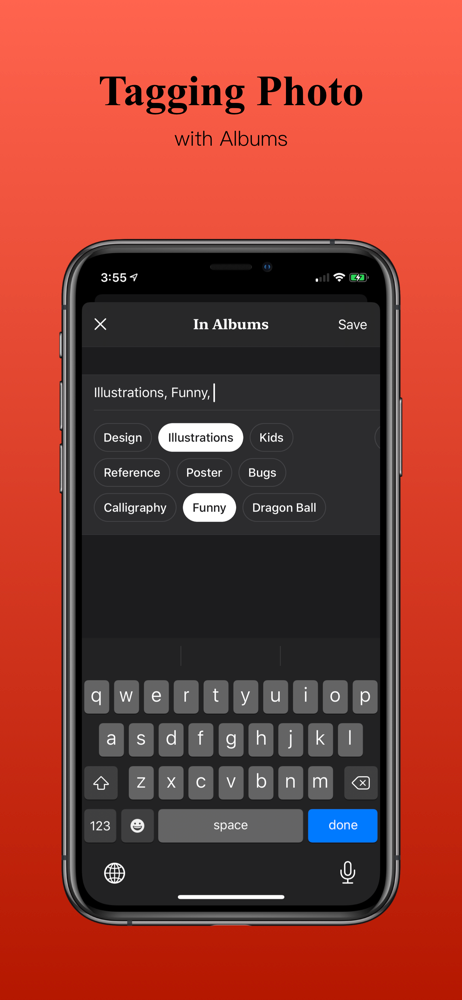
Excellent tools for sorting (multiple) photos into multiple albums. I REALLY love the randomize feature (though I wish it would keep track of which ones I had seen so I could revisit them if I wanted). I could not add individual photos to the app (was hoping for drag and drop) as Stay-Kay noted. Worse still, the "Enable Library Access" button flat out does nothing on my Mac aside from bringing up a "Timeflower Settings" window that only displays a toggle for "Hidden Album." Maybe this is an issue with Ventura 13.5? Though Ventura was released when this app was most recently updated. On my iPhone (iOS 16.6), giving access to the hidden album did not work. I could not see any photos locked in the hidden album. Furthermore, adding photos to albums in the app really only adds them to albums in the Photos app. As with the Mac app, my ideal iPhone app would be one that I add photos to and organize them solely in the app.
This app takes photo management to the next level. The ability to see what album a picture belongs in (or no album) is the most beneficial to me. I have over 29k photos and it’s imperative to have a tool like this to manage them Feature suggestion: please give us the ability to identify all pictures not in an album.
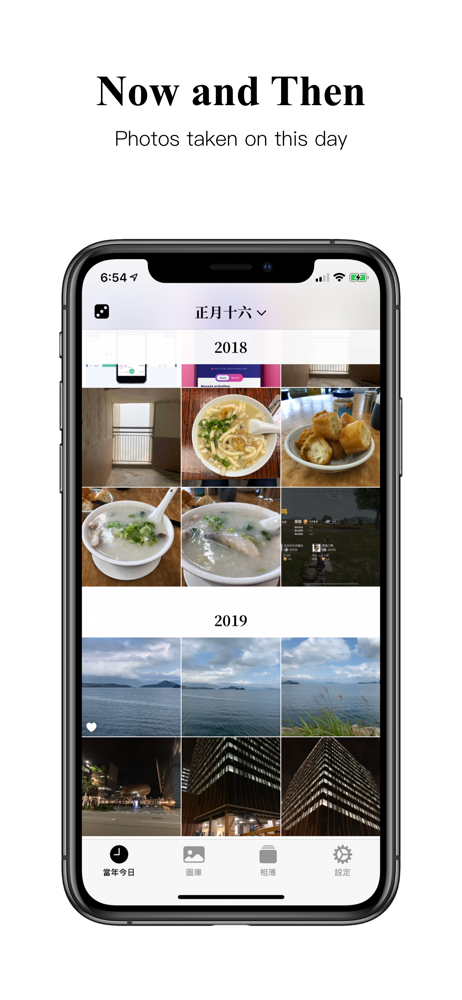
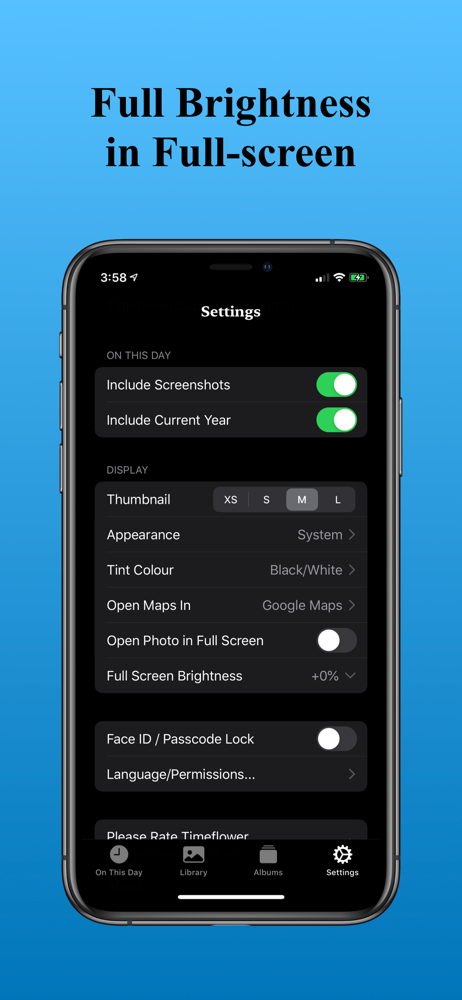
Timeflower provides various advanced features for your photos, including: Organize photos with albums, with the ability to add a photo to multiple alb...
| Name | Price | Type |
|---|---|---|
| Supporter Program (Annual) | $4.99 | Yearly |