App Profile: WordHolic | DIY Flash Cards!
Android / Games / Puzzles
WordHolic | DIY Flash Cards!
Installs:
Rating:
4.74
Total Reviews:
527
Top Countries:
JP, TH, CA
$8k
/mo
30k
/mo
Reviews: What People Think About WordHolic | DIY Flash Cards!
Relxdn808
Rating: 5/5
Very useful tool for studying. Makes it’s a lot easier and convenient to study. Lots of options to study in different ways which breaks up the monotony of studying and get you to think in different ways.
LeanerJester
Rating: 5/5
App is great. Customer service is awesome. I use this app alongside Rosetta Stone to help me learn Spanish. It’s a life saver for looking back on things you may have forgotten or need to brush up on.
pnin1
Rating: 4/5
Better than most others I've found. Just being able to reveal information in steps is great.
Biggest complaint is card creation always defaults to the English keyboard when I'm entering Japanese, so I always have to do it twice.
About WordHolic | DIY Flash Cards!
WordHolic is the free DIY style simple & useful flash card app for any purpose: learning languages, test preparation, etc.
● Easy to operate with easy-to-see design, so you can learn smoothly!
● Simple but sufficient functions, so you can use them conveniently!
● Create as many flash cards as you want for free and learn Chinese, French, Japanese, Korean, Spanish, etc. or prepare for your exams!
◇ Main learning functions ◇
● Learn effectively by utilizing bookmarks and memorize flags on cards (Front side, back side and tag comment)
● Practice listening with the voice reading function (30 languages)
(You can also play voice readings simultaneously while listening to music.)
● Easy to learn with the auto rotate slideshow
(You can adjust speeds, reverse front and back sides, shuffle cards etc.)
● Enjoy the card list and the full screen multi mode which shows Front and Back sides at the same time
● Add photos or images on flashcards to memorize visually
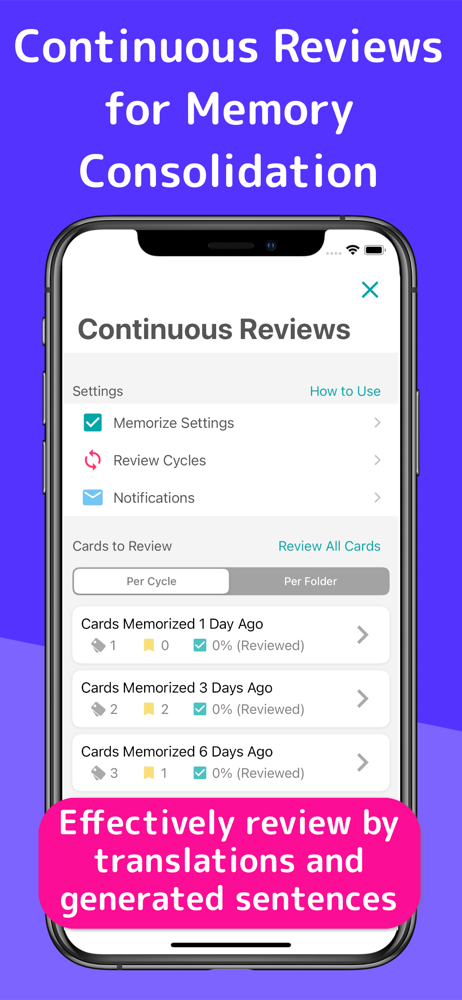
● Review repeatedly based on forgetting curve
● Quizzes (Writing, Dictation, etc.)
◇ Main management functions ◇
● Organize cards in folders
(Multiple subfolders can be also provided.)
● Search folders and cards by keywords and so on.
● Export card backup files
(You can easily share your card data with your friends!)
● Import data files to create cards
(You can create data files in PC and import it!)
◇ Special functions for each language ◇
You can enjoy convenient functions for each language!
● Chinese: Character Converter (Simplified / Traditional), Pinyin Generator
● Japanese: Furigana Generator (Romaji / Hiragana / Katakana)
◇ Other useful functions ◇
● Set the default reading language. These are set as initial values when you create new cards, so you don’t have to set each time.
(This is available from the menu button on the upper right of the app screen > [Preferences] > [New Card Settings].)
● Set the horizontal alignments and text sizes on each side of cards!
(This is available from the menu button on the upper right of the app screen > [Preferences] > [Card Basic Display Settings].)
● Enjoy Night Mode to make backgrounds and texts dark when you feel your eyes are tired or at night.
(This is available from the menu button on the upper right of the app screen > [Preferences] > [Night Mode].)
◇ How to share cards with your friends ◇
(1) Select the menu button on the upper right of the app screen > [Export Backup]
(2) Follow the instructions and export a card data file in the way you like (mail attachment, iCloud, etc.) and share the file with your friends
(3) Store the file in a place of a friend’s phone (or iCloud, Google Drive, etc.) where your friend can view it with the file app.
(4) Select the menu button on the upper right of the app screen > [Import Card Data] and let the file imported into a folder.
◇ Upgrades (In-App Purchases) ◇
Go to [Menu] > [Upgrades] in the app to purchase the upgrades!
● Premium Plans
By upgrading to the premium plan, you will be able to use many features such as data sync, background player, ad free, etc.
- 1 year plan (Auto Renewal Subscription)etc.
● Restore Your Purchases
You can restore your purchases from:
[Menu] > [Upgrades] > [Restore]
* Before restoring, log in your device with your Apple ID that you purchased your plan with.
● Current Plan and Cancellation
The payments will be charged to your iTunes account. To check your current plans or turn off auto-renewal, go to:
Settings App in your device > iTunes & App Store > Apple ID > View Apple ID > Manage
● Auto-Renewal
Your iTunes account will be charged for renewal 24 hours prior to the end of the current period.
● Note
- To turn off auto-renewal, you have to do so in the iTunes Store and cannot cancel the month that your plan starts from.
- Before making a purchase, accept the following Terms of Use.
● Terms of Use
https://www.langholic.com/wordholic-terms-of-use-en
Enjoy WordHolic!
● Easy to operate with easy-to-see design, so you can learn smoothly!
● Simple but sufficient functions, so you can use them conveniently!
● Create as many flash cards as you want for free and learn Chinese, French, Japanese, Korean, Spanish, etc. or prepare for your exams!
◇ Main learning functions ◇
● Learn effectively by utilizing bookmarks and memorize flags on cards (Front side, back side and tag comment)
● Practice listening with the voice reading function (30 languages)
(You can also play voice readings simultaneously while listening to music.)
● Easy to learn with the auto rotate slideshow
(You can adjust speeds, reverse front and back sides, shuffle cards etc.)
● Enjoy the card list and the full screen multi mode which shows Front and Back sides at the same time
● Add photos or images on flashcards to memorize visually
● Review repeatedly based on forgetting curve
● Quizzes (Writing, Dictation, etc.)
◇ Main management functions ◇
● Organize cards in folders
(Multiple subfolders can be also provided.)
● Search folders and cards by keywords and so on.
● Export card backup files
(You can easily share your card data with your friends!)
● Import data files to create cards
(You can create data files in PC and import it!)
◇ Special functions for each language ◇
You can enjoy convenient functions for each language!
● Chinese: Character Converter (Simplified / Traditional), Pinyin Generator
● Japanese: Furigana Generator (Romaji / Hiragana / Katakana)
◇ Other useful functions ◇
● Set the default reading language. These are set as initial values when you create new cards, so you don’t have to set each time.
(This is available from the menu button on the upper right of the app screen > [Preferences] > [New Card Settings].)
● Set the horizontal alignments and text sizes on each side of cards!
(This is available from the menu button on the upper right of the app screen > [Preferences] > [Card Basic Display Settings].)
● Enjoy Night Mode to make backgrounds and texts dark when you feel your eyes are tired or at night.
(This is available from the menu button on the upper right of the app screen > [Preferences] > [Night Mode].)
◇ How to share cards with your friends ◇
(1) Select the menu button on the upper right of the app screen > [Export Backup]
(2) Follow the instructions and export a card data file in the way you like (mail attachment, iCloud, etc.) and share the file with your friends
(3) Store the file in a place of a friend’s phone (or iCloud, Google Drive, etc.) where your friend can view it with the file app.
(4) Select the menu button on the upper right of the app screen > [Import Card Data] and let the file imported into a folder.
◇ Upgrades (In-App Purchases) ◇
Go to [Menu] > [Upgrades] in the app to purchase the upgrades!
● Premium Plans
By upgrading to the premium plan, you will be able to use many features such as data sync, background player, ad free, etc.
- 1 year plan (Auto Renewal Subscription)etc.
● Restore Your Purchases
You can restore your purchases from:
[Menu] > [Upgrades] > [Restore]
* Before restoring, log in your device with your Apple ID that you purchased your plan with.
● Current Plan and Cancellation
The payments will be charged to your iTunes account. To check your current plans or turn off auto-renewal, go to:
Settings App in your device > iTunes & App Store > Apple ID > View Apple ID > Manage
● Auto-Renewal
Your iTunes account will be charged for renewal 24 hours prior to the end of the current period.
● Note
- To turn off auto-renewal, you have to do so in the iTunes Store and cannot cancel the month that your plan starts from.
- Before making a purchase, accept the following Terms of Use.
● Terms of Use
https://www.langholic.com/wordholic-terms-of-use-en
Enjoy WordHolic!
File size: 94333952
Launched countries: JP
Minimum OS version: 15.0
Release Date: 1543481429000
Published by Langholic Ltd.
Website url: https://www.langholic.com/wordholic-en
Publisher country: Japan