Check the acquisition promise
Read the store headline, screenshots and description. What problem is the app promising to solve?
Study the storefront ↗
TopGreener,Inc. · iOS
Explore the ad evidence, study the storefront, and build your next acquisition hypothesis.
01 / Creative research
Read the store headline, screenshots and description. What problem is the app promising to solve?
Study the storefront ↗Explore apps with direct store-link matches. Compare their hooks and formats without assuming the same approach works here.
Browse observed advertisers ↗Store rankings and revenue estimates describe market context. They do not establish ad spend, conversions or ROAS.
Review the market context ↗02 / Storefront & product
Study the product story and store experience behind the acquisition funnel.



03 / Market context
Keep revenue, downloads and store rankings separate from advertising performance.
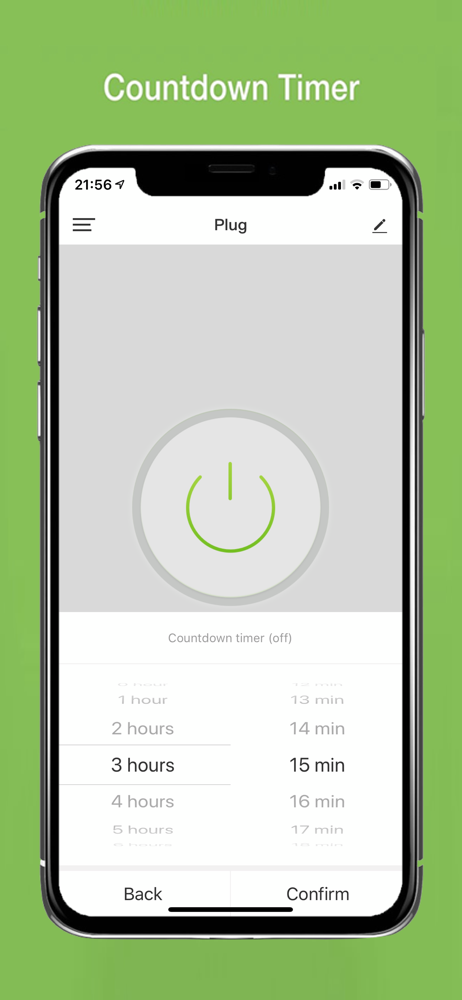
I bought the energy monitoring smart outlets to help me see how much energy my appliances were using. The outlets work great for my needs and were easy to set up. The reason I only rated this a 4 star was because the app in general is decent but there's some things that are missing I think would be nice to have. 1) getting a widget for the app would be nice, and not just one that can turn the outlets on/off but one that you can put the energy output in as well, so you wouldn't have to open the app just to see that. 2) some way to "lock" the power button in the app. The devices I have hooked up to mine are computers and smart devices, which it's not very good for them to be getting flipped on and off, and with the giant power button on the devices in the app, it makes me nervous sometimes navigating the app.3) this one isn't too bad, it's just something that would be cool/nice to see, is a cost section for the energy. Like being able to put in how much a kWh is and then have a spot for the total, at least for the month, if not the day/week/year.Those are the main ones that come to mind as far as the app goes. Otherwise the outlets have worked great so far and I'll most likely be getting a few more in the future.
I have a TOPGREENER switch on an industrial fan in our mountain home. It’s a whole house fan and instead of AC we turn on our fan in the evening. The fan is located on the opposite end of the house from our bedroom. Temps have been climbing during the days but evenings are always cool. Over the years I’ve tried several remote switches but they either are not suitable for the power draw or I can only connect one phone app for my on and off in the wee night. TOPGREENER allows both my wife and I to have the ability to control our fan with our own phones. Big deal- big comfort.
I bought a TOPGREENER power switch because I was curious as to how much power each device uses. When I installed the TOPGREENER app, after resetting the device until it blinks, I can either select the device from the manual add list, or I can use the auto scan option, which takes a little longer. What I also found was i could reset my non- TOPGREENER devices such as power switches or light bulbs, and the auto scan was able to find and add the device. Now I can get rid of the other 5 apps I had added for each device, and can just use the TOPGREENER app. I also like how you can set each device to turn on or off at certain times. So far the app has worked great. I did need to go into Alexa to turn on the Skill for TOPGREENER, but once I did that, all devices were added to Alexa. I’m very satisfied with this app.
Easily control all your devices from one App without the need of any hubs. Use with TOPGREENER Wi-Fi Switches, Receptacles, and Plug-In Outlets.