Check the acquisition promise
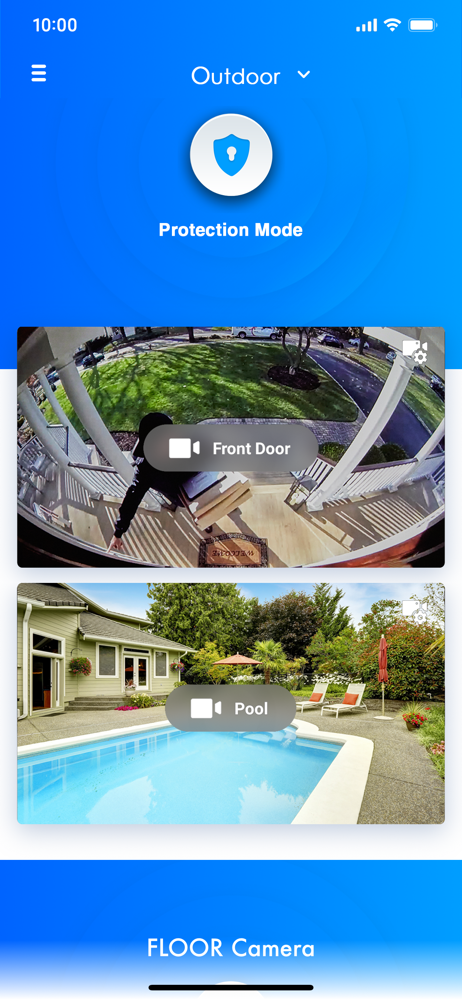
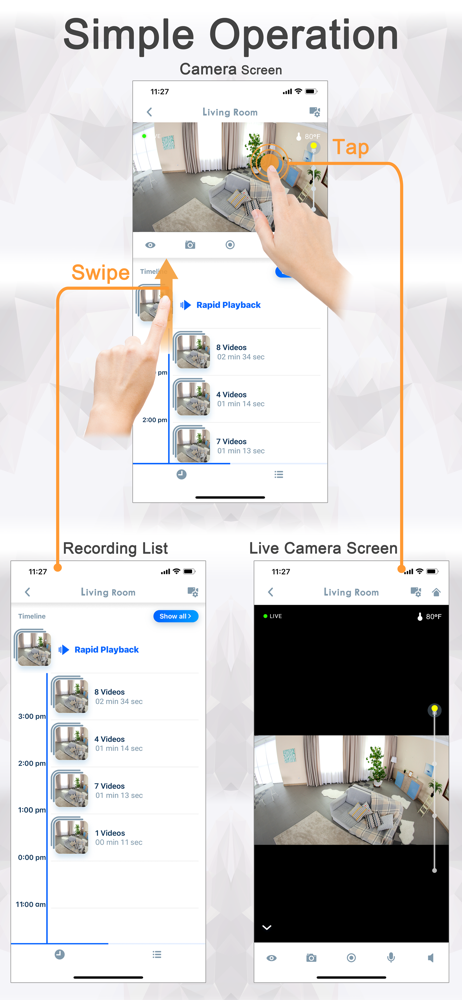
Read the store headline, screenshots and description. What problem is the app promising to solve?
Study the storefront ↗
Panasonic Holdings Corporation · iOS
Explore the ad evidence, study the storefront, and build your next acquisition hypothesis.
01 / Creative research
Read the store headline, screenshots and description. What problem is the app promising to solve?
Study the storefront ↗Explore apps with direct store-link matches. Compare their hooks and formats without assuming the same approach works here.
Browse observed advertisers ↗Store rankings and revenue estimates describe market context. They do not establish ad spend, conversions or ROAS.
Review the market context ↗02 / Storefront & product
Study the product story and store experience behind the acquisition funnel.


03 / Market context
Keep revenue, downloads and store rankings separate from advertising performance.
This is a good solid camera with a nice picture and good features thatIt works well with my iPhone X and iPad and notifications only are sent to my Apple Watch. Unfortunately, i frequently find that one of my cameras can no longer be found on the network and i have to reset it. The app also needs to support Dark mode so you are not blinded at night. It would be great if they could fix the motion trigger as even though I set the desired area, it still seems to trip when areas outside this area move. Additionally, It would be great if you could make turning on and off notifications easier like from the main menu or allowing users to schedule notification to go on and off, like at night time when you put the baby down for bed but not during the day. Also support for Siri Shortcuts would be fantastic. Lastly, is there a way to see this on an Apple TV. Maybe you could make your product compatible with the Apple TV HomeCam app that allows multiple HomeKit cameras to be viewed simultaneously on an Apple TV. It would be great if we could see all the cameras at the same time on a single screen. Any plans for this? Keep up the good work on this. It is nice to see frequent updates!! Your latest update with video enhancements for Wide Dynamic Range and Highlight Suppression make the pictures much more clear. Great work with that. I hope folks can find it under Other Settings/Advanced Settings in Video Settings.
I’ve had Panasonic cameras for several years and when they work they’re pretty nice. The images are good but tend to wash out as you pinch to zoom. A major irritation is they frequently lose their connection to the app. Could be from an app update, a loss of wi-fi from power loss or refresh, or just because …. This requires a quick power down of the camera and restart which allows the app to find it again. This doesn’t happen to all four cameras I have at once, rather, it is random. The other issue I have is I prefer to view on my iPad, which worked good until a few months back (maybe iOS 15?). Now when I rotate to landscape view I get a smaller, not larger view. Really? To get a larger view I have to click on the “rotate” icon in the lower right screen. Still not full screen like it used to be. Plus the “circles” and icons at the bottom of the screen are huge and don’t go away after a few seconds. What they really need us an iPad only version to take advantage of the much larger screen. Can’t be that hard can it?
App works well on iPhone XS. I’ve used Vivint for 4 years and after I moved to a new home, I decided to give Panasonic HomeHawk a try. So far so good. Pros: It’s easy to set up. No monthly dues. App works on iPhone remotely anywhere in the world just like Vivint. Outdoor cameras last up to 5 months before you need to recharge them again. (FYI, Indoor cameras are wired for electrical plug-in and not rechargeable). Night vision and two-way talk on all the cameras. Clear HD picture on my iPhone Reh-Teena display (that’s how my lovely Filipina wife pronounces ‘Retina’ by the way). My wife is happy with this set up. A Happy wife equals a happy life...and marriage. Cons: The app doesn’t switch between cameras as fast as Vivint app. Sometimes it takes 15-20 seconds or more to access an indoor camera. The two-way talk does not work as well as Vivint, but it still works well. Note: If app takes too long (more than 20 seconds) to open/launch a video camera, then simply close app completely and relaunch and try again. This always works for me whenever I have this issue. Thank you Panasonic Team app developers for this great app and for your consistent updates. No regrets!
Panasonic HomeHawk makes it quick and easy to create a powerful, wireless network of Home monitoring camera system in and outside the home. And monito...