Check the acquisition promise
Read the store headline, screenshots and description. What problem is the app promising to solve?
Study the storefront ↗
Yao Fan · iOS
Explore the ad evidence, study the storefront, and build your next acquisition hypothesis.
01 / Creative research
Read the store headline, screenshots and description. What problem is the app promising to solve?
Study the storefront ↗Explore apps with direct store-link matches. Compare their hooks and formats without assuming the same approach works here.
Browse observed advertisers ↗Store rankings and revenue estimates describe market context. They do not establish ad spend, conversions or ROAS.
Review the market context ↗02 / Storefront & product
Study the product story and store experience behind the acquisition funnel.




03 / Market context
Keep revenue, downloads and store rankings separate from advertising performance.
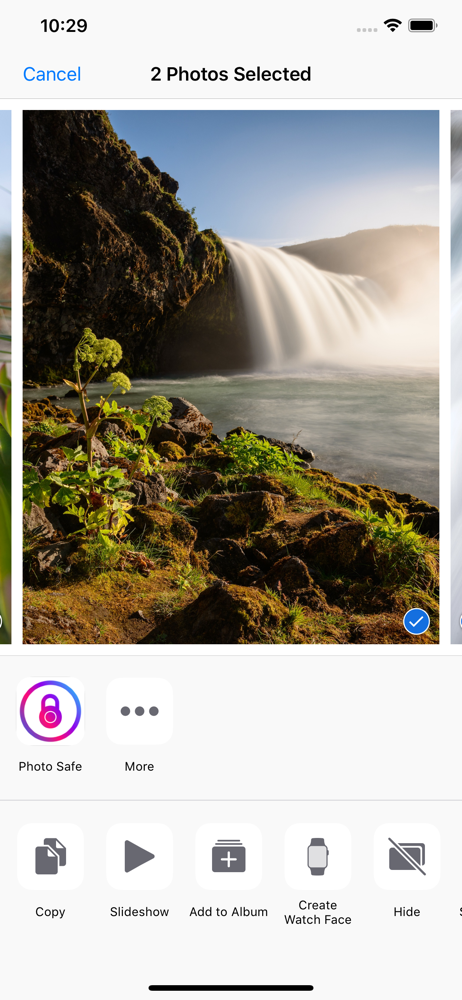
This app is so very close to being what I wanted. The ability to have albums and easily see multiple photos in an album is great. Being separate from the iOS photo library. And not being some iCloud crap and utilizing local storage on my device is exactly what I needed. The only problem is anytime I try to save images from Reddit for example, I see the Photo Safe app in the share option, and I can choose why album to save to, and even Reddit thinks I saved correctly but when I check on the image? It's not there. Hopefully they can fix it soon.
This app is exactly what I was looking for. It has a nice, clean, familiar layout—much like iPhone’s own photo albums yet unique enough that you don’t forget where you are. If I could add just one thing, it would be an option for hidden folders, which could be made visible only with a 6-digit PIN (one that’s different from the PIN chosen to unlock the app itself).
Hi there, I only just started using the app. And I do like it. It’s simply done the layout is very clear and it’s generally easy to navigate around. Though one thing (and I hope this changes soon) bothers me: you can’t import videos. Why not? Sure it’s called “photo safe” but it can offen be important to ‘hide’ your videos or store them safely. My advice: Let the app users save videos on the app as well. Have a good one!
Have some photos that you don't want other people to see in your iOS Photos app? Photo Safe is the best way to hide your private photos from prying ey...
| Name | Price | Type |
|---|---|---|
| Photo Safe Small Tip | $0.99 | One-time |
| Premium Weekly | $1.49 | Weekly |
| Photo Safe Medium Tip | $1.99 | One-time |
| Premium Monthly | $1.99 | Monthly |
| Premium Plus Monthly | $4.49 | Monthly |
| Photo Safe Large Tip | $5.99 | One-time |
| Premium Yearly | $14.99 | Yearly |
| Premium Plus Yearly | $34.99 | Yearly |
| Photo Safe Huge Tip | $99.99 | One-time |