
Check the acquisition promise
Read the store headline, screenshots and description. What problem is the app promising to solve?
Study the storefront ↗
410 Labs · iOS
Explore the ad evidence, study the storefront, and build your next acquisition hypothesis.
01 / Creative research
Read the store headline, screenshots and description. What problem is the app promising to solve?
Study the storefront ↗Explore apps with direct store-link matches. Compare their hooks and formats without assuming the same approach works here.
Browse observed advertisers ↗Store rankings and revenue estimates describe market context. They do not establish ad spend, conversions or ROAS.
Review the market context ↗02 / Storefront & product
Study the product story and store experience behind the acquisition funnel.



03 / Market context
Keep revenue, downloads and store rankings separate from advertising performance.
My inbox had reached a critical mass, and which became even more apparent when the pandemic hit and brought with it an email from any company who’s ever had my email address for any reason to notify me about their plans during this “unprecedented time.” I went from an already ridiculous 100+ emails a day to over 300. I used the free version of Chuck on both my email addresses, one by one, and was able to easily find and save older important messages, and then delete over 75,000 irrelevant emails collected over 10 years. The entire process, with even just the free version, took about 2 hours. The best part was the unsubscribe feature- I have tried multiple ways to unsubscribe from some lists and still receive daily emails. No longer! 1-2 companies managed to slip through the cracks, and those are easy addressed at that manageable number, but that’s nothing compared to the hundreds of lists I was successfully unsubscribe from literally the same day I used the app. Like flipping a switch. As more and more of our lives are relying on digital methods of communication, I’m so grateful to have been able to hit the reset button on my email account and get a clean slate!
3 stars for the simple fact that regardless of how slow the app is working, it’s still deleting emails faster than I ever could. But, that doesn’t mean there isn’t work to be done. I’m in the process of clearing out my inbox of about 70,000 emails accumulated over the past 10+ years. I’m having trouble figuring out that the heck the app is doing most of the time, because it’s come and go when it comes to syncing. In settings, the “pending actions” only knocks about 1 off the queue every 12 hours. Meanwhile if there’s anything in that queue, no more emails are being loaded for me to delete. It also seems like it doesn’t work in the background, because I’ll put my phone down for an hour or two and come back to check on the progress and the pending actions and synced emails are exactly where they were before. That being said, I’ve also tried turning off my screen shut off so that the app is open and showing during a nap or something, and that hasn’t made a difference either. I’ll add that I have had the same experience regardless of network connection, have tried 3 different WiFi networks and regular cell service, no diff. I can’t find a rhyme or reason. Every now and then I open it and I’m surprised to see the pending queue was taken care of and emails are syncing again. But that has been just a couple times a day.
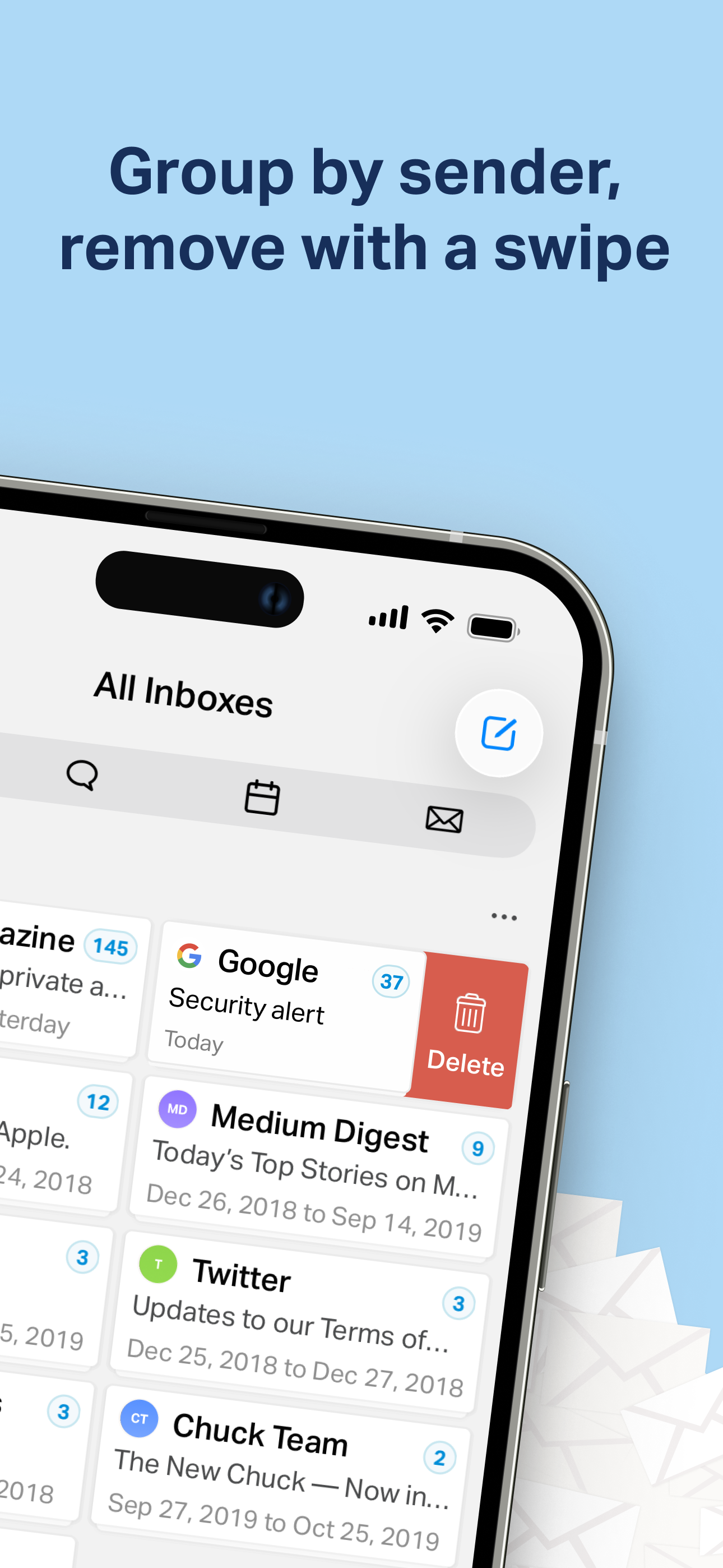
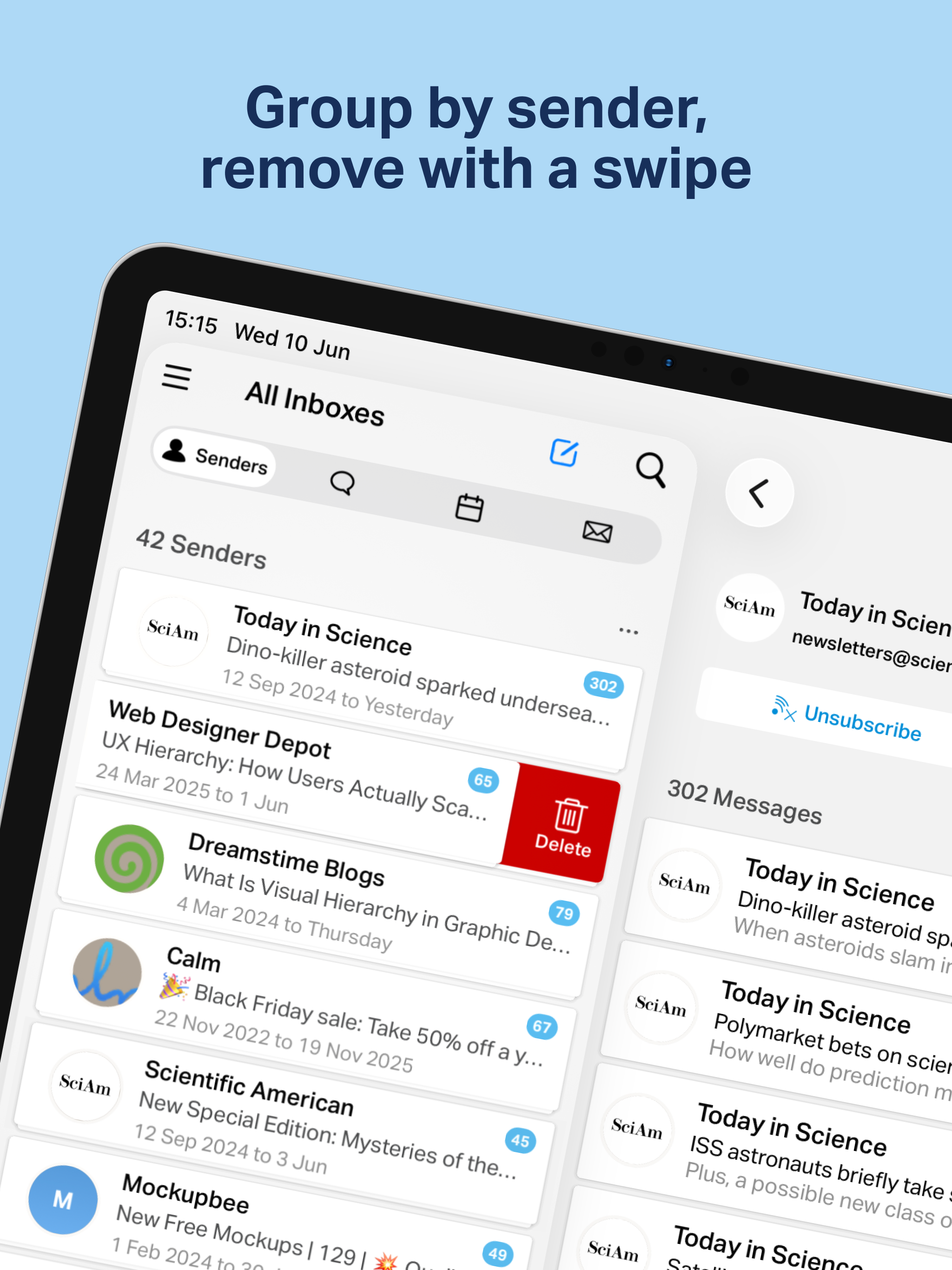
I had thousands of emails before trying this app and now I am down to a couple hundred. It is so easy to choose categories-like sender-and all the same sender emails group together and you can just swipe all of them away with one swipe. If you choose subject they all group together. Or you can choose time and search all the emails for that day or time you choose. I wish I could comment on the advanced features but have not yet been able to enjoy them. This app is by far my favorite format for emails, but because of that it is such a disappointment when it doesn’t work. I use the free version but have subscribed twice to the pay version and it doesn’t consistently load my emails (from gmail). Sometimes I will go to see my emails and it says I have a lot of emails but the screen is blank. Admittedly I haven’t taken the time to resolve this with the company. I emailed them about it and they asked me to send them a screen shot to see what is going on. I just haven’t taken the time yet to do it. So that is the other good news about this app. The developer and company are very responsive to emails. So I’m sure they can figure out what is going wrong with my subscribed version. Both versions work great and the colors and simplicity and smoothness of this email format are prettier and better than any of the others I’ve tried. And I’ve tried most of them. It doesn’t cost anything to try this app and you won’t get a bunch of ads so you have nothing to lose.
Chuck is email with superpowers. Clean up thousands of emails in seconds. Swipe through batches, bulk delete, archive, and unsubscribe — all processed...
| Name | Price | Type |
|---|---|---|
| Chuck Pro (Monthly) | $3.99 | Monthly |
| Chuck Pro Monthly | $4.99 | Monthly |
| Chuck Pro (Monthly) | $5.99 | Monthly |
| Chuck Pro Monthly | $6.99 | Monthly |
| Chuck Pro (Monthly) | $8.99 | Monthly |
| Chuck Pro (Annual) | $39.99 | Yearly |
| Chuck Pro Annual | $49.99 | Yearly |
| Chuck Pro Annual | $59.99 | Yearly |
| Chuck Pro Yearly | $69.99 | Yearly |
| Chuck Pro (Yearly) | $89.99 | Yearly |


