
Check the acquisition promise
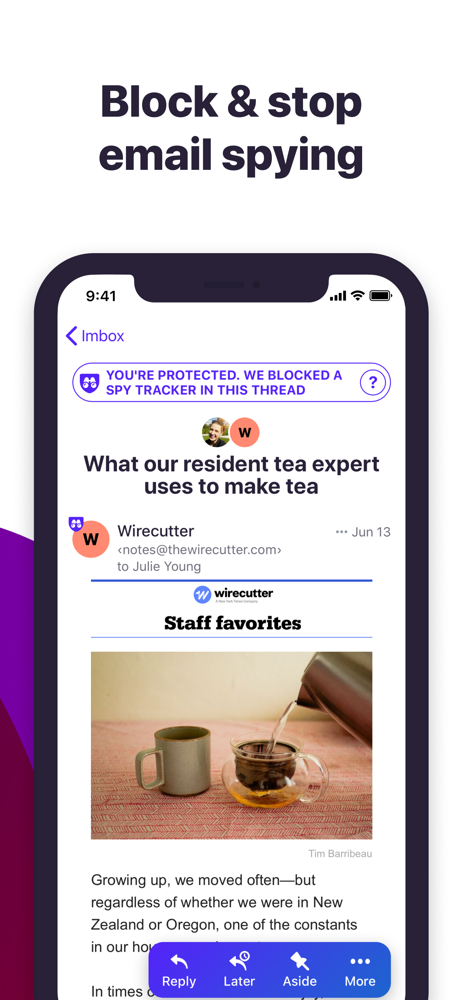
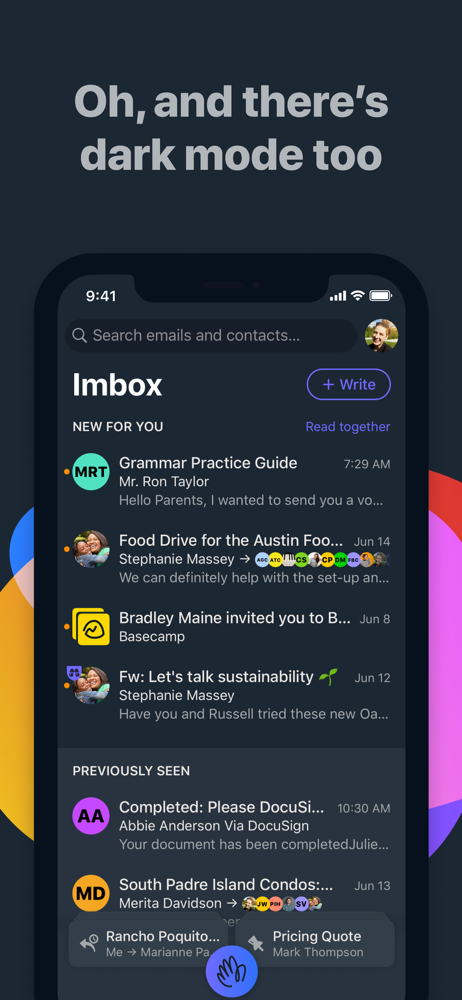
Read the store headline, screenshots and description. What problem is the app promising to solve?
Study the storefront ↗
37Signals LLC · iOS
Explore the ad evidence, study the storefront, and build your next acquisition hypothesis.
01 / Creative research
Read the store headline, screenshots and description. What problem is the app promising to solve?
Study the storefront ↗Explore apps with direct store-link matches. Compare their hooks and formats without assuming the same approach works here.
Browse observed advertisers ↗Store rankings and revenue estimates describe market context. They do not establish ad spend, conversions or ROAS.
Review the market context ↗02 / Storefront & product
Study the product story and store experience behind the acquisition funnel.



03 / Market context
Keep revenue, downloads and store rankings separate from advertising performance.
I haven’t been this excited to use an email app since email came into existence. I love that I get to choose where emails go when they come in - I think my Imbox will be less cluttered overall except that I really like to tag things for later or “set aside” so I can see that turning into a parking lot of disaster for me…at least I can easily locate things I wanted to look at for some reason. Will I have to pay for it? Yes. I’m also okay with that because it will be money well spent! Glad I stumbled on this when trying to find a new platform to replace Gmail. Also stoked that I can forward other inboxes instead of filling loading all of the garbage. My hotmail has over 200k unread emails. Who can even deal with that?!?
From my perspective, this is the first serious step forward in email since Google popularized threading with Gmail. The three-part organizational scheme (inbox, newsletter feed, and receipt box) works remarkably well. The screener is a great way of reducing clutter. The ability to change subjects and merge threads has come in useful several times. And adding notes and setting aside clips—both features contribute to productivity. The privacy features are also valuable and may be the clincher for some, but they mostly work in the background. It amazes me that something this polished sprung forth fully formed, as if from the brow of Zeus. And on top of that, the interface is really pretty. A few aspects (the domain name and the term “imbox”) feel a bit gimmicky, but don’t meaningfully detract from the product’s excellence. One tiny complaint: the threading seems to be based on some identifier distinct from subject lines and senders. When friends create new threads my “replying all” to old threads, clearing out the prior emails, and changing the subject line, Hey lumps them in with the old threads on which they are based. Given the frequency with which my friends (who seem not to have discovered email groups) start new threads using old ones, this is leading to some pretty monstrous threads. But that’s a small issue.
I was one of the first users of Gmail, getting in on the first round of beta invites that went out. I was so enthusiastic about a company bringing the concept of email out of the Stone Age. But as the decades passed, Google dropped the ball. They dropped the “do no evil” mentality in favor of the bottom line. We all learned, the hard way, that advertising-based companies like Google and Facebook don’t care about their users, they care about advertisers. Because there’s no such thing as a free ride, and on free platforms, your attention and data are what is being sold, to marketers. Finally, Hey is here to reinvent email again, and this time for the better. Yes, Hey is a subscription service. And that’s a good thing. That means they don’t have to sell their souls, and your information, to survive. They have an actual, ethical business model. On top of that they protect you by filtering out those nasty tracking “pixels” in emails that let marketers know a scary amount of detail about you, including how many times you opened their emails, at what times, roughly where (geographically) and on what types of devices. And there’s so much more to love about Hey. The Screener, the Imbox, the Paper Trail, Reply Later, Focus & Reply, global files browsing- I can go on and on. I’m thrilled to be a Hey customers, and I think you will be too.
It’s “you’ll never go back” better HEY replaces workarounds, messy hacks, and daily frustrations, with built-in workflows, effortless organization, an...


