
Check the acquisition promise
Read the store headline, screenshots and description. What problem is the app promising to solve?
Study the storefront ↗
Hearth & Home Technologies · iOS
Explore the ad evidence, study the storefront, and build your next acquisition hypothesis.
01 / Creative research
Read the store headline, screenshots and description. What problem is the app promising to solve?
Study the storefront ↗Explore apps with direct store-link matches. Compare their hooks and formats without assuming the same approach works here.
Browse observed advertisers ↗Store rankings and revenue estimates describe market context. They do not establish ad spend, conversions or ROAS.
Review the market context ↗02 / Storefront & product
Study the product story and store experience behind the acquisition funnel.



03 / Market context
Keep revenue, downloads and store rankings separate from advertising performance.
Getting everything on one page makes it easier, I also find that changing a setting it doesn’t pop back in 10 seconds as much as it used to. Now I understand they don’t want to have timers because you don’t want it turning on with no one home, although that should be our option… But how about having a timer when it turns off? How many times have we gone to bed and forgot to turn it back it is how we heat our house it shouldn’t be that hard just to tell be able to turn it off at 10 PM, with no safety issues. Update January 2026: I got a response back that they added Alexa Voice to the system I’ve had mine for three years I don’t know how long they did it they should advertise that upfront in the app or something, the fact that the app is so limited it would’ve been a dream that they would jump the technology to such a higher level of automation, but they did! I can now have Alexa set back the temperature to 64° at 10 PM during the week at 11 PM on weekends. Hooray! I’m retired so I get up at different times now I can tell her to set the temperature to 70 when I wake up. I already have Smartthings automation doing a power cycle every night because their WIFI unit becomes non-responsive randomly. That seems to prevent it.
Last Update…hopefully:) I have changed the rating to 5 stars, because as promised Garrett came to our house and updated the software and as promised it seems to have fixed the problem. If you are having connectivity problems please contact them - they can and will fix it! Thank you Garrett for taking the time and initiative to solve our connectivity problems. Granted it is spring and we’re not really using the fireplace, but I check the app every so often and it’s still connected! Update: After leaving a one star review Garrett from IntelliFire reached out to me and has been helping resolve the issues with the app. He is coming out next week to update the unit’s software and he’s confident this will fix the issues we’ve had. I will update this review after he 🤞 ‘fixes’ it. Garrett has been great and truly wants to ensure that the app works - so he gets 5 ⭐️s Don’t waste your $ until they fix it! It will keep on dropping so you have to keep on deleting it and adding it. Come on and fix the app already. Should have listened to installer and not purchased it
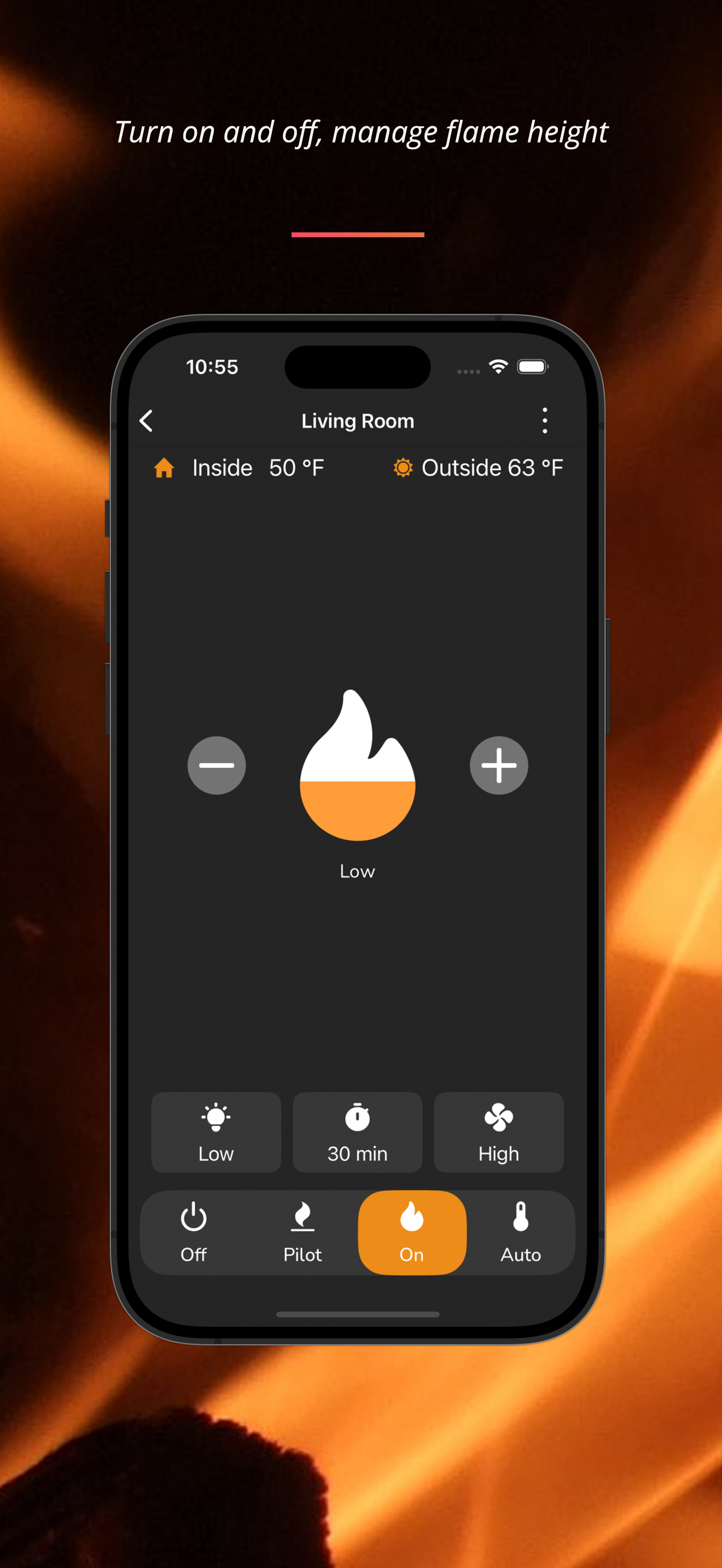
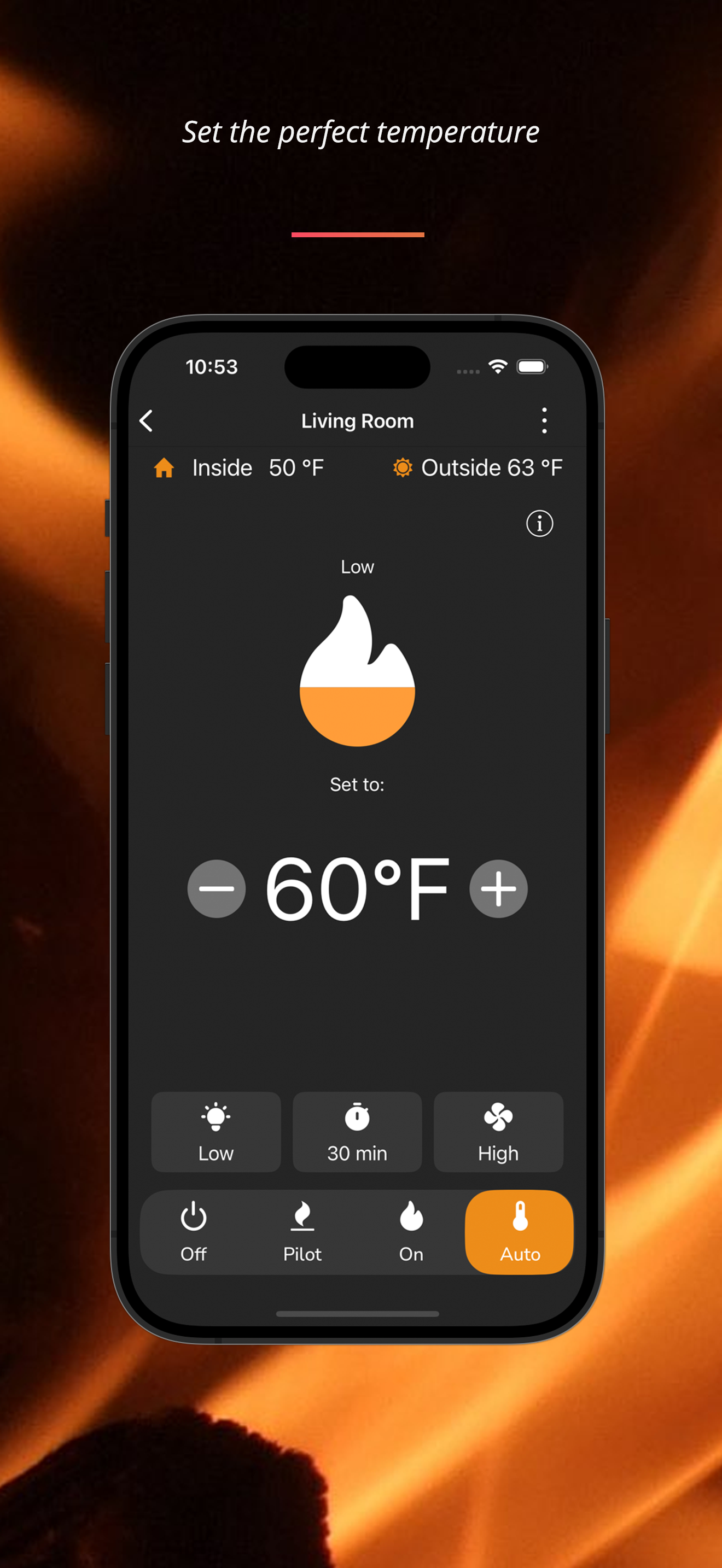
After some initial issues with the Alexa skill, this app seems to be working fully as intended, including with Alexa. We just installed today with a 3 month old Heat n Glo Escape model fireplace. Set up and connection with our home Wi-Fi went smoothly noting our router is only 3-4 feet away. All functions in the app are successfully controlling the fireplace features though there is some wonkiness with the sliders that control the fan and the lights due to slow response. This issue is overcome with a little bit of patience. Just need to wait 10 seconds or so after moving a slider for the results to happen. The sliders are an analog style control trying to control a digital/discreet value for fan speed and light level but with patience and practice it works ok. Just wait for the fireplace beep indicating a successful setting change. Also, we tested controlling the fireplace remotely when we were blocks away in our car which worked great. The app also displays both the inside and outside temperature, outside temperature from the ZIP you supply during setup. You can set up the app on multiple smart phones to control the fireplace, but all of them must use the same IntelliFire login. This is day one so not sure if we will have some of the previously reported problems with the app only working a short time but so far at this point, all is good. The Alexa skill will control the fan speed, light level, flame height, on/off, and thermostat temperature. App also controls a fireplace timer but Alexa skill can’t be used for this. Definitely works much better than expected.
Take control of your fire from anywhere with the IntelliFire® App. Use your phone, tablet, or voice through Amazon Alexa or Google Assistant to instan...


