Check the acquisition promise
Read the store headline, screenshots and description. What problem is the app promising to solve?
Study the storefront ↗
Jarig Duval · iOS
Explore the ad evidence, study the storefront, and build your next acquisition hypothesis.
01 / Creative research
Read the store headline, screenshots and description. What problem is the app promising to solve?
Study the storefront ↗Explore apps with direct store-link matches. Compare their hooks and formats without assuming the same approach works here.
Browse observed advertisers ↗Store rankings and revenue estimates describe market context. They do not establish ad spend, conversions or ROAS.
Review the market context ↗02 / Storefront & product
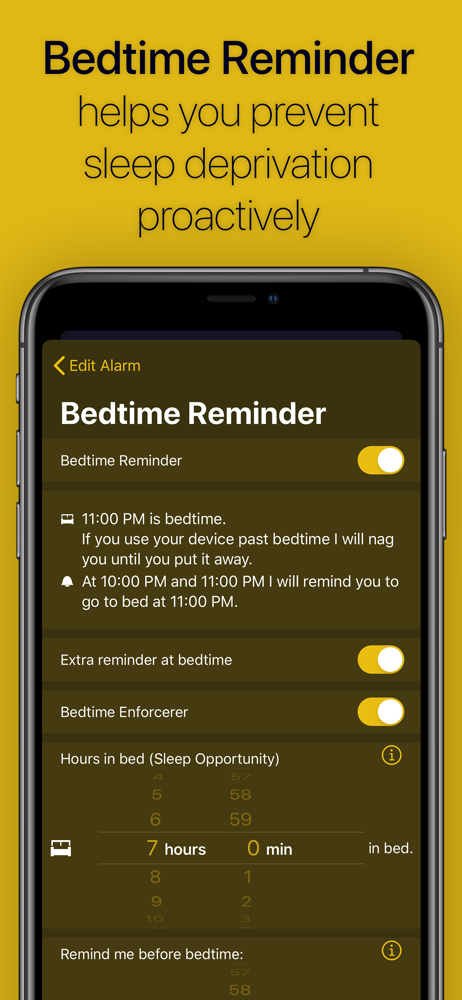
Study the product story and store experience behind the acquisition funnel.




03 / Market context
Keep revenue, downloads and store rankings separate from advertising performance.
I hate this app. I routinely delete it every morning and redownload it before I go to bed. I’m writing this review as it redownloads. I wake up at 3:30am everyday for work. The sound this app makes sends me into immediate panic and disparity. I forcefully hold the volume button down while also occupying the “the don’t wake my spouse” button out of shear terror the sound will go off again before I complete my math equations. I often forget I’m supposed to pay attention to the color patterns and stare into the abyss as the colors change wondering why, that’s all. Just “why” eventually I come too and am angry again. I’m not happy until I some how unlock my phone and get to the Home Screen to delete this app. The peace in the silence after I hit the delete app button is undeniable. I suppose for now, I will continue to delete and redownload. Deleting the app before the alarm goes off again is my only sense of success and after spending the first 10 minutes of my day in the most competitive and enraging competition of my life, I’m numb enough to start my day of work on time. Thank you.
It works very well and gets me up in the morning. However, i have to remember to open the app in the background every night which is hard for me. There’s a mode to let it run in the background without keeping the app open constantly, but it DRAINS your battery. I mean really drains it. It halved the life of my phone when i had it on. Wish there was a way to set an automation for the background mode to turn on at x time. or perhaps only turn on when plugged in.
9 out of 10 times, this application is truly brilliant and is one of the few (free) mobile solutions I’ve found that are able to get hard sleepers like myself to get up. The app itself is easy to use, feature-rich, and has an interface with a great balance between cleanliness and customizability. I like it so much that I decided to pay to get the ad-free version of the app. However, I have had a couple of days where the application crashes in the middle of the night and is unable to work with any of my alarms, missions or not. Thank goodness I had set backup alarms in the stock iPhone Clock app and that these application failures were on days where I did not have work. That said, I am fearful to use this application as a standalone solution to “crushing” my sleep, so to say, given the fairly high risk for app failure and an interruption of the function of background mode for unknown reasons. So for now, I will have to resort to using it as more of an adjunct to the stock alarms until a future update (hopefully) reduces the frequency of crashes.
Trouble getting out of bed in the morning? You'll never snooze or oversleep with the Instant Wake Up alarm clock. Develop healthy sleeping habits and...
| Name | Price | Type |
|---|---|---|
| Ad Free | $24.99 | One-time |