Check the acquisition promise
Read the store headline, screenshots and description. What problem is the app promising to solve?
Study the storefront ↗
talonsodev · iOS
Explore the ad evidence, study the storefront, and build your next acquisition hypothesis.
01 / Creative research
Read the store headline, screenshots and description. What problem is the app promising to solve?
Study the storefront ↗Explore apps with direct store-link matches. Compare their hooks and formats without assuming the same approach works here.
Browse observed advertisers ↗Store rankings and revenue estimates describe market context. They do not establish ad spend, conversions or ROAS.
Review the market context ↗02 / Storefront & product
Study the product story and store experience behind the acquisition funnel.


03 / Market context
Keep revenue, downloads and store rankings separate from advertising performance.
I loved this app, but recently when i tried to use it on a new ipad there's a watermark, and i've tried the versions of restore, but the watermark is still there. How do i go back to a version that worked?? I shouldn't have lost the ability to use the app as it was... if it isn't solved i'll simply scrap the app. I may also notify apple that the app changing means i'm no longer getting what i paid for. Update: It appears that the app is usable again. I'm understandably wary that it will continue to work, so I can only rate it 4 stars.
iColorama is my go-to photo editing app, especially in combo with Snapseed. Love it...mostly. I’m on an iPad Pro, iOS 12.1.3. Here’s the scenario. I shoot RAW, then do intitial adjustment using Snapseed and export a jpeg for iColorama editing. The problem is two-fold. 1) The newest iColorama interface to load an image into the program does not show the Camera Roll images in decending order starting from the newest added. It places the Snapseed created jpeg next to the original RAW file. Therefore, if a lot of new RAW images have just been imported, and I edit a few of them, I sometimes find it hard to actually find the jpeg to load into iColorama. The views under Recently Added also give the same problem 2) The above problem is exacerabated if I have gone back to a RAW file from several years ago. The RAW files and the Snapseed created jpeg is nowhere to be found in the first few images within the iColorama interface, even though I only just added the RAW file to the Camera Roll. I think iColorama has placed the RAW file and the Snapseed created jpeg in chronological order by the date the RAW file was captured, which could be 1000’s of images down in the Camera Roll listing, depending on the date. And oddly enough, the Camera Roll image order IS CORRECT (newest image added is first) in the Effects>Blend>Photo interface (and is other places in iColorama where photos can be imported). It only seems messed up in the main Photo import interface This is obviously not very workable. An option to order photos by date captured/created or by date added to the Camera Roll (or another album), would help, as would an option to only show certain types of image files, e.g., RAW vs. jpeg vs. png, etc. Any advice “bug fix” updates much appreciated!
This app will inspire things you didn't know you had it in you to be inspired! The developer is responsive and innovative and this is one of--actually the best!-- app I've encountered to grow my creativity. The tutorials are treasures for this app. Don’t complain unless you’ve viewed the tutorials! This is the second time of looking at my review—iColorama is the number one best app for working with creativity and the imagination when it comes to photos—and artwork—I use it for both. It makes a photographer a painter. It gives the artist a tool too richly enhance drawings or paintings. Triple thumbs up!!!
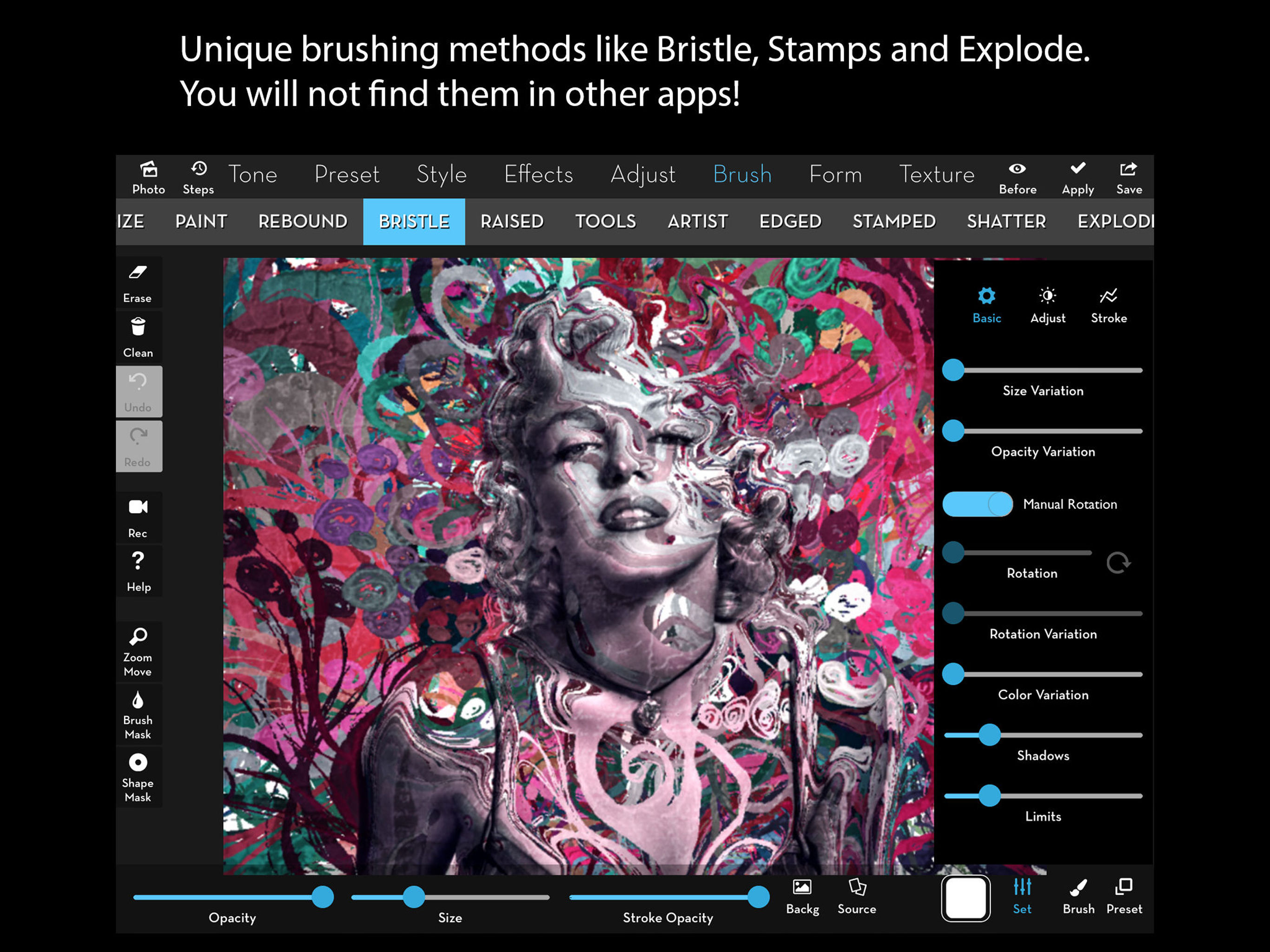
iColorama is an imaging app for creators interested in enhancing their photos/paintings/drawings and converting them into amazing pieces of art. Ther...
| Name | Price | Type |
|---|---|---|
| iColorama PRO (Weekly) | $0.99 | Weekly |
| iColorama PRO (Annual) | $3.99 | Yearly |
| iColorama PRO | $5.99 | One-time |