
Check the acquisition promise
Read the store headline, screenshots and description. What problem is the app promising to solve?
Study the storefront ↗
JHND i Sverige AB · iOS
Explore the ad evidence, study the storefront, and build your next acquisition hypothesis.
01 / Creative research
Read the store headline, screenshots and description. What problem is the app promising to solve?
Study the storefront ↗Explore apps with direct store-link matches. Compare their hooks and formats without assuming the same approach works here.
Browse observed advertisers ↗Store rankings and revenue estimates describe market context. They do not establish ad spend, conversions or ROAS.
Review the market context ↗02 / Storefront & product
Study the product story and store experience behind the acquisition funnel.




03 / Market context
Keep revenue, downloads and store rankings separate from advertising performance.
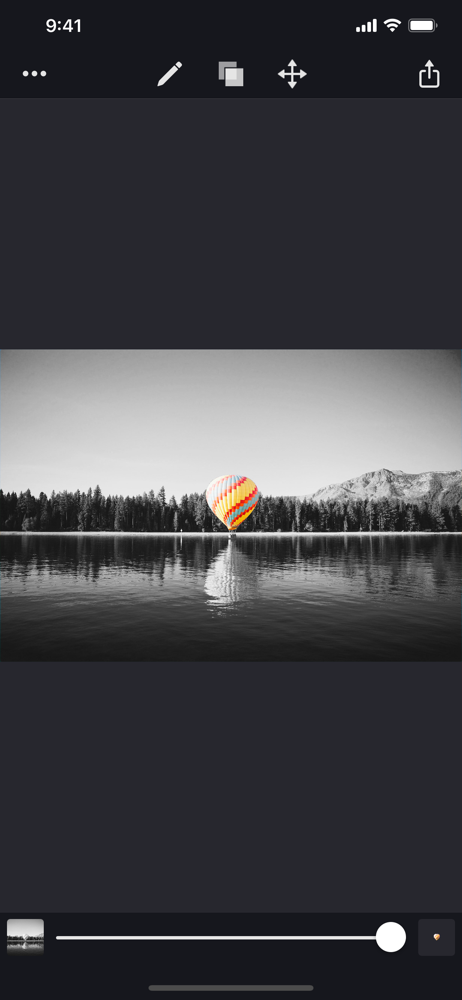
This is an excellent app which I use frequently . One of the very best . In my informed opinion it is far more interesting and subtle than any other “ double exposure “ effects out there in apps such as Snapseed ( which Is excellent) as well as others . The range of offerings that Image Blender presents to combine , vary opacity and positioning allows for endless creative possibilities . Thank you . I’ll try to think more about ways you might improve or rather expand but overall well done . Bravo ! I especially appreciate that It can be used with a light touch … making changes not so obvious and “ photoshopped “as they say . I’m a fine art photographer and painter who exhibits in museums and galleries . I use adobe photoshop with 35 mm Raw images with extensive layerings . I also use a pro printer to print my own work . However, I must admit that the iphone continues to get better and better . The apps are endless . Too many . But like most people the iphone is always with me . A second skin . Perhaps it’s true that it’s NOT the wand but the magician . Meaning that some of the most compelling work can be shot with a Diana or the cheapest camera out there and transformed in ways that transcend the fanciest , high end cameras . In the end it’s really about seeing .
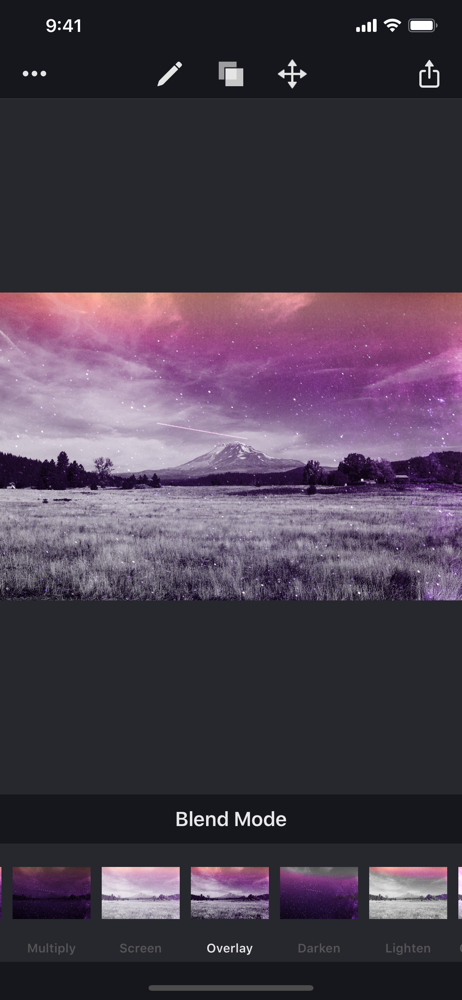
My first and most important bullet point of this review: • It is not a subscription. Thank you to the developers of this app for not doing what so many other of my once-favorite editing apps have done, by switching to a $/week or $/month ‘service.’ This app is valuable and I use it often, even more so now that my tools have become more limited. The blending modes leave nothing to be desired (at least for my uses), pretty much anything in that department can be achieved with this app so long as you get creative with your layers. I’ve created multi-layered compositions with this app by inverting things and flattening one by one, and saving as a PNG to avoid compression. It’s amazing. The actual app itself can handle surprisingly large file sizes for an app, it’s taken some big images and chugged along like a champ even on my older iPhone models I’ve had. It does one thing and does it well. No unnecessary or unwanted extras. I would recommend this app to anyone, it’s a gem and should be part of your app toolbelt if you’re doing any editing on your mobile device. Update 2021: This is pretty much the only app I have now that doesn’t charge me premiums or timed subscriptions to use its basic features.
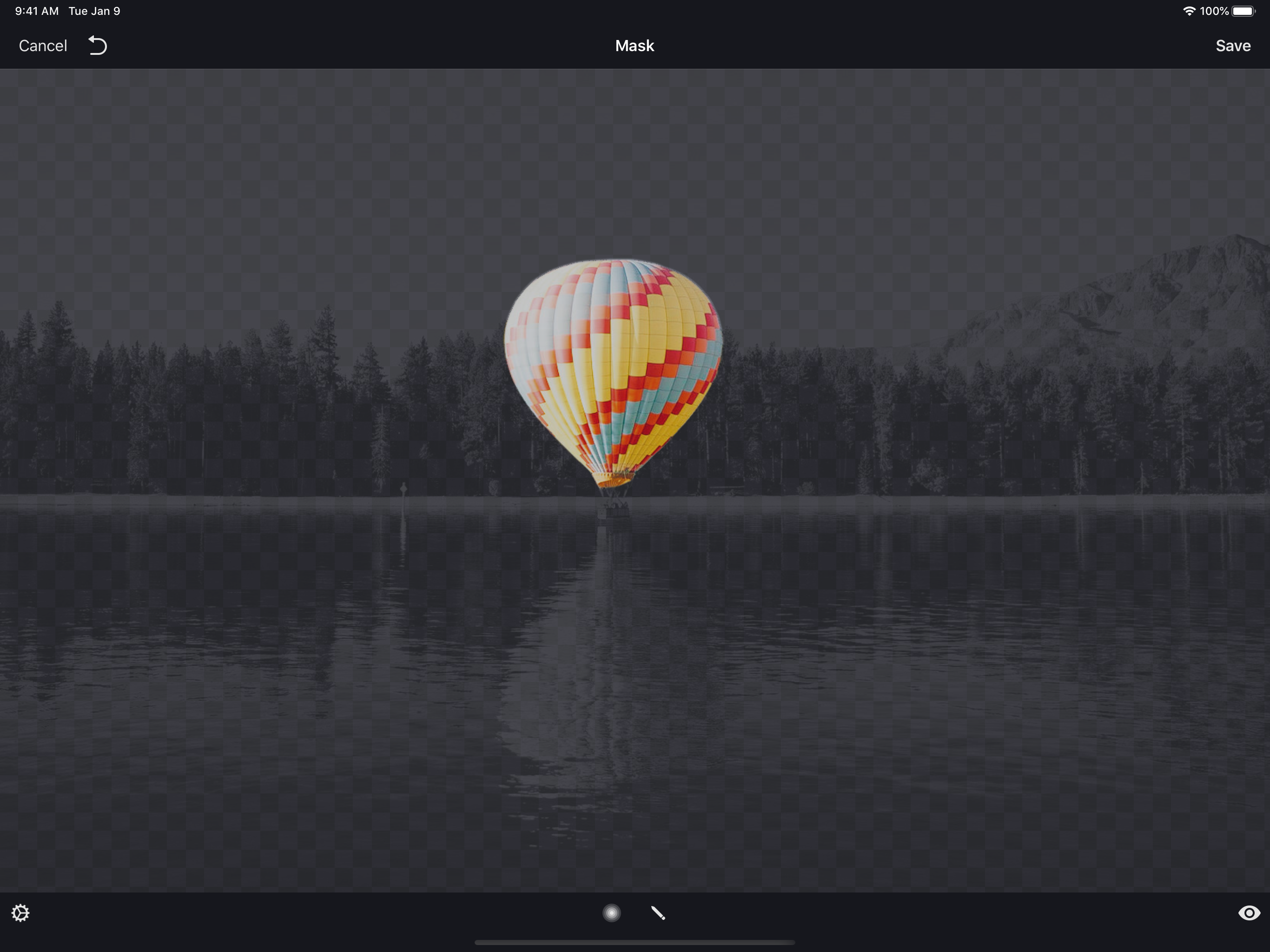
I’ve been using the app when I got my first iPod Touch with a camera and it was awesome. Then moved up to a 4s and the app stayed very much the same-awesome. I’m currently using a 6s and Image Blender has always been one of the strongest workhorses in my photo app line up. It’s fast. It’s smart. It does what other apps may include as features, except IB specializes in the one thing, blending layers. I love that they never even bothered to update the original looking app icon, only performance improvements. The only thing I wish it could improve is the masking tool. The brush to create masks is very limited in function in regards to size and edges. I don’t recall it always being there so if it’s newer it will only get better I bet. If I need to I prep images in another app to do sharp masking but NOTHING works better at traditional layer blending modes easier and better than image blender. Dear develops, seriously tho, can you work on the brush for masking? Thanks for years of awesome photo editing help.
A simplistic and creative app for combining images with masks and different blend modes on your iPhone and iPad. While the use and basic idea is very...
