Check the acquisition promise
Read the store headline, screenshots and description. What problem is the app promising to solve?
Study the storefront ↗
iCollect Everything, LLC · iOS
Explore the ad evidence, study the storefront, and build your next acquisition hypothesis.
01 / Creative research
Read the store headline, screenshots and description. What problem is the app promising to solve?
Study the storefront ↗Explore apps with direct store-link matches. Compare their hooks and formats without assuming the same approach works here.
Browse observed advertisers ↗Store rankings and revenue estimates describe market context. They do not establish ad spend, conversions or ROAS.
Review the market context ↗02 / Storefront & product
Study the product story and store experience behind the acquisition funnel.



03 / Market context
Keep revenue, downloads and store rankings separate from advertising performance.
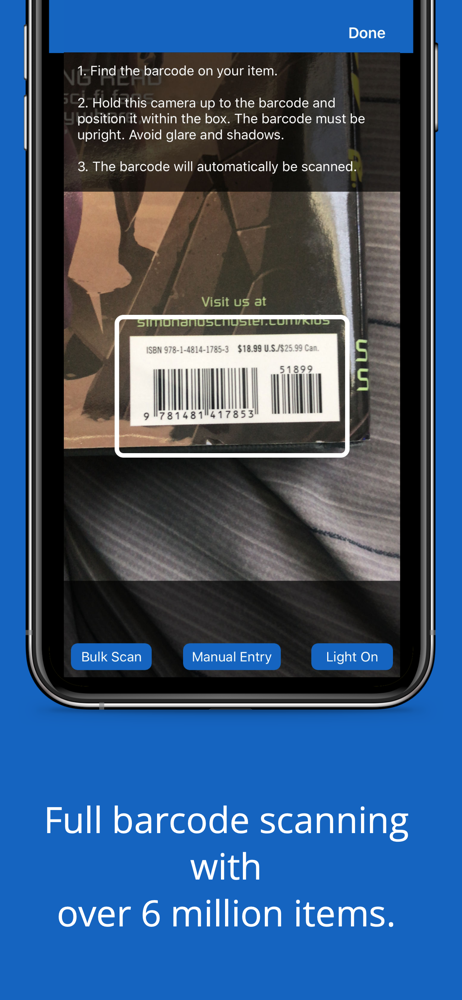
This is a good program, one of the best I’ve seen to organize your collection. That said, the database appears to be based on everyone else’s entries, and that can lead to significant discrepancies. For instance, scanning the UPC for The Avengers #43 (June, 2021) will return “Avengers (2018) #43”. Scanning issue #44 will return “Avengers (Vol. 8) #44. Since your collection is sorted by title, then date, the different titles make it extremely difficult to determine which issues you have (and which ones you need). Additionally, the primary covers cannot be changed if you want to use an existing entry, so if you don’t like the photo, or if it’s wrong (as it has been more than a few times), you will have to enter everything manually. Lastly, you can’t enter an entire series, like Secret Wars #1-12 or Camelot 3000 #1-12, and will have to enter each issue. If you have a large collection with pre-2000 issues, prepare to do a lot of manual entries. Don’t get me wrong, once you get everything in and it the right order it’s great, but getting there should be much easier.
These iCollect apps are pretty well done but this one has some issues. I have been adding lots of details to my collection and the barcode scanning is terrible compared to the movie one often bringing up incorrect entries forcing more editing. Adding pictures of the front, back and table of contents gives the option of adjusting the borders with drag circles but the left ones will occasionally close the window when being adjusted loosing the photo instead of resizing. Adding some comics like Heavy Metal magazine the volume numbers of early ones contain Roman numerals for volume and number but the field is to short. Sometimes scrolling down to add more details closes the entire work already done discarding everything with no warning or way to get it back forcing rework. There are two date fields used for different sorting options (great idea) but completing one doesn’t populate the other (I can see not forcing them to be the same but populate and let change if necessary would be great). It would be great if all the fields showed the last few entries used like the publisher does to help speed entry. I have lost almost an 1/8 of my entries before saving due to fat fingering or other issues so a warning before discard would be great. Thanks for all the work on creating this!
I like most of what this app offers. If someone has put in a title you will find it in the database it picks up info from the scanning bar. But if it’s not in the database and you use the scan it will get some info, you’ll have to upload a picture and a title. Still not a bad deal. The only thing I think it needs is way to put in a title that has no scanning strip or is not in the database. I found a roundabout by taking any title I don’t have and editing it to fit the tile I’m entering, deleting the pic and uploading a new pic. The should be a manual entry without barcode. Please add one to this app. Then I’ll give it a 5 star review. Also some people would like to see a internet search for the issue their entering to cover ones that are not in the database.
iCollect Comic Books is the #1 app on the Apple App Store for managing your comic book collection and inventory, whether at home, work, or school. Thi...
| Name | Price | Type |
|---|---|---|
| 50 AI Identification Scans | $9.99 | One-time |
| Unlimited Comic Books (Annual) | $29.99 | Yearly |
| 250 AI Identification Scans | $44.99 | One-time |
| Add Unlimited Comic Books | $49.99 | One-time |
| Pro User - Yearly | $79.99 | Yearly |
| 500 AI Identification Scans | $79.99 | One-time |