HPE Instant On

Hewlett Packard Enterprise Company · iOS

HPE Instant On

Explore the ad evidence, study the storefront, and build your next acquisition hypothesis.

Paid-ad activity not yet verified
Compare appsMy watchlist

01 / Creative research

Turn the unknowns into a research plan.

01

Check the acquisition promise

Read the store headline, screenshots and description. What problem is the app promising to solve?

Study the storefront
02

Look for ad evidence

Explore apps with direct store-link matches. Compare their hooks and formats without assuming the same approach works here.

Browse observed advertisers
03

Separate demand from paid growth

Store rankings and revenue estimates describe market context. They do not establish ad spend, conversions or ROAS.

Review the market context

02 / Storefront & product

Where the click lands.

Study the product story and store experience behind the acquisition funnel.

Screenshots

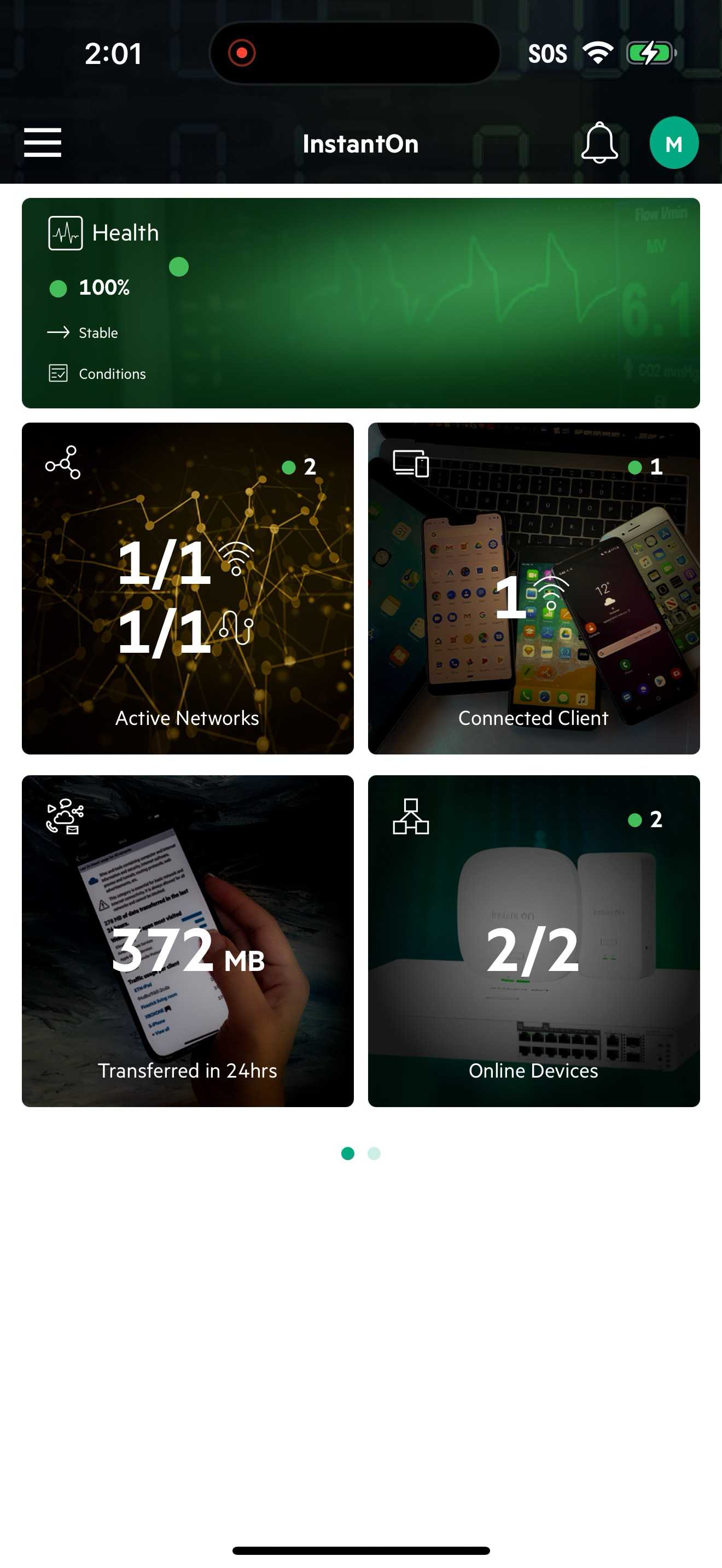
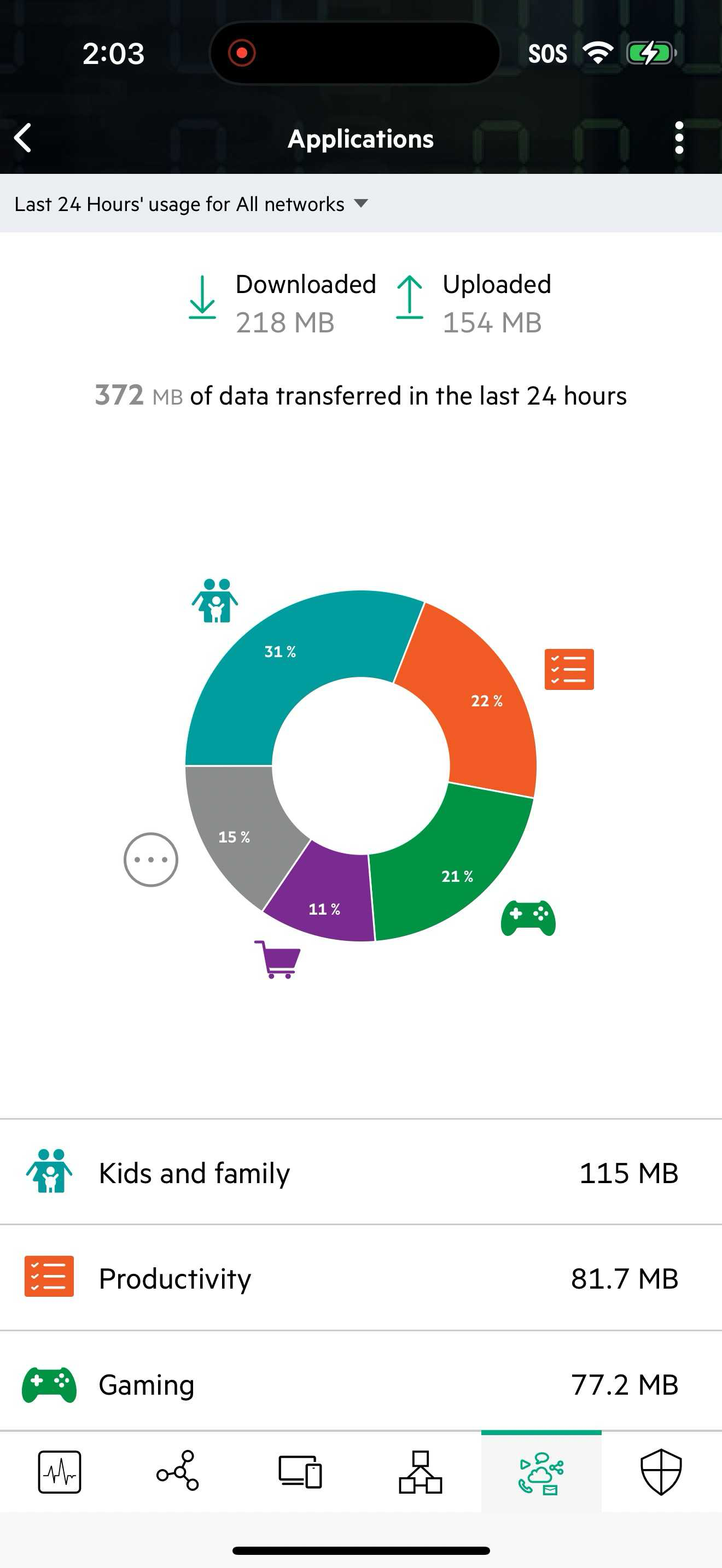
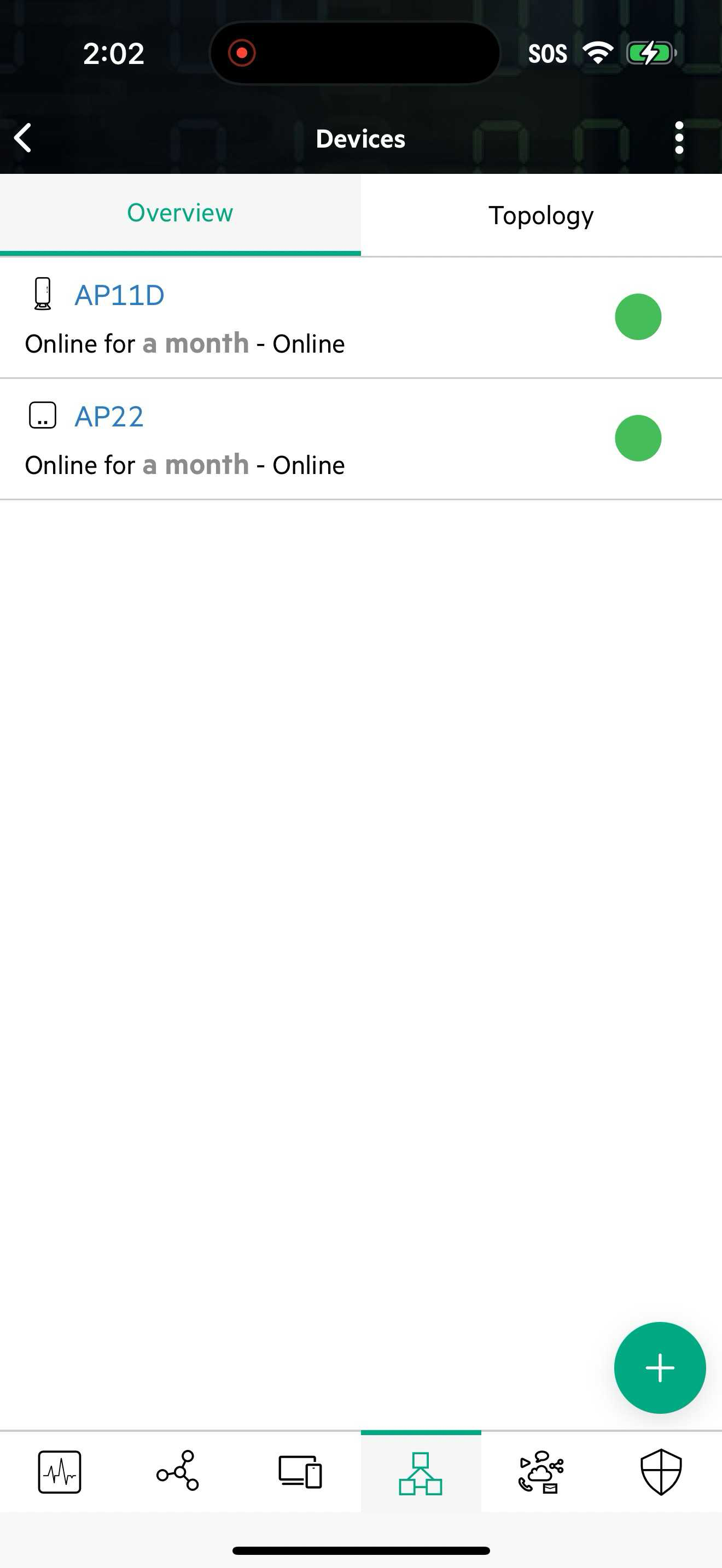
HPE Instant On screenshot 1HPE Instant On screenshot 2HPE Instant On screenshot 3HPE Instant On screenshot 4HPE Instant On screenshot 5HPE Instant On screenshot 6

03 / Market context

The business behind the app.

Keep revenue, downloads and store rankings separate from advertising performance.

How Much Does HPE Instant On Make?

Monthly Revenue
$1.0K
Annualized estimate
$12.0K
Per Download
$1.00

Platform Performance

🍎iOS
Revenue
$1.0K
Downloads
1.0K
Rating
3.4 (17)

Rating Distribution

3.4
★★★☆☆
17 reviews
5
35%
4
0%
3
6%
2
6%
1
53%

Top Countries

🇮🇱 IL🇩🇪 DE🇹🇭 TH
Reviews (3)
★★★★e.xman6/11/2026
Works well but slow to load sites

Works well once logged in. Only issue is it takes a long time to load my sites on mobile app and also the web app. Takes 10 seconds or so.

☆☆☆☆cwaldecorp3/16/2026
Neither Instant Nor On

This app just doesn’t work - you can’t create an account, and you can’t backdoor your way in by signing up at hpe support. A dog water experience for supposedly “enterprise” service.

★★★☆☆EarlAngus2/22/2026
Works okay, but minor issues

With 3.3.0 a few days ago, the category a d throughput tile stopped working. I need to check the web page to see if it can be managed there. I’ve done a few 1930 switches. If it is used (or an Amazon return) you may need to factory reset it to get it to join your site. Also, I always use port 8 on the 8G version. I’d use the highest port on the other versions, to be numerically adjacent to the SFP+ ports. They’ve worked fine for me that way.

Version History (12)
3.3.5.16/4/2026
3.3.5.05/27/2026
3.3.4.03/30/2026
3.3.3.02/17/2026
3.3.2.012/11/2025
3.3.1.011/9/2025
3.3.0.110/8/2025
3.3.0.08/31/2025
3.2.1.18/6/2025
3.2.1.06/26/2025
Available In (115 Countries)
🇺🇸 United States🇦🇺 Australia🇨🇦 Canada🇨🇳 China🇫🇷 France🇩🇪 Germany🇬🇧 United Kingdom🇮🇹 Italy🇯🇵 Japan🇰🇷 South Korea🇷🇺 Russia🇩🇿 DZ🇦🇴 AO🇦🇷 Argentina🇦🇹 Austria🇦🇿 AZ🇧🇭 BH🇧🇧 BB🇧🇾 BY🇧🇪 Belgium🇧🇲 BM🇧🇷 Brazil🇧🇬 Bulgaria🇨🇱 Chile🇨🇴 Colombia🇨🇷 CR🇭🇷 Croatia🇨🇾 CY🇨🇿 Czech Republic🇩🇰 Denmark🇩🇴 DO🇪🇨 EC🇪🇬 Egypt🇸🇻 SV🇫🇮 Finland🇬🇭 GH🇬🇷 Greece🇬🇹 GT🇭🇰 Hong Kong🇭🇺 Hungary🇮🇳 India🇮🇩 Indonesia🇮🇪 Ireland🇮🇱 Israel🇰🇿 KZ🇰🇪 Kenya🇰🇼 KW🇱🇧 LB🇱🇹 Lithuania🇱🇺 LU🇲🇴 MO🇲🇬 MG🇲🇾 Malaysia🇲🇹 MT🇲🇽 Mexico🇳🇱 Netherlands🇳🇿 New Zealand🇳🇬 Nigeria🇳🇴 Norway🇴🇲 OM🇵🇰 Pakistan🇵🇦 PA🇵🇪 Peru🇵🇭 Philippines🇵🇱 Poland🇵🇹 Portugal🇶🇦 QA🇷🇴 Romania🇸🇦 Saudi Arabia🇷🇸 RS🇸🇬 Singapore🇸🇰 Slovakia🇸🇮 Slovenia🇿🇦 South Africa🇪🇸 Spain🇱🇰 LK🇸🇪 Sweden🇨🇭 Switzerland🇹🇼 Taiwan🇹🇭 Thailand🇹🇳 TN🇹🇷 Turkey🇺🇦 Ukraine🇦🇪 UAE🇺🇾 UY🇺🇿 UZ🇻🇪 VE🇻🇳 Vietnam🇧🇴 BO🇰🇭 KH🇪🇪 Estonia🇱🇻 Latvia🇳🇮 NI🇵🇾 PY🇦🇫 AF🇬🇪 GE🇮🇶 IQ🇱🇾 LY🇲🇦 MA🇲🇿 MZ🇲🇲 MM🇾🇪 YE🇧🇯 BJ🇧🇫 BF🇨🇲 CM🇨🇬 CG🇨🇮 CI🇯🇴 JO🇱🇦 LA🇲🇱 ML🇸🇳 SN🇹🇿 TZ🇺🇬 UG🇿🇲 ZM🇿🇼 ZW
Supported Languages (9)
EnglishFrenchGermanItalianJapaneseKoreanPortugueseChineseSpanish
App Details

Set up, manage, and troubleshoot a network of Instant On switches and Wi-Fi access points from anywhere, at any time. Simple, reliable, and secure, In...

iOS App ID
6739608641
Content Rating
4+
Min OS
15.0
Size
36.1 MB
Publisher
Hewlett Packard Enterprise Company
US