
Check the acquisition promise
Read the store headline, screenshots and description. What problem is the app promising to solve?
Study the storefront ↗
ParceApp UG (haftungsbeschränkt) · iOS
Explore the ad evidence, study the storefront, and build your next acquisition hypothesis.
01 / Creative research
Read the store headline, screenshots and description. What problem is the app promising to solve?
Study the storefront ↗Explore apps with direct store-link matches. Compare their hooks and formats without assuming the same approach works here.
Browse observed advertisers ↗Store rankings and revenue estimates describe market context. They do not establish ad spend, conversions or ROAS.
Review the market context ↗02 / Storefront & product
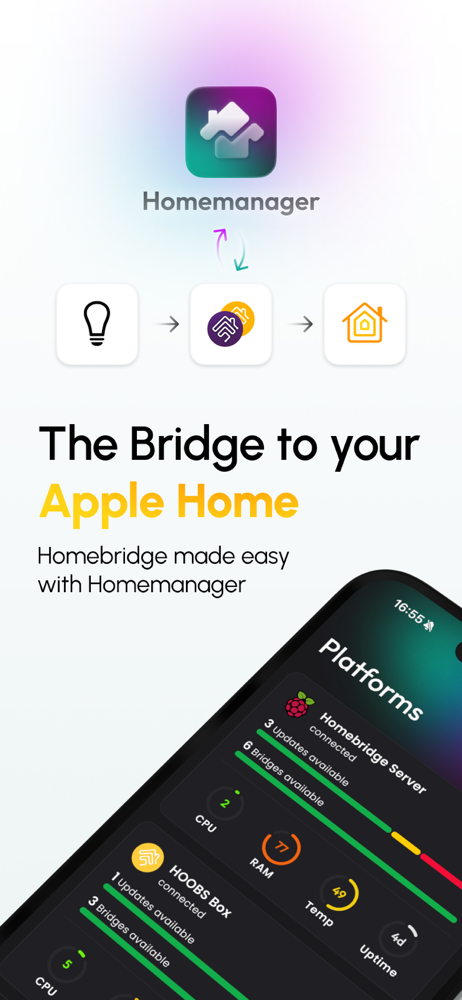
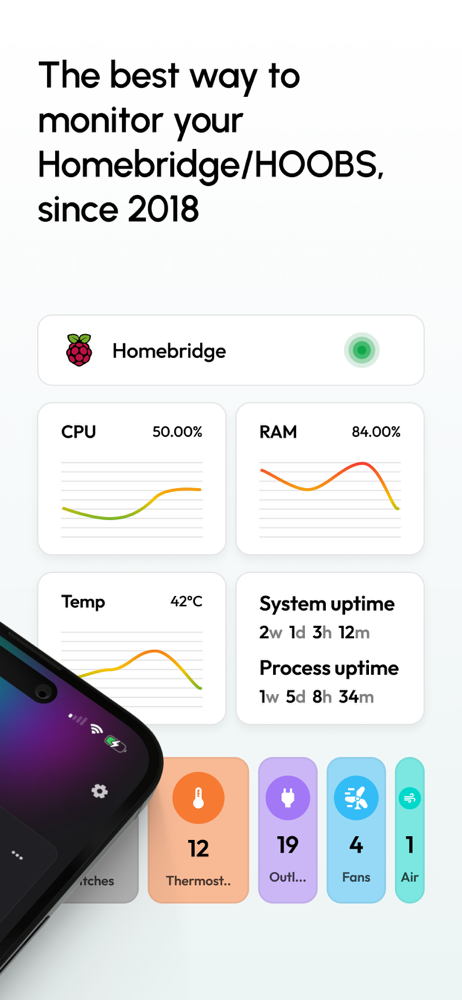
Study the product story and store experience behind the acquisition funnel.


03 / Market context
Keep revenue, downloads and store rankings separate from advertising performance.
This app has been great for managing my HOOBS Pro device! I would like to see some UI tweaks (it can get a bit confusing tabbing between plugins, bridges, and the main interface as they are all extremely alike) - perhaps a cleaner navigation or breadcrumb feature would be helpful. Also, I still don’t see the HOOBS Pro icon as an option for the server, only the outdated HOOBS Box. Please add the HOOBS Pro icon so it can accurately reflect my device! (I’m a bit OCD about this stuff haha). Can’t wait to see what HomeManager 5 is like - is there a Beta I can participate in on TestFlight? If so, please let me sign up, I do beta testing for a number of apps (I work as DevOps for a tech startup). Keep up the great work!
I really enjoy using this app, allowing me to quickly manage my HOOBS server from my iPhone or iPad without having to use the web. The interface makes it user friendly. I have one suggestion though - when you are managing devices, and make changes, there should be a save or upload button on that screen. Instead you have to click the ‘back’ button, tap the three dots and tap ‘upload’. This was the only counterintuitive thing I encountered. Otherwise, a must have! Edit - thanks for taking the time to respond! Happy to hear you guys are making improvements! Looking forward to receiving updates
This app is a “smart home” game changer. My family really likes Apple. I’d looked into HomeKit but felt the supported devices were limited, expensive and sometimes just not the best choices. I like having IoT devices and had everything already set up in SmartThings, Alexa and Google Home. I just felt like we were too far down the path to switch over to Apple Home. I’d read about Homebridge, but it was a little deeper into the smart home pool than I was ready to dive at that point. Then I came across the HOOBS subreddit from the Homebridge subreddit I’d been on reading and eventually found Homemanager. WOW. In my opinion the Homemanager app and HOOBS make adding unsupported HomeKit devices on par with adding devices in Alexa or Google Home. Especially with the Import Config feature in Homemanager. The app is so well designed and makes updating the configuration file for Homebridge really easy. You don’t have to worry about syntax with brackets and commas. It imports the sample config into a GUI form for you to simply enter parameters. Trust me, if I can do this, anyone can do it. I don’t write a lot of reviews, but felt compelled to add one for Homemanager. It’s my favorite app by far!
Homemanager makes Homebridge and HOOBS simpler, more modern, and more mobile. Manage your Homebridge or HOOBS systems directly from your iPhone or iP...
| Name | Price | Type |
|---|---|---|
| Trial | $0.00 | One-time |
| Legacy - Basic Upgrade | $1.99 | One-time |
| Legacy - Pro Upgrade | $3.99 | One-time |
| Legacy License Basic | $4.99 | One-time |
| Legacy License Pro Upgrade | $5.99 | One-time |
| Basic | $5.99 | One-time |
| Basic to Pro Upgrade | $6.99 | One-time |
| Legacy - Basic to Pro Upgrade | $8.99 | One-time |
| Pro | $10.99 | One-time |
| Legacy License Pro | $10.99 | One-time |


